
I’ve tested 2026’s best home switches to keep your network fast without overpaying.
Top picks: TP-Link TL-SG105 and TL-SG108 for simple Gigabit, TL-SG108E for VLAN/QoS, NETGEAR 5-Port Smart Managed for control, GS308EP for PoE+, and GS108MX for Multi-Gig uplink. Need 2.5G? Grab TP-Link TL-SG105S-M2 or BrosTrend 5- or 8-port 2.5GbE. PoE cameras/APs? TP-Link LS108GP fits. I’ll also cover port counts, PoE budgets, and energy-efficient fanless designs so you can choose confidently next.
Key Takeaways
- Prioritize gigabit or multi‑gig (2.5G/10G) ports to future‑proof for NAS, gaming, and Wi‑Fi 7 backhaul.
- Choose port count (5/8/16) based on current devices plus 20–40% growth headroom.
- Decide unmanaged for simplicity or smart/managed switches for VLANs, QoS, and IGMP Snooping in advanced home setups.
- Match PoE/PoE+ needs to cameras/APs; verify per‑port wattage and total PoE budget.
- Favor fanless, energy‑efficient metal designs with solid warranties and easy management software for quiet, reliable operation.
| TP-Link TL-SG105 5-Port Gigabit Ethernet Switch | 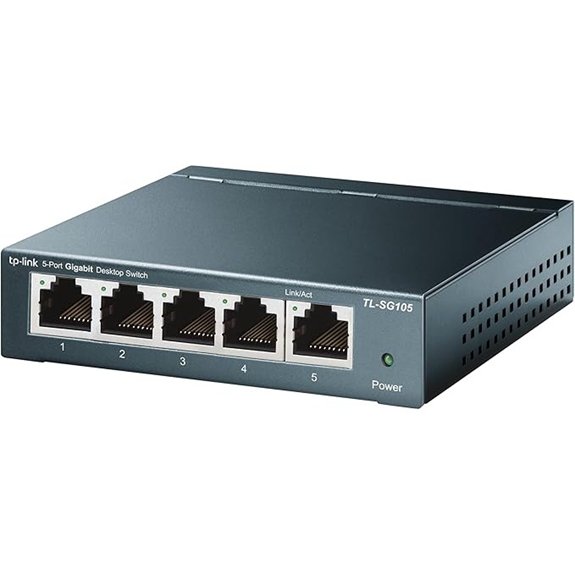 | Budget-Friendly Pick | Port count: 5 ports | Management level: Unmanaged | Top port speed: 1 Gbps | VIEW LATEST PRICE | Read Our Analysis |
| TP-Link 8-Port Gigabit Ethernet Switch (TL-SG108) | 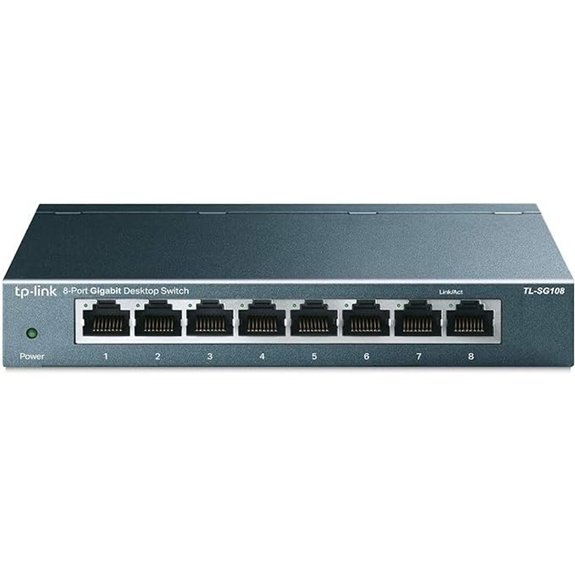 | Best Overall | Port count: 8 ports | Management level: Unmanaged | Top port speed: 1 Gbps | VIEW LATEST PRICE | Read Our Analysis |
| NETGEAR 5-Port Gigabit Smart Managed Switch | 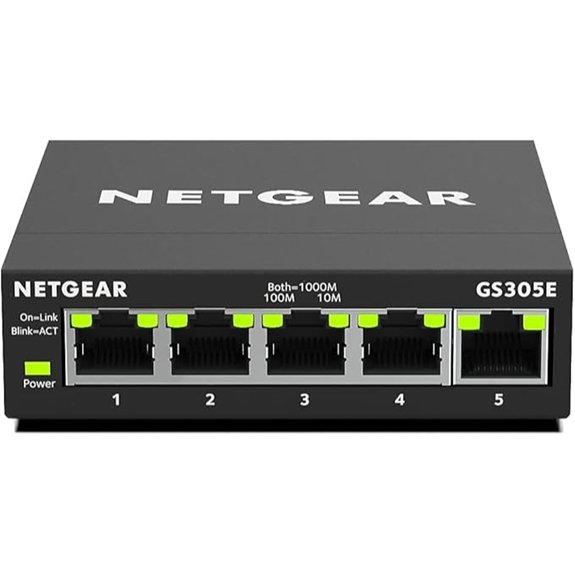 | Smart Management Pick | Port count: 5 ports | Management level: Easy Smart (basic managed) | Top port speed: 1 Gbps | VIEW LATEST PRICE | Read Our Analysis |
| TP-Link 8-Port Gigabit Easy Smart Switch (TL-SG108E) | 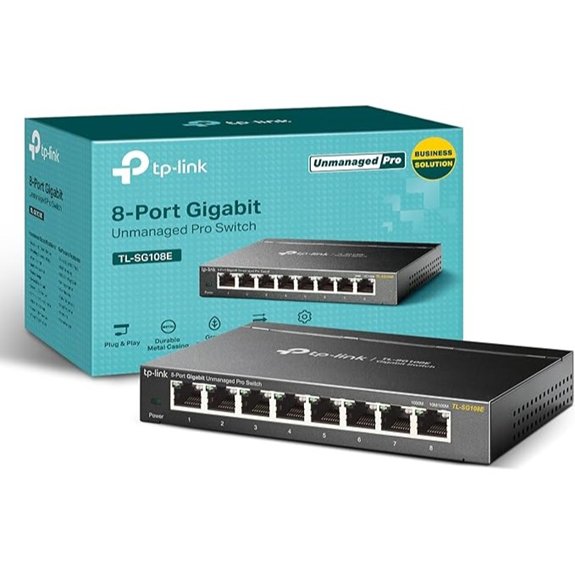 | Most Versatile | Port count: 8 ports | Management level: Easy Smart (web-managed) | Top port speed: 1 Gbps | VIEW LATEST PRICE | Read Our Analysis |
| BrosTrend 5-Port 2.5GbE Unmanaged Ethernet Switch | 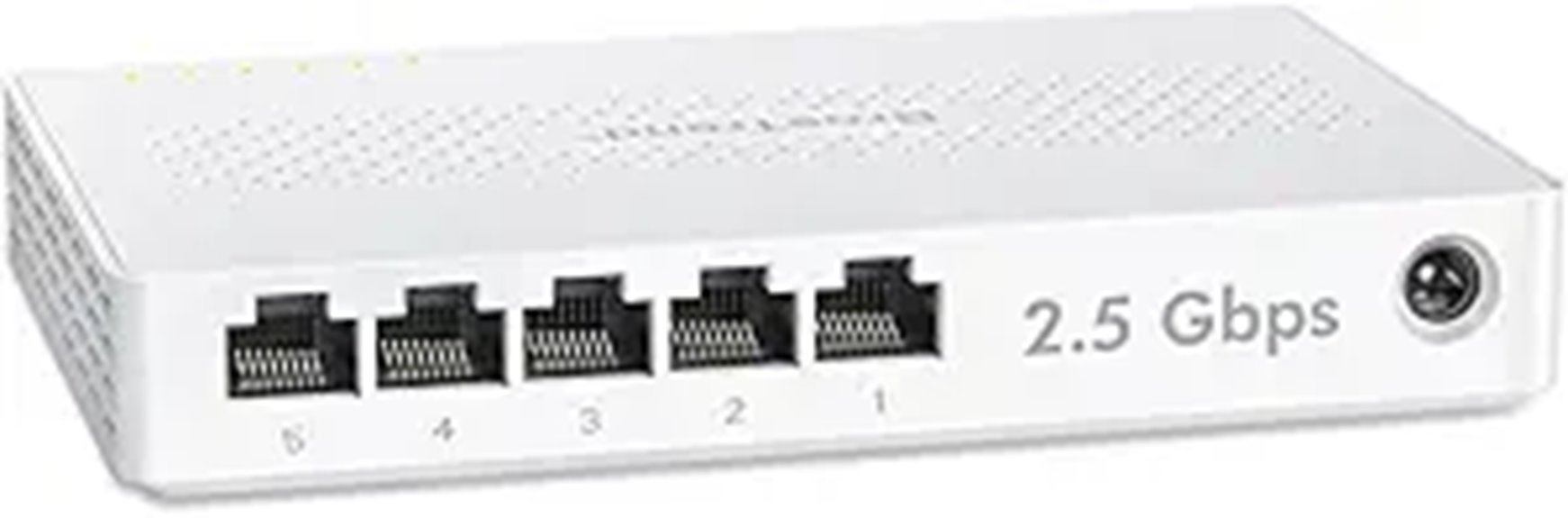 | Entry-Level Multi-Gig | Port count: 5 ports | Management level: Unmanaged | Top port speed: 2.5 Gbps | VIEW LATEST PRICE | Read Our Analysis |
| BrosTrend 8-Port 2.5Gb Unmanaged Ethernet Switch | 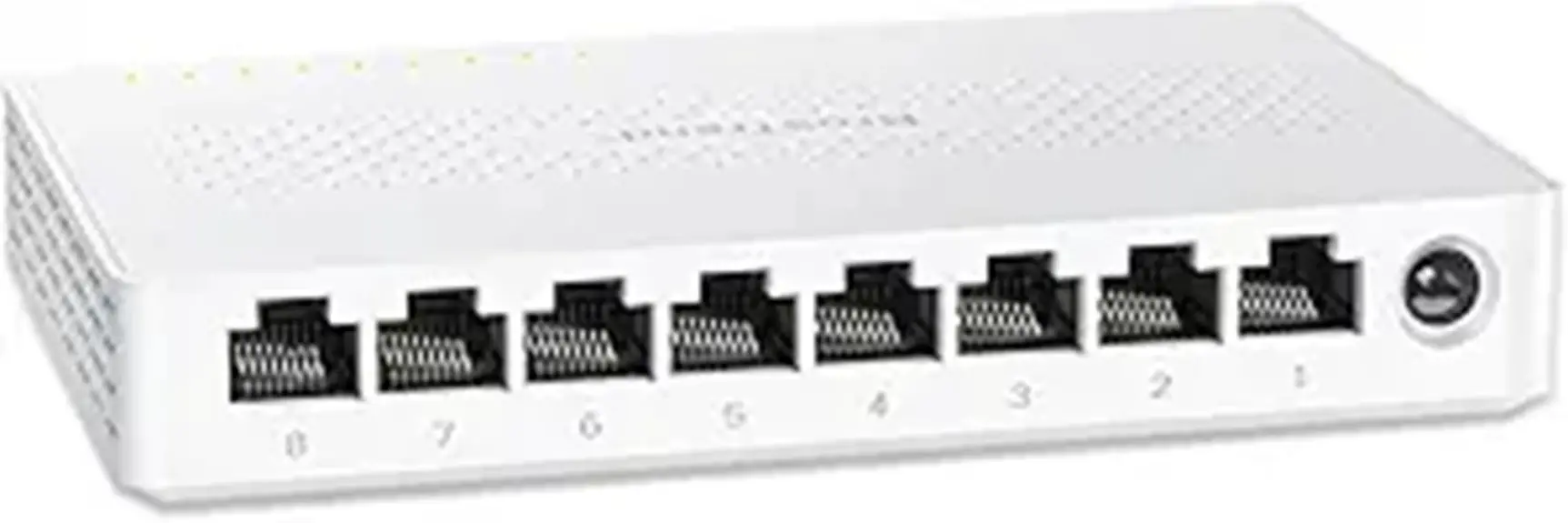 | Best Multi-Gig | Port count: 8 ports | Management level: Unmanaged | Top port speed: 2.5 Gbps | VIEW LATEST PRICE | Read Our Analysis |
| TP-Link LS108GP 8-Port PoE Gigabit Switch | 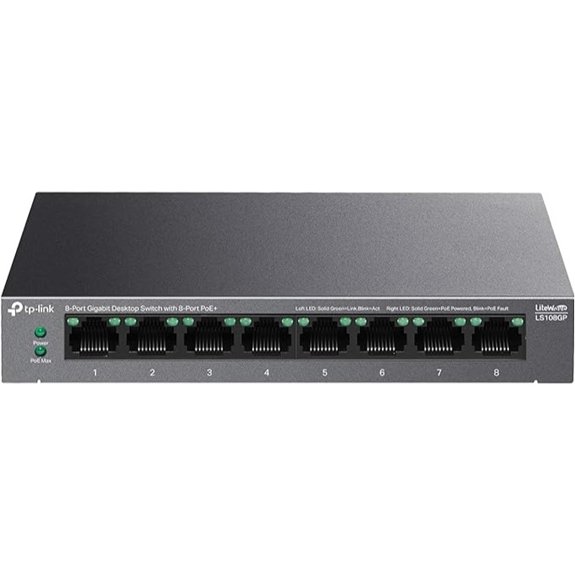 | Best PoE Budget | Port count: 8 ports | Management level: Unmanaged with PoE controls | Top port speed: 1 Gbps (PoE+) | VIEW LATEST PRICE | Read Our Analysis |
| NETGEAR 8-Port PoE+ Gigabit Smart Switch (GS308EP) | 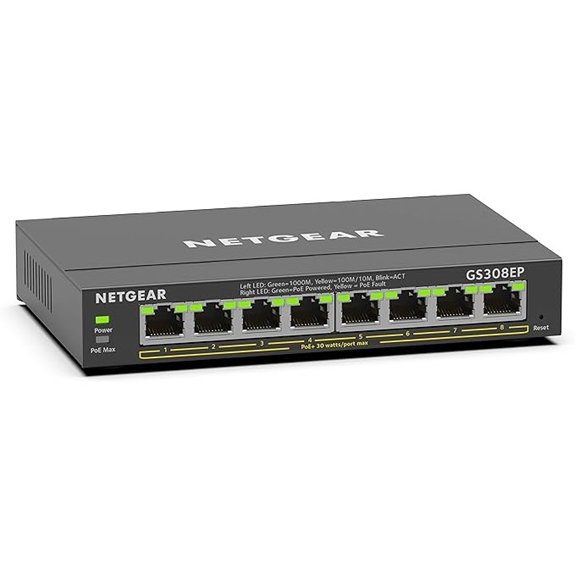 | PoE Smart Choice | Port count: 8 ports | Management level: Easy Smart (basic managed) | Top port speed: 1 Gbps (PoE+) | VIEW LATEST PRICE | Read Our Analysis |
| TP-Link TL-SG105S-M2 5-Port 2.5G Ethernet Switch | 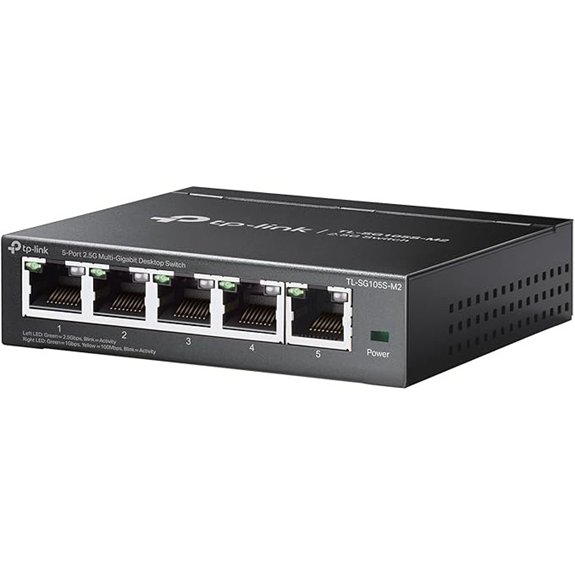 | Compact 2.5G Pick | Port count: 5 ports | Management level: Unmanaged | Top port speed: 2.5 Gbps | VIEW LATEST PRICE | Read Our Analysis |
| NETGEAR 8-Port Multi-Gigabit Ethernet Switch (GS108MX) | 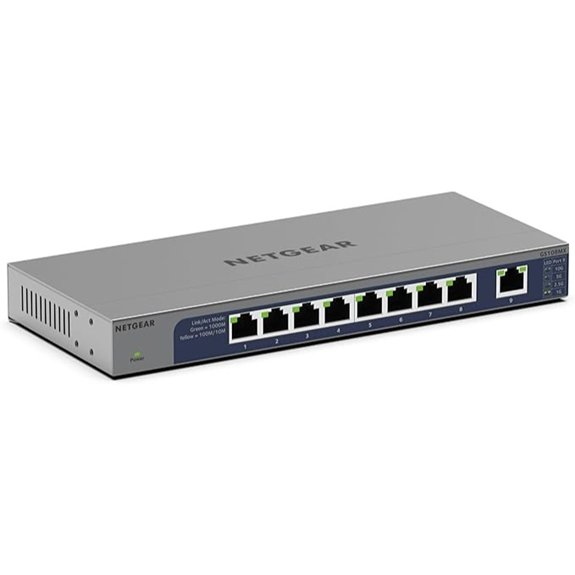 | 10G Uplink Value | Port count: 9 total (8x1G + 1x10G uplink) | Management level: Unmanaged | Top port speed: 10 Gbps uplink (1 Gbps on 8 ports) | VIEW LATEST PRICE | Read Our Analysis |
More Details on Our Top Picks
TP-Link TL-SG105 5-Port Gigabit Ethernet Switch
If you want a simple, silent, and fast upgrade for a small home setup, the TP-Link TL-SG105 is a top pick. You get five 10/100/1000 Mbps RJ45 ports with Auto Negotiation and Auto MDI/MDIX, so it’s truly plug-and-play—no software or configuration required. It’s efficient, too; energy-saving tech cuts power use without sacrificing performance.
For reliability, IEEE 802.3X flow control keeps data moving smoothly. You also benefit from port-based 802.1p/DSCP QoS and IGMP Snooping to prioritize traffic for streaming, gaming, or cameras. The fanless metal chassis runs quiet and mounts on a desk or wall. TP-Link backs it with a 3-year warranty and weekday support.
- Port count:5 ports
- Management level:Unmanaged
- Top port speed:1 Gbps
- Mounting/placement:Desktop/wall mount
- Power/thermal design:Fanless, energy-efficient
- Warranty:3-year
- Additional Feature:802.1p/DSCP QoS
- Additional Feature:IGMP Snooping support
- Additional Feature:IEEE 802.3X flow control
TP-Link 8-Port Gigabit Ethernet Switch (TL-SG108)
TP-Link’s TL-SG108 suits home users who want a quiet, no-fuss upgrade to wired performance while keeping costs low. You get eight 10/100/1000 Mbps RJ45 ports with Auto Negotiation and Auto MDI/MDIX, so it’s truly plug-and-play—no configuration needed.
The metal chassis boosts durability, heat dissipation, and EMI protection, while the fanless design keeps your setup silent. Energy-efficient tech trims power use without sacrificing throughput.
For smoother traffic, you’ll appreciate IEEE 802.3x flow control, 802.1p/DSCP QoS, and IGMP Snooping for sharper voice and video. A loop prevention button helps avoid network storms. You’re covered by a 3-year warranty and weekday support.
- Port count:8 ports
- Management level:Unmanaged
- Top port speed:1 Gbps
- Mounting/placement:Desktop/wall mount
- Power/thermal design:Fanless, energy-efficient
- Warranty:3-year
- Additional Feature:Loop prevention button
- Additional Feature:802.1p/DSCP QoS
- Additional Feature:Enhanced EMI protection
NETGEAR 5-Port Gigabit Smart Managed Switch
Compact control. NETGEAR’s 5-Port Gigabit Smart Managed Switch gives you fast, simple management for small networks. You get five 10/100/1000Mbps ports to link PCs, consoles, APs, or NAS devices without bottlenecks. Its Easy Smart Managed Essentials software lets you configure VLANs, prioritize traffic, and monitor activity with a clear, user-friendly interface.
You can place it on a desk or mount it on a wall for clean setups in home offices or media centers. It runs efficiently, meeting IEEE 802.3az energy standards, and it’s backed by a 3-year limited hardware warranty. Use it as a reliable hub or Ethernet splitter with confidence.
- Port count:5 ports
- Management level:Easy Smart (basic managed)
- Top port speed:1 Gbps
- Mounting/placement:Desktop/wall mount
- Power/thermal design:Energy-efficient (IEEE 802.3az), quiet
- Warranty:3-year limited
- Additional Feature:Easy Smart management
- Additional Feature:Security and monitoring
- Additional Feature:IEEE 802.3az compliant
TP-Link 8-Port Gigabit Easy Smart Switch (TL-SG108E)
Need smart features without jumping to a full managed switch? The TP-Link TL-SG108E gives you eight Gigabit ports, an easy web interface (or free utility), and flexible desktop or wall-mount installation. You can segment traffic with up to 32 VLANs, team links with Link Aggregation, and mirror ports for troubleshooting. QoS prioritizes voice, gaming, or streaming, while IGMP Snooping boosts multicast performance. Loop Prevention and cable diagnostics help spot and fix issues fast.
A sturdy metal chassis with shielded ports adds reliability. You also get a 3-year warranty and free technical support from 6am–6pm PST, Monday through Friday.
- Port count:8 ports
- Management level:Easy Smart (web-managed)
- Top port speed:1 Gbps
- Mounting/placement:Desktop/wall mount
- Power/thermal design:Fanless implied, energy-efficient typical (not specified)
- Warranty:3-year
- Additional Feature:VLANs up to 32
- Additional Feature:Link Aggregation support
- Additional Feature:Cable diagnostics
BrosTrend 5-Port 2.5GbE Unmanaged Ethernet Switch
If you want a silent, plug-and-play way to upgrade multiple devices to multi‑gig speeds, the BrosTrend 5‑Port 2.5GbE Unmanaged Switch stands out. You’ll get 2.5 Gbps on every port, a big jump over gigabit, and a 25 Gbps switching capacity to keep traffic moving smoothly across gaming PCs, consoles, NAS, and smart TVs.
Setup’s instant: connect it to your router and devices—no software, no fuss. The fanless design stays whisper‑quiet on a desk or wall. With five RJ45 ports, you avoid SFP modules and fiber complexity, saving money while adding bandwidth for LAN parties, home entertainment, Wi‑Fi APs, or small offices.
- Port count:5 ports
- Management level:Unmanaged
- Top port speed:2.5 Gbps
- Mounting/placement:Desktop/wall mount
- Power/thermal design:Fanless
- Warranty:Not specified
- Additional Feature:25 Gbps switching
- Additional Feature:No SFP required
- Additional Feature:Gaming/LAN optimized
BrosTrend 8-Port 2.5Gb Unmanaged Ethernet Switch
BrosTrend’s 8-port 2.5Gb unmanaged switch stands out for anyone upgrading a busy home network—especially gamers, NAS users, and home offices—who want multi‑gig speeds without complexity. You get 2.5 Gbps on every port and a 40 Gbps switching capacity, so multiple high‑speed streams won’t bottleneck. Plug it into your router, connect devices, and you’re done—no software, no tuning.
Eight RJ45 ports cover desktops, laptops, workstations, NAS, Wi‑Fi APs, smart TVs, and consoles. The fanless design stays silent on a desk or media cabinet. You’ll avoid SFP modules and fiber hassles while maximizing value, and the lifetime protection adds long‑term peace of mind.
- Port count:8 ports
- Management level:Unmanaged
- Top port speed:2.5 Gbps
- Mounting/placement:Desktop/wall mount
- Power/thermal design:Fanless
- Warranty:Lifetime protection
- Additional Feature:40 Gbps switching
- Additional Feature:Lifetime protection
- Additional Feature:No SFP required
TP-Link LS108GP 8-Port PoE Gigabit Switch
Powering cameras or access points across a medium-size home gets easier with TP-Link’s LS108GP, an 8-port PoE+ Gigabit switch that delivers up to 30W per port and a 65W total budget. You’ll get eight 802.3at/af PoE ports, a 16 Gbps switching capacity, and true plug-and-play setup. Flip Extend Mode to push PoE up to 820 feet for far-flung cameras. If a device hangs, PoE Auto Recovery reboots it automatically, boosting reliability without manual intervention. The fanless, metal design runs silent and cool, sized for desks or walls. It’s a simple, durable pick when you need power and Gigabit everywhere.
- Port count:8 ports
- Management level:Unmanaged with PoE controls
- Top port speed:1 Gbps (PoE+)
- Mounting/placement:Desktop/wall mount
- Power/thermal design:Fanless
- Warranty:Not specified
- Additional Feature:820 ft Extend Mode
- Additional Feature:PoE Auto Recovery
- Additional Feature:30W per port
NETGEAR 8-Port PoE+ Gigabit Smart Switch (GS308EP)
Power users running security cams or access points will appreciate NETGEAR’s GS308EP: an 8-port Gigabit switch with all eight ports delivering PoE+ and a 62W shared power budget. You can power multiple IP cameras, Wi‑Fi APs, or VoIP phones without extra injectors, while Gigabit uplinks keep local traffic snappy. Its Easy Smart Managed Essentials software gives you straightforward configuration, basic security, and monitoring—ideal when you want VLANs, port control, or troubleshooting without a steep learning curve. Installation’s flexible with desktop or wall mounting. NETGEAR backs it with a 3‑year limited hardware warranty, adding peace of mind for home labs and savvy DIYers.
- Port count:8 ports
- Management level:Easy Smart (basic managed)
- Top port speed:1 Gbps (PoE+)
- Mounting/placement:Desktop/wall mount
- Power/thermal design:Energy-efficient (brand standard), quiet
- Warranty:3-year limited
- Additional Feature:62W PoE budget
- Additional Feature:Easy Smart management
- Additional Feature:Security and monitoring
TP-Link TL-SG105S-M2 5-Port 2.5G Ethernet Switch
If you want an affordable way to jump to multi-gig speeds across several devices, TP-Link’s TL-SG105S-M2 hits the sweet spot. You get five 2.5G ports in a compact, fanless, metal chassis that runs silent on a desk or wall. It’s plug-and-play and unmanaged, so you’ll be moving traffic in minutes.
Each port auto-negotiates 100Mb/1G/2.5G, giving you up to 25 Gbps switching capacity for NAS, 2.5G Wi‑Fi 6 access points, gaming rigs, servers, and 4K video. Better yet, you don’t need Cat6 to see 2.5G, cutting cabling costs. For home offices, LAN parties, or media hubs, it’s a simple multi-gig upgrade.
- Port count:5 ports
- Management level:Unmanaged
- Top port speed:2.5 Gbps
- Mounting/placement:Desktop/wall mount
- Power/thermal design:Fanless
- Warranty:Not specified
- Additional Feature:25 Gbps switching
- Additional Feature:Cat5e-friendly cabling
- Additional Feature:Auto-negotiation speeds
NETGEAR 8-Port Multi-Gigabit Ethernet Switch (GS108MX)
Home tinkerers and small offices that want a simple speed boost will appreciate NETGEAR’s GS108MX, an unmanaged switch with 8x 1G ports plus a single 10G/Multi-Gig uplink for a fast NAS or backbone. You’ll plug it in and go—no software, no configuration, no hassle. The 10G uplink lets you tie in a multi-gig router or storage box to remove bottlenecks while keeping costs low for the rest of your devices.
Place it on a desk or wall; it runs quietly and sips power thanks to IEEE 802.3az efficiency. NETGEAR backs it with a Lifetime Limited Hardware Warranty, next-business-day replacement, and 24/7 expert chat.
- Port count:9 total (8x1G + 1x10G uplink)
- Management level:Unmanaged
- Top port speed:10 Gbps uplink (1 Gbps on 8 ports)
- Mounting/placement:Desktop/wall mount
- Power/thermal design:Energy-efficient (IEEE 802.3az), quiet
- Warranty:Lifetime limited (NBD replacement)
- Additional Feature:10G RJ45 uplink
- Additional Feature:Next-business-day replacement
- Additional Feature:24/7 expert chat support
Factors to Consider When Choosing Network Switches for Home Networks
When I pick a home switch, I start by matching port count to my devices and ensuring the speed and throughput won’t bottleneck my internet or LAN. I also decide between managed and unmanaged switch features, check if I need PoE for access points or cameras, and confirm the switch’s total PoE budget. Finally, I look for energy-efficient models to cut power use without sacrificing performance.
Port Count Needs
Start by sizing the switch to your actual device count, then add headroom for what you’ll plug in next month. I list everything that needs a hardline: router uplink, access points, hubs, smart TVs, consoles, PCs, printers, cameras, and NAS. That tally usually lands most homes on 5-, 8-, or 16-port models.
I also match ports to how we live. If your household mixes gaming, streaming, and remote work, you’ll likely need extra ports for stability and dedicated lines. High-demand setups with multiple consoles or media devices push me toward a larger port count to avoid congestion.
Finally, I map the home. If you’re serving multiple rooms, consider a switch that supports all drops without awkward patching or daisy-chaining—and keeps cable runs reasonable.
Speed and Throughput
Even if your port count is settled, speed and throughput decide how smooth your network feels. I look first at link speed: modern switches should deliver 1 Gbps per port at minimum. If you push high-bandwidth tasks—gaming, 4K streaming, NAS backups—multi‑gigabit options (2.5 Gbps or 10 Gbps) prevent slowdowns.
Throughput is different from port speed. It’s the real data a switch can move at once, shaped by total switching capacity and how many ports are active. I add up the peak bandwidth of my busiest devices, then check the switch’s backplane so it won’t bottleneck under load.
Auto‑negotiation helps, too. It matches each port’s speed to the connected device, maximizing overall throughput when a network mixes 1G, 2.5G, and 10G clients.
Managed Vs Unmanaged
Speed isn’t the whole story; control matters too. If you want plug-and-play simplicity, an unmanaged switch is the easiest path—no setup, no menus, just basic connectivity. For many small homes, that’s enough.
If you need more control, a managed switch earns its keep. I can create VLANs to segment devices, apply QoS to prioritize gaming or streaming, and tweak settings to stabilize performance. Managed models also let me monitor traffic and troubleshoot issues in real time, which saves hours when something misbehaves.
There’s a learning curve and a higher price, but the payoff is better security, fewer slowdowns, and potentially lower long-term costs through reduced downtime. My rule: simple network, go unmanaged; growing or performance-sensitive network, choose managed.
Poe Requirements
Wondering if your switch can power your gear as well as connect it? If you’re running cameras, access points, or smart hubs, you’ll want Power over Ethernet (PoE). PoE sends power and data over one cable, so I don’t have to hunt for outlets near every device.
I check the standard first: IEEE 802.3af delivers up to 15.4W per port, while 802.3at (PoE+) pushes up to 30W. Match those numbers to each device’s draw. Then I verify the switch’s total PoE budget—enough to power everything simultaneously, not just per-port. For example, four 12W devices need at least 48W available.
Cable runs matter too. Standard Ethernet supports up to 100 meters (328 feet), which covers most homes. I also value PoE auto recovery to reboot frozen devices automatically.
Energy Efficiency
Quiet efficiency pays off at home. When I evaluate switches, I look for models that cut power draw without sacrificing throughput. Energy-efficient designs save money over time and reduce my environmental impact.
I favor switches that comply with IEEE 802.3az (Energy Efficient Ethernet). They throttle link power during low activity, which trims watts when devices sit idle. Auto-sensing features help too: the switch detects how many devices are connected and dials power accordingly, so unused ports don’t sip energy.
I also like fanless, low-heat designs because they waste less power as heat and typically last longer thanks to fewer moving parts. Over a year, these efficiencies add up—lower bills, cooler gear, and a smaller carbon footprint—making the right switch an easy, sustainable win.
Noise and Cooling
Those power savings tie directly into how a switch sounds and stays cool at home. Lower wattage means less heat to shed, so the switch can run quietly without aggressive cooling. For living rooms and home offices, I favor fanless models; passive heat dissipation eliminates moving parts and the constant hum fans introduce.
I also look for metal casings. Metal enclosures act like heat sinks, spreading and radiating heat better than plastic, which helps longevity and keeps noise at zero. Placement matters, too. Give the switch breathing room—don’t sandwich it in a cluttered cabinet. A few inches of clearance around vents or fins improves airflow and prevents throttling.
Finally, energy‑efficient designs reduce heat and utility costs, reinforcing silent, stable operation over the long term.
Build and Mounting
Two traits shape how a switch fits and lasts at home: build quality and mounting flexibility. I look for a sturdy chassis first. Metal casings beat plastic for durability and heat dissipation, which helps performance and stability over time. Fanless designs are a big win in living areas or offices; silence matters when the switch sits near a desk or media center.
Mounting options decide where it can live. If you need to keep cables tidy, wall-mount keyholes are invaluable. If you’re rearranging often, a grippy desktop form works well. Dimensions matter, too: compact models tuck into tight shelves or entertainment units, while larger switches may demand a dedicated spot and better airflow. In short, robust construction plus flexible mounting equals reliable, fuss-free integration.
Warranty and Support
Why gamble on uptime when a solid warranty and responsive support can save your weekend? When I choose a home switch, I look for a clear warranty first. A 3-year term is a smart baseline—it covers manufacturing defects and early failures without guesswork. Some brands go further with lifetime hardware warranties, which makes sense if you expect the switch to anchor your network for years.
I also check replacement speed. Next business day replacement can turn a potential outage into a brief hiccup. Support access matters just as much: free technical support during posted hours is invaluable when troubleshooting VLANs, PoE quirks, or link issues. Finally, I confirm how I can reach help—chat, phone, or both—so I can get quick answers the moment something breaks.
Conclusion
Wrapping up, I picked these switches to fit real homes—from simple plug‑and‑play setups to multi‑gig, PoE, and smart management. If you just need reliable speed, grab a basic 5- or 8-port Gigabit model. Want headroom for faster internet or NAS? Go 2.5GbE or multi‑gig. Adding cameras or access points? Pick PoE+. I always weigh port count, power budget, noise, and management features. Choose what matches your devices today and the upgrades you’ll make next.
Frequently Asked Questions
How Can I Securely Dispose of an Old Network Switch?
I’d reset it to factory settings, wipe configs, remove any storage, and revoke management credentials. Then I’d physically destroy ports or memory if sensitive, and recycle it at an e‑waste facility that certifies responsible data handling.
Do Switches Impact Smart Home Device Voice Assistant Responsiveness?
Yes, they can. I’ve noticed unmanaged gigabit switches add negligible delay, but overloaded, low-quality, or powersaving switches can slow discovery and control. Enable QoS for voice traffic, disable EEE on problem ports, and keep firmware updated.
Can a Switch Operate in Unheated Garages During Winter?
Yes, but only if it’s rated for low temperatures. I’d check the switch’s operating range (often 0–40°C). For colder garages, I’d choose an industrial-rated or hardened model, add enclosure protection, and avoid condensation.
How Do I Label and Color-Code Ethernet Runs Effectively?
Use consistent labels at both ends, I print heat-shrink labels with room-rack-port. I color-code by function: blue data, yellow PoE, red uplinks, green cameras. I document a map, photograph terminations, and keep a spreadsheet.
What Surge Protection Is Recommended for Switches and Ethernet Lines?
Use a Type 3 whole‑home surge protector, plug switches into a UL 1449-rated surge strip or UPS, and add in-line Ethernet surge protectors (PoE-compatible) at entry points; I’d also guarantee proper grounding and shielded cabling outdoors.

- pfSense 10G Home Lab Setup: Complete Hardware Guide (2026) - April 1, 2026
- Best Budget Home Lab Setup Under $300 (2026): Complete Starter Stack - March 30, 2026
- Best Modems for Spectrum: Top DOCSIS 3.1 Picks That Actually Work - March 28, 2026