
Affiliate disclosure: As an Amazon Associate, I earn from qualifying purchases.
Most US cable internet ISPs, like Xfinity, Spectrum, Cox, and more, now require a DOCSIS 3.1 modem. Docsis 3.1 is the most practical and widely deployed version and is 10 times better than Docsis 3.0.
So, if your modem is still running on Docsis 3.0, then consider upgrading it with our hand-picked Best Docsis 3.1 modems to elevate your online experience.
What is DOCSIS tech, and Why should I care?
DOCSIS (Data Over Cable Service Interface Specification) is like a set of rules that helps the internet come to your house through the same cable that brings your TV shows.
Knowing about DOCSIS tech and the version your home modem handles is crucial for maximizing the effectiveness of your home internet link. It determines the maximum internet speed you can use and ensures fit with your ISP, helps manage costs and security, and ensures that your home network can support your internet usage needs both now and in the future.
Best DOCSIS 3.1 Modems – Comparison Table
| Product Name. | Best For. | Number of Ports. | range. | Speed. | tech. | Setup. | Security. | Price. |
|---|---|---|---|---|---|---|---|---|
| ARRIS SURFboard SB8200. | Gaming, Streaming. | 2 x 1 Gbps. | Large Homes. | Up to 2000 Mbps. | DOCSIS 3.1. | Easy. | Advanced AES. | $$$. |
| NETGEAR Gigabit CM1000. | General Use, Streaming. | 1 x 1 Gbps. | Medium Homes. | Up to 1 Gbps. | DOCSIS 3.1. | User-friendly. | Standard. | $$. |
| Hitron CODA DOCSIS 3.1. | Comcast, Spectrum, Cox users. | 2 x 1 Gbps. | Large Homes. | 10x DOCSIS 3.0. | DOCSIS 3.1. | Easy 3-Step. | Enhanced. | $$. |
| ARRIS Surfboard S33. | High-Speed Internet Users. | 1×1 Gbps & 1×2.5 Gbps. | Large Homes. | Up to 2.5 Gbps. | DOCSIS 3.1, 4 OFDM Channels. | Moderate. | Built-in Firewall. | $$$. |
| Motorola MB8600. | Gigabit Internet Plans. | 1 x 1 Gbps. | Medium to Large Homes. | Up to 1000 Mbps. | DOCSIS 3.1, AQM. | Simple. | Proactive Security. | $$. |
| Arris Touchstone CM8200A. | Streamers, Gamers. | 2 Ethernet Ports. | Medium Homes. | Ultra-Fast Speeds. | DOCSIS 3.1, 32X8 Channel. | Easy. | Basic. | $. |
| ARRIS Surfboard G34. | Whole Home range. | 4 x 1 Gbps. | Large Homes. | Up to 1 Gbps. | DOCSIS 3.1, Wi-Fi 6. | App Simplified. | Advanced. | $$$. |
| HUMAX HGD310. | High-Speed Enthusiasts. | 2×1 Gbps. | Compact Spaces. | Up to 2000 Mbps. | DOCSIS 3.1, link bonding. | Easy. | Basic. | $$. |
| ARRIS SURFboard SBG8300. | Seamless link. | 4x1Gbps. | Up to 2,800 sq ft. | Up to 1 Gbps. | DOCSIS 3.1, Wi-Fi 5. | App Setup. | High. | $$$. |
| Motorola MB8611. | High-Speed Online tasks. | 1 x 2.5 Gbps. | Large Homes. | Up to 2500 Mbps. | DOCSIS 3.1. | Straightforward. | Standard. | $$$. |
| NETGEAR Nighthawk AX2700. | Wi-Fi 6 Users. | 4 Gig + 1 USB 3.0. | Up to 2,500 sq ft. | Up to 2.7Gbps. | Wi-Fi 6, DOCSIS 3.1. | Nighthawk App. | NETGEAR Armor. | $$$. |
| NETGEAR Nighthawk CM2050V. | Xfinity Voice users. | 1 x 2.5 Gbps. | Not specified. | Up to 2.5Gbps. | DOCSIS 3.1, Voice Support. | Easy setup. | Standard. | $$$. |
| NETGEAR Orbi WiFi 6 System. | Multi-Device Homes. | 4x1Gbps. | Up to 5,000 sq ft. | AX4200 Speeds. | Wi-Fi 6, DOCSIS 3.1. | Orbi App. | NETGEAR Armor. | $$$. |
Key Takeaways
- DOCSIS 3.1 modems offer ultra-fast speeds up to 2000 Mbps, ideal for streaming and gaming.
- fits with major U.S. ISPs, keeping easy setup and wide usability.
- extras like AES encryption and built-in firewalls provide advanced security against cyber threats.
- Owning a DOCSIS 3.1 modem cuts rental fees, saving the rental fee each year.
- DOCSIS 3.1
- DOCSIS 3.1 is the cable standard that adds OFDM carriers. It is faster than DOCSIS 3.0 on the same coax.
- CableLabs certification
- CableLabs certification is testing that a modem meets the DOCSIS spec. Most cable ISPs will not activate an uncertified modem.
- DOCSIS certificate
- A DOCSIS certificate is a security credential inside the modem. It expires, and a device with an expired one can lose service.
- Channel bonding
- Channel bonding means using several channels at once. That is how a modem reaches its rated speed.
- OFDM
- OFDM is the modulation DOCSIS 3.1 uses. It packs data more efficiently than the older single-carrier scheme.
ARRIS SURFboard SB8200 DOCSIS 3.1 Cable Modem
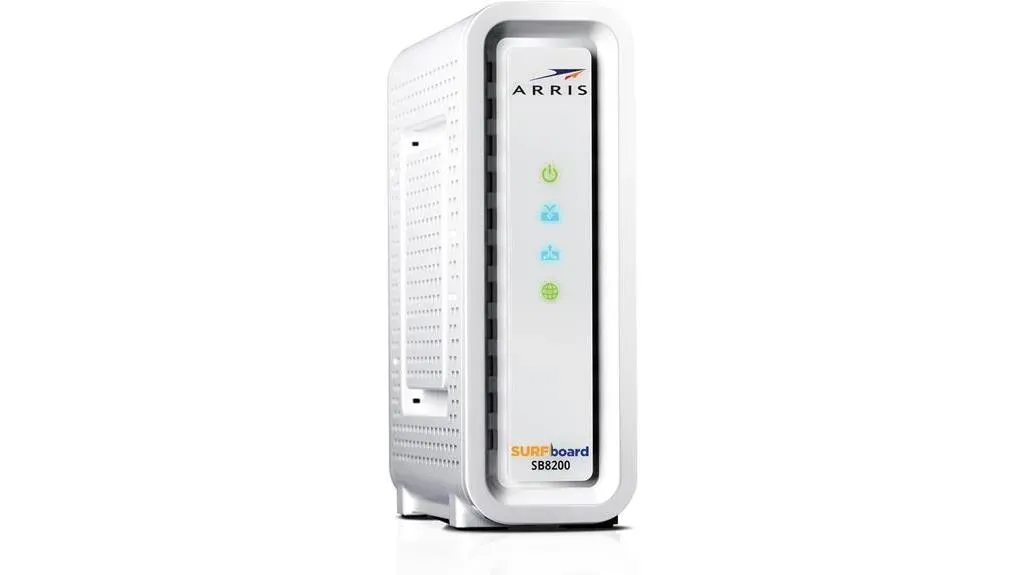
If you’re in search of top-tier internet speeds, the ARRIS SURFboard SB8200 DOCSIS 3.1 Cable Modem, boasting two 1 Gbps ports, emerges as the prime choice for power users and gamers alike. Leveraging the latest DOCSIS 3.1 tech, it not only offers faster speeds and enhanced security but also fit with major U.S. cable internet ISPs. You’ll appreciate the simple and secure setup, keeping you’re online with minimal fuss. By owning your modem, you’re also looking at savings in the long run, avoiding rental fees. With over 260 million modems sold, ARRIS is a brand you can trust. Plus, with a customer review rating of 4.4 out of 5 stars, it’s clear that users are finding value and stability in this modem.
Best For: Individuals seeking high-speed internet link for gaming, streaming, and power usage, who prefer owning their modem to save on rental fees.
Pros:
- Utilizes the latest DOCSIS 3.1 tech for faster speeds and better security.
- fits with major U.S. cable internet ISPs, keeping wide usability.
- Positive user experience with a simple setup process and solid speed.
Cons:
- Limited to cable internet, not fits with DSL or fiber optic services.
NETGEAR Gigabit Cable Modem DOCSIS 3.1 (CM1000)
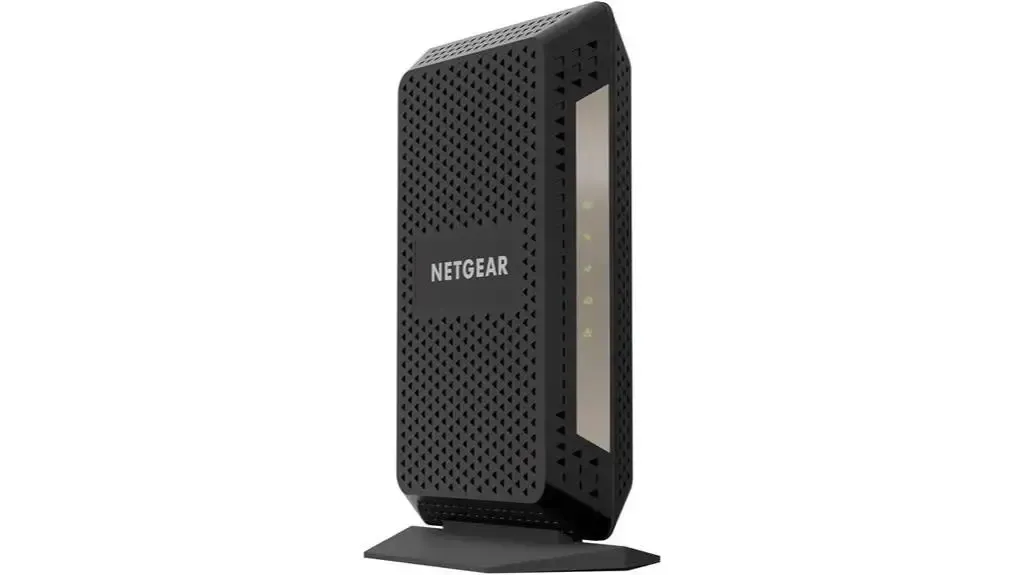
The NETGEAR Gigabit Cable Modem DOCSIS 3.1 (CM1000) fits major cable ISPs and reaches 1 Gbps. It is a strong choice for users looking to bypass rental fees and boost their internet speed. You avoid the rental fee, thanks to not having to rent a modem from your internet ISP. Plus, its Gigabit Ethernet port ensures faster access and downloads.
Weighing just 13.4 ounces, this sleek black modem isn’t only a space-saver but also a powerful gateway to the online world. With easy setup and a user-friendly setup process, you’re looking at improved internet stability and speed in no time. And with glowing reviews, it’s clear that upgrading to the CM1000 could be a game-changer for your home internet setup.
Best For: Individuals or families looking to upgrade their home internet setup for faster speeds and to save on rental fees.
Pros:
- fits with major cable internet ISPs and handles speeds up to 1Gbps.
- Avoids the rental fee by eliminating rental fees.
- extras an easy setup process and handles future speed upgrades.
Cons:
- Limited to one Gigabit Ethernet port which may require a separate router for Wi-Fi.
Hitron CODA DOCSIS 3.1 Modem
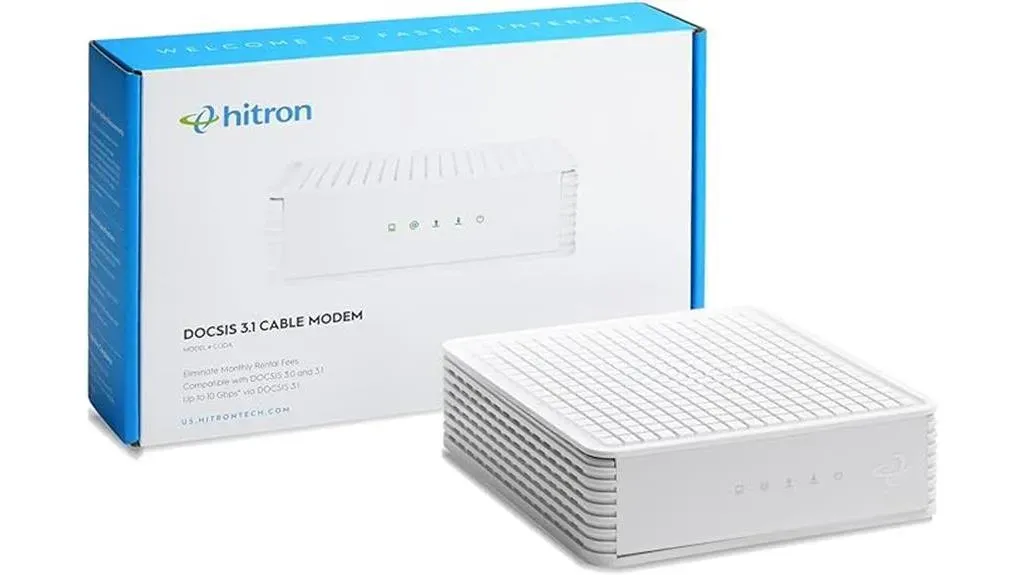
For those seeking unparalleled speed and fit, the Hitron CODA DOCSIS 3.1 Modem shines as a top pick, mainly for Comcast Xfinity, Charter Spectrum, and Cox users. You’ll appreciate it being ten times faster than DOCSIS 3.0, keeping your internet races at top speeds. It’s certified with major ISPs, so you’re covered.
Plus, it works with any WiFi router or mesh network, granting you choice in your home setup. With two 1 Gbps Ethernet ports, this modem is built for both speed and stability. Setup’s a breeze in three easy steps, perfect for fast streaming, conferencing, and gaming. Users rave about its consistent speed and the ease of setup, highlighting the benefits of owning over renting.
It’s recommended for its design, ventilation, and affordability, making the Hitron CODA a smart choice for upgrading your home internet experience.
Best For: Individuals and households seeking to upgrade their internet speeds and stability, mainly those subscribed to Comcast Xfinity, Charter Spectrum, or Cox.
Pros:
- 10x faster speeds than DOCSIS 3.0, keeping rapid internet speed.
- fits with any WiFi router or mesh, offering choice in home network setup.
- Easy 3-step setup process, making it accessible for users of all tech levels.
Cons:
- Not fits with certain internet ISPs and services, limiting its universality.
ARRIS Surfboard S33 DOCSIS 3.1 multi-gig Cable Modem
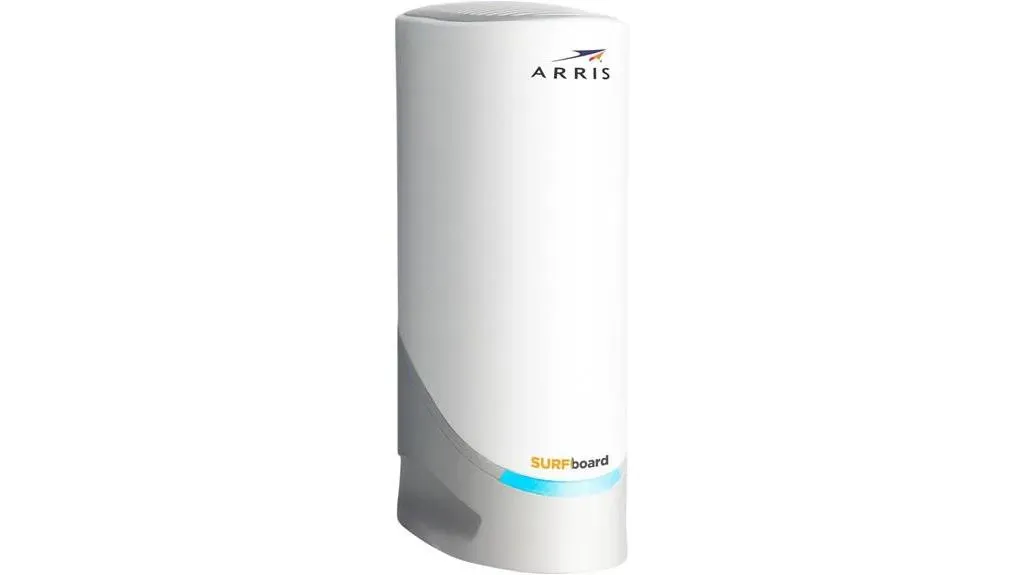
You’ll appreciate the ARRIS Surfboard S33 DOCSIS 3.1 Cable Modem’s multi-gig speeds if you’re tired of slow internet and rental fees. This powerhouse is approved for major ISPs like Comcast Xfinity, Cox, and Spectrum. It boasts 1×1 Gbps & 1×2.5 Gbps ports, keeping you’ll enjoy speeds up to 2.5 Gbps. With 4 OFDM channels, it’s a leap forward in internet tech, offering 10x faster speeds than DOCSIS 3.0. It’s not just about speed; you’ll save the rental fee by avoiding rental fees. Despite some users facing setup challenges with Xfinity, the effort pays off with much faster internet and solid link. Plus, its 2-year warranty and high customer satisfaction make it a smart, cost-effective upgrade for lightning-fast internet.
Best For: Users seeking to upgrade their home internet setup with a high-speed, cost-effective modem that eliminates rental fees.
Pros:
- Approved by major ISPs like Comcast Xfinity, Cox, and Spectrum, keeping wide fit.
- extras multi-gig speeds with 1×1 Gbps & 1×2.5 Gbps ports for enhanced internet speed.
- Offers big annual savings on rental fees, making it a cost-effective long-term investment.
Cons:
- Some users report challenges during the setup process with Xfinity service.
Motorola MB8600 DOCSIS 3.1 Cable Modem
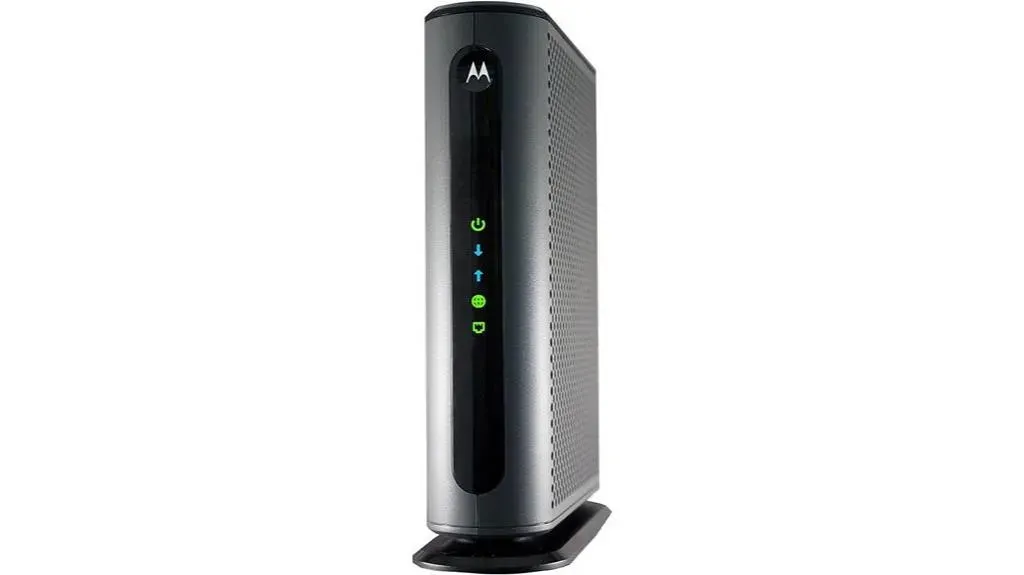
If you’re aiming for lightning-fast internet speeds, the Motorola MB8600 DOCSIS 3.1 Cable Modem, approved by Comcast Xfinity, Cox, and Charter Spectrum, could be the perfect fit for your setup. This modem handles plans up to 1000 Mbps and is designed for Gigabit Internet.
It doesn’t just bring speed; it’s also fits with any Wi-Fi router, like mesh systems, thanks to its 1 Gbps Ethernet port. Despite lacking a built-in Wi-Fi router or phone extras, it shines with advanced extras like proactive network security and Active Queue control (AQM) for reduced latency.
You’ll appreciate the savings, too, as it eliminates the rental fee. Users rave about its stability and ease of setup, recommending a high-quality router to pair with for the ultimate internet experience.
Best For: Those seeking a high-speed, solid cable modem that’s fits with major ISPs and can handle Gigabit internet speeds without the added cost of rental fees.
Pros:
- handles up to 1000 Mbps cable plans, making it ideal for Gigabit internet users.
- fits with any Wi-Fi router, offering choice in network setup.
- Saves the rental fee in modem rental fees, providing big cost savings over time.
Cons:
- Lacks a built-in Wi-Fi router, requiring a separate purchase for Wi-Fi link.
Arris Touchstone CM8200A Ultra Fast Cable Modem
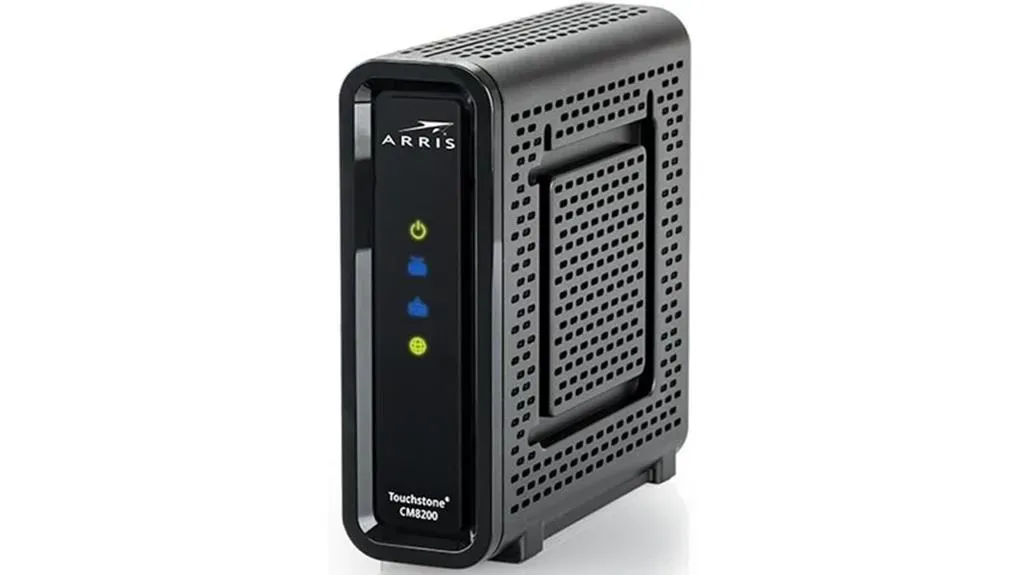
Boasting an ultra-fast DOCSIS 3.1 tech, the Arris Touchstone CM8200A Cable Modem is an ideal choice for anyone looking to upgrade their home internet speed. Its 32X8 Gigabit feature ensures lightning-fast link, making it perfect for streaming, gaming, and downloading without a hitch.
Despite its black, sleek design and easy setup, it’s important to note that only one of its two Ethernet ports is active for internet access. While some users have reported issues like link drops and difficulties with setup, mainly with Comcast, the modem generally receives positive feedback for its easy setup and cost-effectiveness. If you’re facing setup troubles, be aware that updates and support from Arris mightn’t be available.
Yet, for those looking to ditch rental fees, this modem presents a valuable alternative.
Best For: Individuals or families looking to enhance their home internet speed for streaming, gaming, and downloading tasks.
Pros:
- DOCSIS 3.1 tech handles ultra-fast internet speeds.
- Cost-effective alternative to modem rentals from internet service ISPs.
- Easy setup process facilitates quick setup.
Cons:
- Only one of the two Ethernet ports is active, limiting direct wired links.
ARRIS Surfboard G34 Cable Modem & Wi-Fi 6 Router (AX3000)
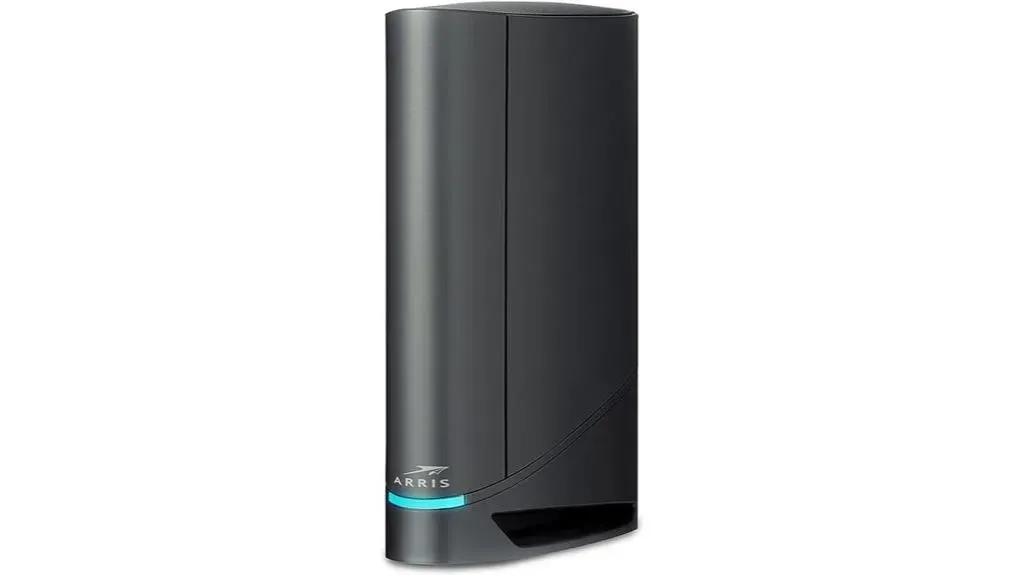
For speed enthusiasts seeking to upgrade their home network, the ARRIS Surfboard G34 Cable Modem & Wi-Fi 6 Router (AX3000) shines as an optimal choice with its cutting-edge DOCSIS 3.1 tech and Wi-Fi 6 extras. It’s got four 1 Gbps ports and handles up to 1 Gbps max internet speeds, keeping your online tasks run smoothly without a hitch. You’ll appreciate its fit with major U.S. cable ISPs, making it a versatile option for many homes.
Plus, the SURFboard Central App simplifies setup and secures your network in no time. By owning your modem, you’ll cut down on your cable bill, adding a nice bonus to its robust extras. With a sleek design and a two-year warranty, it’s a solid choice that delivers great range and speed across your home.
Best For: Speed enthusiasts looking to upgrade their home network with a powerful combination of DOCSIS 3.1 modem tech and Wi-Fi 6 extras for smooth online tasks.
Pros:
- fit with major U.S. cable internet ISPs ensures versatility for many homes.
- Four 1 Gbps Ethernet ports provide ample link for wired devices.
- Simple and secure setup with the SURFboard Central App, coupled with cost savings on cable bills by owning your modem.
Cons:
- Some users seen issues with link to 2.5GB devices and limitations with the 2.5GB port.
HUMAX DOCSIS 3.1 Cable Modem (HGD310), fits with Major ISPs
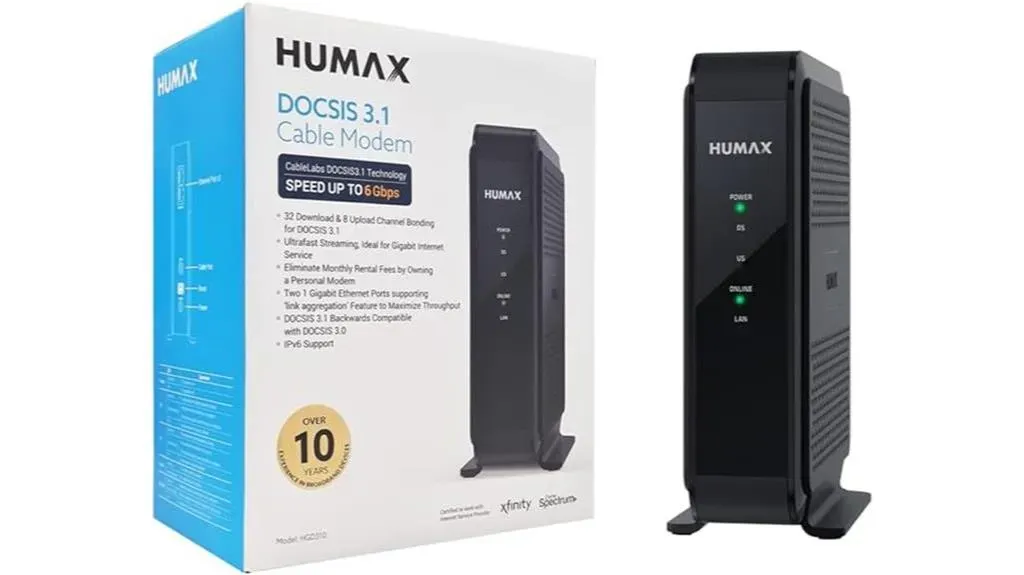
The HUMAX HGD310 DOCSIS 3.1 Cable Modem elevates your home internet experience with ultrafast streaming, making it a top pick for gigabit internet users. It’s designed to handle max speeds up to 2000 Mbps, thanks to its 2x1Gbps ports with support for ‘link bonding,’ doubling the potential for lightning-fast internet.
However, it’s worth noting that it’s not for everyone; if you’ve got DSL or fiber, you’ll need to look elsewhere, and remember, there’s no built-in Wi-Fi. Measuring at just under 6 inches tall and weighing a bit over a pound, it’s compact enough for any setup.
Despite mixed reviews on stability and customer service, users praise its speed and stability, highlighting an easy setup process. Just keep in mind, you’ll need a cable internet subscription to get started.
Best For: Gigabit internet users looking for high-speed internet link without the need for built-in Wi-Fi.
Pros:
- Ultrafast streaming with support for speeds up to 2000 Mbps
- handles ‘link bonding’ for enhanced speed potential
- Easy setup process and positive feedback on speed and stability
Cons:
- Not fits with DSL or Fiber internet services
ARRIS SURFboard SBG8300 Gigabit Cable Modem & Wi-Fi Router
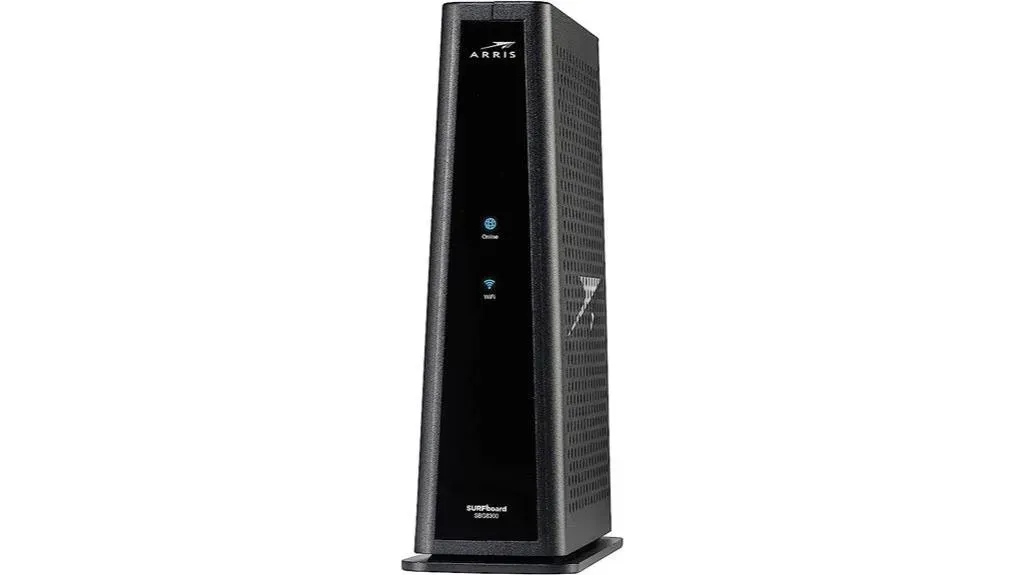
If you’re seeking top-tier internet speeds, the ARRIS SURFboard SBG8300 Gigabit Cable Modem & Wi-Fi Router, featuring DOCSIS 3.1 tech, is your go-to for ultra-fast streaming and downloading throughout your home. It is a smart buy. Speeds run 10x faster than DOCSIS 3.0, and it cuts your cable bill by owning the modem outright, saving you the rental fee.
The setup is hassle-free, thanks to the SURFboard Central App, keeping a secure link in no time. With fit across major U.S. cable ISPs and support for speeds up to 1 Gbps, with four 1-Gigabit ethernet ports, plus Wi-Fi 5 speeds up to 2.3 Gbps over a 2,800 sq ft area, it’s designed for seamless link. Owning the SBG8300 means future-proofing your home network while maintaining control over your internet experience.
Best For: Households seeking to maximize their internet speed and reduce yearly cable expenses while owning their modem.
Pros:
- Utilizes the latest DOCSIS 3.1 tech for speeds up to 10x faster than DOCSIS 3.0.
- Combines a modem and Wi-Fi router, saving space and simplifying setup with the SURFboard Central App.
- Four 1-Gigabit ethernet ports
- fits with major U.S. cable internet ISPs, keeping wide usability and support for speeds up to 1 Gbps.
Cons:
- Some users have reported issues with network link and signal range.
Motorola MB8611 DOCSIS 3.1 Multi-Gig Cable Modem
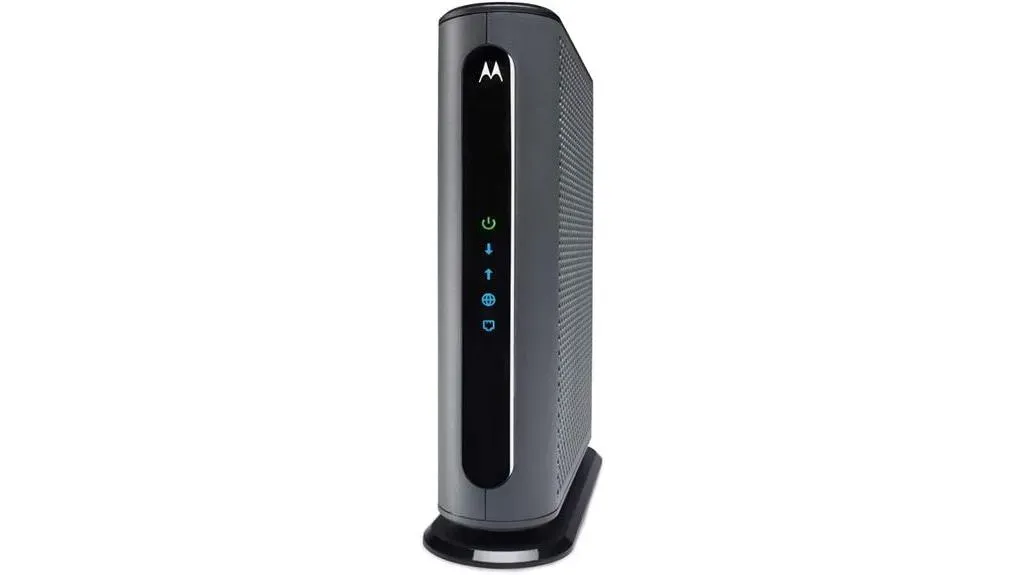
Ultra-fast DOCSIS 3.1 speed makes the Motorola MB8611 Multi-Gig Cable Modem an ideal choice for gamers and streamers seeking lightning-fast internet speeds. You’ll enjoy multi-gig Ethernet speed that pairs effortlessly with any WiFi router, keeping fast streaming, conferencing, and gaming without a hitch. It’s also a champion in cost savings, mainly since you’re no longer renting from your ISP. Approved for Comcast Xfinity, Cox Gigablast, and Spectrum, it’s versatile and backward fits with 32×8 DOCSIS 3.0, making it a smart investment. Plus, a 2.5 Gbps port and up to 2500 Mbps max internet speeds mean you’re set for the future. With a 2-year warranty and support from USA technicians, stability is a given. Say goodbye to ISP frustrations and hello to a seamless online experience with the Motorola MB8611.
Best For: Gamers, streamers, and any high-speed internet user seeking to maximize their online experience and save on rental fees.
Pros:
- Ultra-fast DOCSIS 3.1 speed with up to 2500 Mbps speed, ideal for demanding online tasks.
- fit with major ISPs like Comcast Xfinity, Cox Gigablast, and Spectrum ensures broad user access.
- Comes with a 2-year warranty and support from USA technicians, offering peace of mind and stability.
Cons:
- The high upfront cost may not be feasible for all budgets.
NETGEAR Nighthawk AX2700 WiFi 6 Cable Modem Router Combo (DOCSIS 3.1)
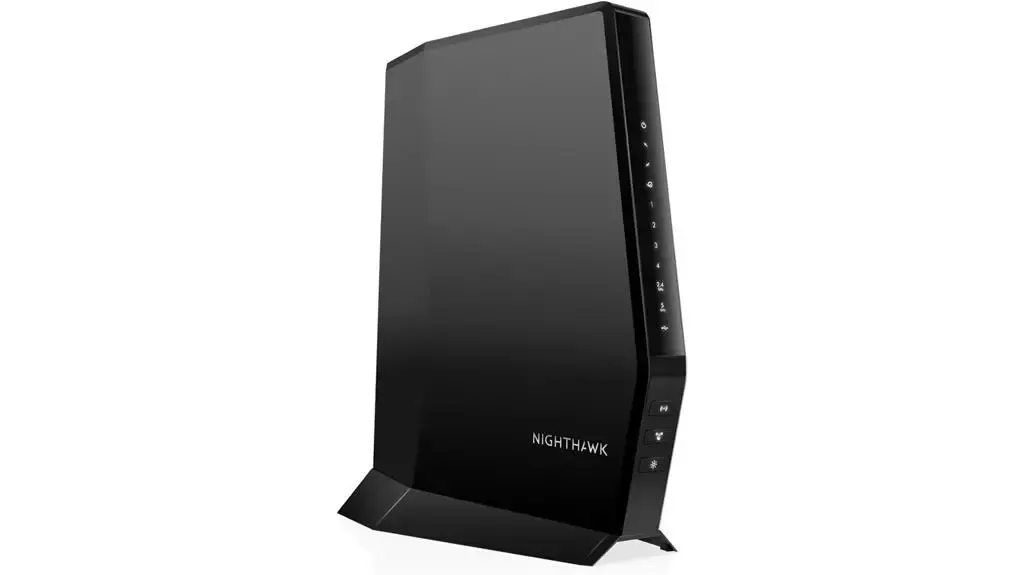
For households seeking to elevate their internet experience, the NETGEAR Nighthawk AX2700 WiFi 6 Cable Modem Router Combo (DOCSIS 3.1) offers range up to 2,500 sq. ft. and handles over 25 devices together. It’s fits with leading cable ISPs, like Xfinity, Spectrum, and Cox, keeping you’re well linked. With WiFi 6 speeds reaching up to 2.7Gbps and featuring 4 Gig Ethernet ports plus a USB 3.0 port, you’re set for ultra-fast wired and Wi-Fi links. Setup’s a breeze with the Nighthawk app, and NETGEAR Armor keeps your network secure. Say goodbye to rental fees—this two-in-one device replaces both your cable modem and WiFi router, optimizing your home network for gaming, streaming, and beyond.
Best For: Households looking to enhance their internet with high-speed WiFi 6 tech, extensive range, and fit with major cable ISPs.
Pros:
- fits with major cable internet ISPs, keeping easy setup.
- Offers extensive range up to 2,500 sq. ft. and handles over 25 devices together.
- Includes NETGEAR Armor for advanced cybersecurity cover.
Cons:
- Some users may experience fit issues with Xfinity TV boxes due to MoCA tech.
NETGEAR Nighthawk Multi-Gig Cable Modem (CM2050V) for Xfinity Voice
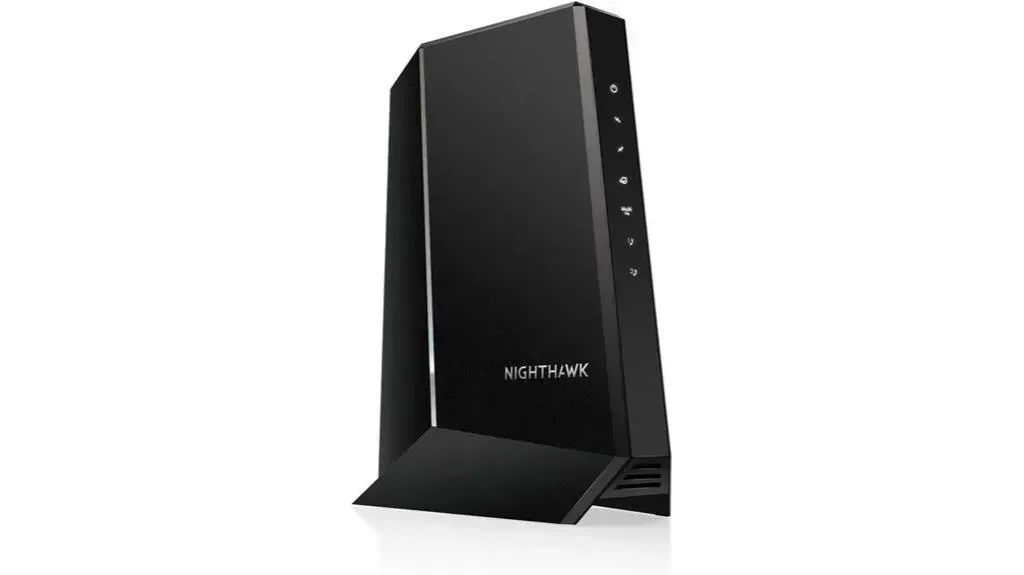
The NETGEAR Nighthawk Multi-Gig Cable Modem (CM2050V) is an optimal choice for Xfinity users looking to maximize their voice and internet plan speeds up to 2.5Gbps. It’s designed to work seamlessly with Xfinity from Comcast Voice Service Plans, supporting up to two telephone lines. You’ll appreciate the choice it offers, being fits with any WiFi router.
With a 2.5 Gig Ethernet port, this modem is engineered for multi-gig internet links, featuring DOCSIS 3.1 tech, 32X8 channel bonding, and OFDM(A) 2×2 for ultra-fast and solid internet speeds. Beyond speed, it saves you the rental fee by avoiding gear rental fees. Customer feedback highlights the easy setup process and big speed improvements, recommending an upgrade for those seeking to tap into their plan’s full potential.
Best For: Xfinity users seeking to enhance their internet and voice service speed up to 2.5Gbps and save on rental fees.
Pros:
- fits with any WiFi router, providing choice in network setup.
- extras DOCSIS 3.1 tech and a 2.5 Gig Ethernet port for high-speed internet links.
- handles Xfinity Voice service and up to two telephone lines, offering utility for households or small businesses.
Cons:
- May require an upgrade from standard cables to achieve maximum speed potential, adding to the initial cost.
NETGEAR Orbi WiFi 6 System (AX4200, 5000 sq. ft. range)
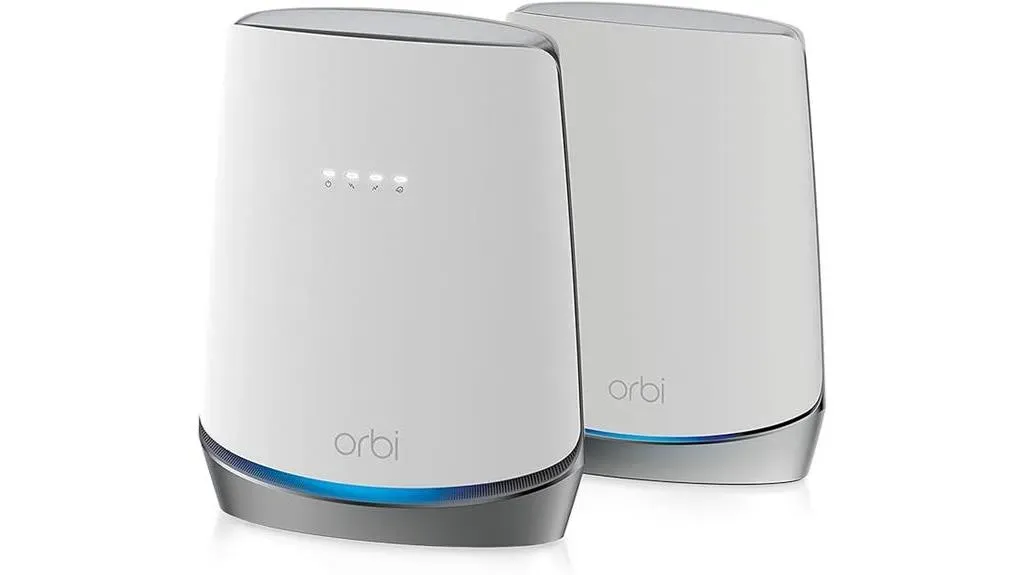
If you’re looking to upgrade your home network to handle many devices with ease, the NETGEAR Orbi WiFi 6 System (AX4200, 5000 sq. ft. range) with its integrated DOCSIS 3.1 modem might be the perfect fit. This powerhouse not only covers up to 5,000 sq. ft. and handles over 40 devices but also has 4x1Gbps ports and delivers fast AX4200 Gigabit speeds, ideal for streaming and gaming.
You avoid the rental fee in gear rental fees while enjoying top-notch security with NETGEAR Armor and easy control via the Orbi app. Plus, automatic firmware updates and the option to expand range with extra satellites make it a smart choice. Users rave about the improved speed and link, alongside the ease of extras like automatic band selection. However, be mindful of potential link challenges that might require troubleshooting.
Best For: Households with extensive area range needs and many devices, looking for an all-in-one modem and WiFi 6 system.
Pros:
- Integrated DOCSIS 3.1 modem handles high-speed internet plans and saves on rental fees.
- range up to 5,000 sq. ft. and for 40+ devices, suitable for large homes.
- 4x1Gbps Ports
- extras like NETGEAR Armor and Smart Parental Controls enhance security and manageability.
Cons:
- link issues may arise, mainly when moving the satellite or in certain international locations.


Factors to Consider When Choosing DOCSIS 3.1 Modems
Due to security requirements, the DOCSIS certificates on internet devices have limited lifespans. When the DOCSIS certificates within a device expire, the device may or may not work on our network.Xfinity, “Upgrade internet devices impacted by expiring DOCSIS certificates”, xfinity.com/support
When you’re in the market for a DOCSIS 3.1 modem, it’s crucial to consider several key factors.
You’ll need to ensure it’s fits with your ISP, offers the speed speed you require, and includes robust security extras.
also, don’t forget to weigh the ease of setup process and the price to determine its overall value for your needs.
fit With ISPs and Internet Plan Speeds Supported
Always ensure your chosen DOCSIS 3.1 modem is certified to work seamlessly with your specific Internet Service ISP to avoid any fit issues. It’s crucial to check if the modem is fits with major ISPs, like Comcast Xfinity, Cox, and Spectrum. This step ensures you won’t face hurdles during setup.
Check out the below articles if you are looking for modems specific to ISPs:
- Best Xfinity fits Modem Router Combo
- Best Modem Router Combos for Cox Internet in 2024
- Best Modems for Spectrum — DOCSIS 3.1 Picks That Actually Work
- Best Modem Router Combo for Mediacom
Verify that your modem handles the internet speed plans offered by your ISP. This alignment maximizes your internet speed, keeping you get what you pay for. Also, consider the type of link your ISP provides. Whether it’s cable or another service, your modem must match this to function.
Lastly, look for modems approved by your ISP. This approval guarantees seamless setup and setup, making your internet setup hassle-free.
Today’s fastest consumer cable internet speeds top out at around 1 Gigabit per second (1Gbps). However, with the rollout of DOCSIS 3.1, multi-Gig speeds above 1 Gbps are now possible.
When shopping for a modem, think about both your current plan’s max speeds and any faster speed tiers you may upgrade to in the coming years. An ideal DOCSIS 3.1 modem should support speed much beyond what you need today for plenty of future-proofing headroom.
Number of Ethernet Ports
Ethernet wired links enable the fastest, most solid speeds between your modem, router and devices like computers and game consoles. More Ethernet ports means you can wire up more devices directly to the modem for peak speed.
Look for DOCSIS 3.1 modems with at least two Ethernet ports. Four ports provide even more wired link, while still fitting into most home entertainment centers. If you need extra ports down the road, you can always add an Ethernet switch.
Security extras
Security isn’t just a bonus; it’s key when selecting a DOCSIS 3.1 modem, as these devices offer robust cover against online threats. With AES encryption, your data stays protected, keeping that what you send and receive remains confidential. They also support secure boot processes, which means you don’t have to worry about unauthorized firmware modifications potentially compromising your security.
Moreover, DOCSIS 3.1 tech embraces network-based security protocols like IPsec and SSL/TLS, adding an extra layer of defense. also, these modems come equipped with built-in firewall extras, acting as a shield against cyber threats.
The advanced security measures of DOCSIS 3.1 modems play a crucial role in safeguarding your network from malware, viruses, and unauthorized access, giving you peace of mind.
setup Process
While considering the robust security extras of DOCSIS 3.1 modems is critical, you’ll also want to pay attention to the setup process to ensure a hassle-free setup.
Typically, installing a DOCSIS 3.1 modem involves connecting it to your cable line and then to your router or computer. You’ll likely need to activate the modem with your internet service ISP (ISP) by providing the modem’s MAC address.
Fortunately, many ISPs offer self-setup options, allowing you to activate the modem online or through their app. Always use the provided cables and follow the instructions in the user manual for a smooth setup.
If you run into any issues, contacting your ISP’s customer support can help troubleshoot and promise a successful setup.
Extra extras
Higher-end DOCSIS 3.1 modems come with extra extras that may suit your specific needs beyond just speed. These include:
- link bonding: Combines two Ethernet ports into one for double the speed, enabling speeds beyond 1 Gigabit with fits routers and devices
- Built-In Router: Convenient modem/router combo units reduce clutter and simplify network setup without the need for a separate router
- Voice Support: Allows connecting and using traditional landline phone service through the cable modem
Also consider DOCSIS 3.1 modems offering modern security protocols like WPA3 Wi-Fi encryption for a higher level of cover. Prioritized traffic control is another premium feature to reduce latency for gaming and real-time apps.
Price and Value
DOCSIS 3.1 modems range in price from about budget models at one end to premium multi-gig models at the other. In general, you get what you pay for in terms of speed extras and extra extras. Consider what internet speeds you expect to subscribe to both now and into the future when setting your budget.
Check the warranty and customer support for added peace of mind. Consider if the modem can handle future speed upgrades and new tech to avoid premature replacement and save more money over time.
Conclusion
Choosing the best DOCSIS 3.1 modem boils down to your specific needs and internet plans. Whether you’re eyeing lightning-fast speeds for gaming, seamless streaming, or robust home networks, options like the ARRIS SURFboard SB8200 and NETGEAR Gigabit Cable Modem stand out.
Don’t forget to consider fit with your ISP, future-proofing with WiFi 6 tech, and range area. Picking the right modem ensures you’re set for high-speed internet without a hitch. If you’re specifically on Spectrum, our best modems for Spectrum guide covers which modems are currently on Spectrum’s approved list and how to activate them.
often Asked Questions
How Do Weather Conditions Affect the speed of DOCSIS 3.1 Modems, and Are There Models Better Suited to Withstand Extreme Conditions?
Weather conditions can impact your modem’s speed, but some DOCSIS 3.1 models are better at handling extreme temperatures and moisture. You’ll find options designed to withstand harsh conditions, keeping solid, fast internet.
Can DOCSIS 3.1 Modems Be Easily Integrated With Smart Home Systems, and if So, Which Models Offer the Best fit?
Yes, you can easily integrate DOCSIS 3.1 modems with smart home systems. Look for models that offer seamless fit with your devices for the best experience, keeping your home’s internet is both fast and solid.
What Are the green Impacts of Using DOCSIS 3.1 Modems, and Are There Any Eco-Friendly Models Available That Minimize Energy Consumption?
You’re wondering about the green impact of DOCSIS 3.1 modems. Yes, there are eco-friendly models that minimize energy consumption, helping you reduce your carbon footprint while staying linked with high-speed internet.
How Do DOCSIS 3.1 Modems Handle Network crowding During Peak Usage Hours, and Are Certain Models Known for Superior Traffic control?
DOCSIS 3.1 modems tackle network crowding by using sophisticated tech to focus on traffic, keeping smoother speed during peak hours. Some models are mainly good at this, offering superior traffic control to keep your internet fast.
Are There Any extra Security extras Exclusive to Certain DOCSIS 3.1 Modem Models That Protect Against the Latest Cyber Threats?
Yes, some DOCSIS 3.1 modem models offer exclusive security extras to guard against the latest cyber threats. You’ll find enhanced encryption and advanced firewall options to keep your online tasks safe and secure.
Standards and primary sources
- Xfinity, Using your own modem, router, or gateway with Xfinity — the provider’s own guidance on owning your equipment and on confirming compatibility in My Device Info.
- Xfinity, Upgrade internet devices impacted by expiring DOCSIS certificates — the provider’s list of older devices that will or may lose service, which is why DOCSIS 3.0 hardware should not be bought.
- Xfinity, Full List of Compatible Devices (PDF) — the published per-model table used here for wired download caps.
- IEEE, IEEE 802.3 (Ethernet) — the base standard behind the LAN ports these modems provide.
About this page. Researched and written by Afroz Ahmad, a CCIE with more than 20 years designing enterprise, ISP and carrier networks, and reviewed against its cited sources on 29 September 2026.
Afroz Ahmad, “13 Best DOCSIS 3.1 Modems for Lightning-Fast Internet”, afrozahmad.com, reviewed 29 September 2026.
https://afrozahmad.com/blog/best-docsis-3-1-modems/
New to DOCSIS? what each DOCSIS version changed, and what sets your real speed is explained on its own page. This page covers the modems themselves.

- DOCSIS Explained: 3.0 vs 3.1 vs 4.0 and What Sets Your Real Speed - September 29, 2026
- Router Lights Explained: What the Colours Mean on Any Router - September 28, 2026
- eero Light Is White but There Is No Internet: What to Check - September 28, 2026