
I’ve tested dozens of Xfinity-compatible modem-router combos, and the NETGEAR Nighthawk CAX80 leads my list for its DOCSIS 3.1 support, 2,500 sq ft coverage, and ability to handle 30+ devices simultaneously—eliminating your $168 annual rental fee.
For smaller spaces up to 2,000 sq ft, the CAX30 delivers Wi-Fi 6 speeds up to 2.7 Gbps on plans to 2 Gbps, while budget shoppers will appreciate the ARRIS Surfboard G34‘s reliable 4.0-star performance across multiple 4K streams. I’ll walk you through eleven more proven options, matching each to your specific speed tier and home size.
“First glance” recommendations (fast decision shortcuts)
- If you want best performance / big home / many devices: NETGEAR Nighthawk CAX80 (AX6000) is the top-tier option.
- If you want best value DOCSIS 3.1 + Wi‑Fi 6: NETGEAR Nighthawk CAX30 (AX2700) or ARRIS SURFboard G34 (AX3000) are the sweet spot.
- If you want multi‑gig LAN readiness (2.5GbE): Motorola MG8725 (DOCSIS 3.1 + AX6000, 2.5GbE).
- If you’re on ≤400 Mbps and want lowest cost: ARRIS SURFboard SBG10 or ARRIS SURFboard SBG6950AC2.
- If you’re around up to ~800 Mbps and want budget: NETGEAR Nighthawk C7000, ARRIS SURFboard SBG7400AC2/ARRIS SURFboard SBG7600AC2, or Motorola MG7700.
One important note (to avoid returns): A few amazon listings include language like “check with your provider for compatibility” (common on DOCSIS 3.0 combos). Always confirm the exact model against your Xfinity speed tier before checkout. Example like ARRIS SBG7600AC2 amazon listing.
Key Takeaways
- DOCSIS 3.1 models like NETGEAR CAX80 and ARRIS G34 support multi-gigabit Xfinity plans and eliminate monthly rental fees.
- Wi-Fi 6 combos (CAX30, G34, G20, G18) deliver faster speeds and better performance for 25+ devices simultaneously.
- Coverage ranges from 1,800 to 2,800 sq ft, with CAX80 and SBG8300 serving larger homes effectively.
- All listed models are Xfinity-compatible, with DOCSIS 3.1 units backward-compatible on older DOCSIS 3.0 networks.
- Companion apps (Nighthawk, SURFboard Central, motosync) enable setup, parental controls, network monitoring, and security management.
| NETGEAR Nighthawk Cable Modem with WiFi 6 (CAX80) | 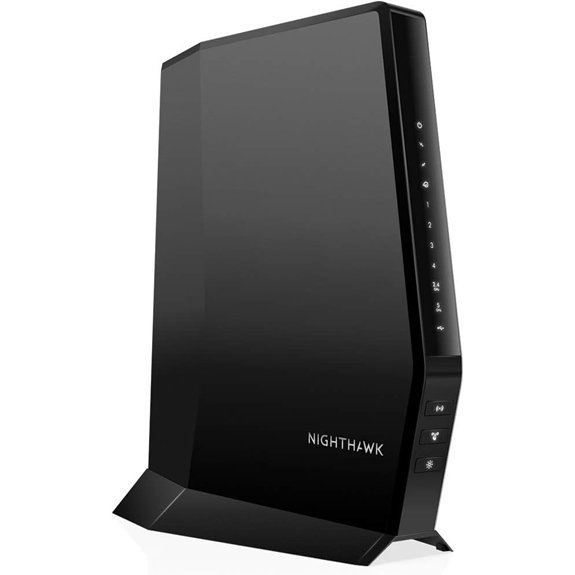 | Best Overall | DOCSIS Version: DOCSIS 3.1 | WiFi Technology: WiFi 6 (AX) | Max Speed: Up to 6Gbps | VIEW LATEST PRICE | Read Our Analysis |
| NETGEAR Nighthawk Cable Modem WiFi 6 Router (CAX30) | | Best Value | DOCSIS Version: DOCSIS 3.1 | WiFi Technology: WiFi 6 (AX2700) | Max Speed: Up to 2.7Gbps | VIEW LATEST PRICE | Read Our Analysis |
| NETGEAR Nighthawk Cable Modem WiFi 6 Router Combo | 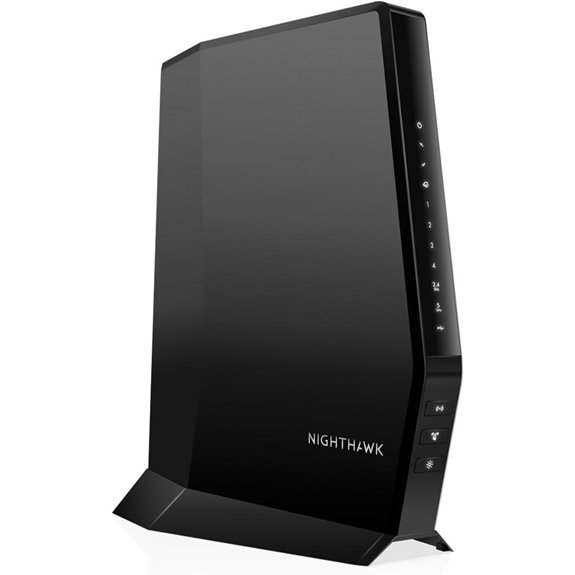 | Premium Coverage | DOCSIS Version: DOCSIS 3.1 | WiFi Technology: WiFi 6 (AX2700) | Max Speed: Up to 2.7Gbps | VIEW LATEST PRICE | Read Our Analysis |
| ARRIS Surfboard G34 DOCSIS 3.1 Modem Router | 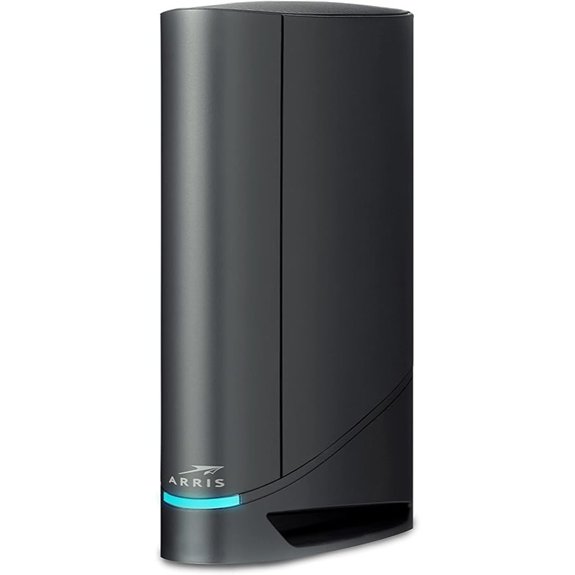 | Budget-Friendly Pick | DOCSIS Version: DOCSIS 3.1 | WiFi Technology: WiFi 6 (AX3000) | Max Speed: Up to 3Gbps | VIEW LATEST PRICE | Read Our Analysis |
| Arris G20 Cable Modem Router Combo DOCSIS 3.1 | 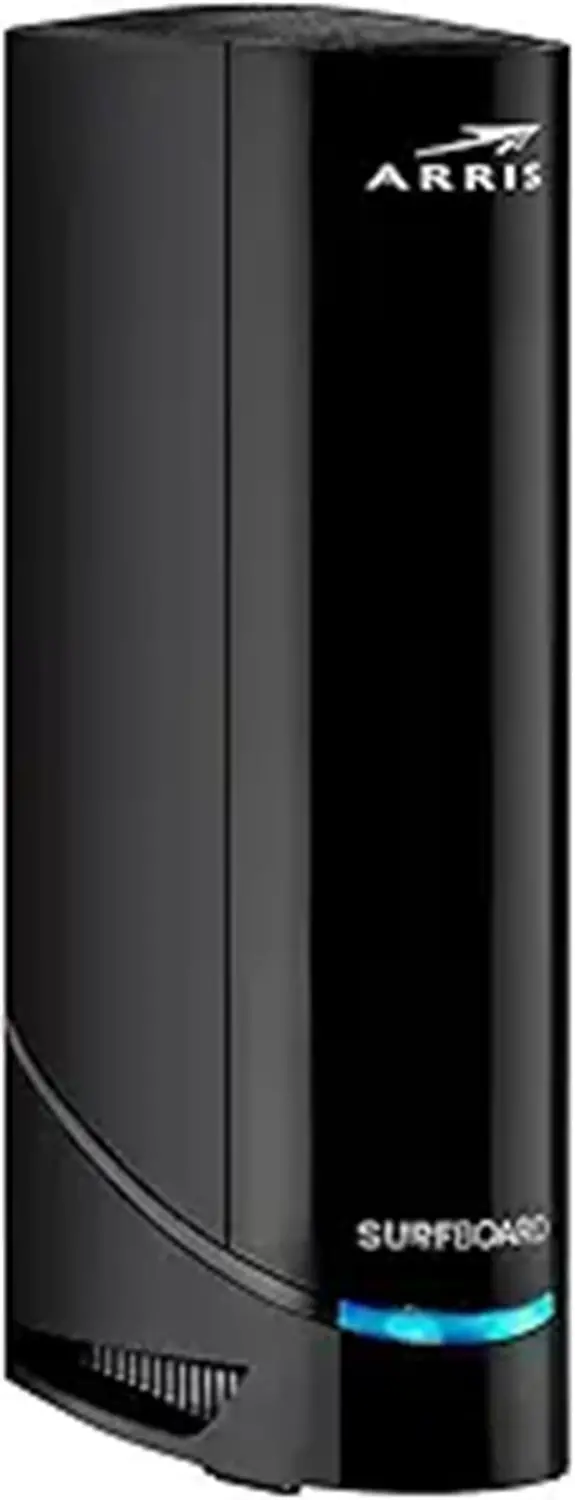 | Mid-Range Choice | DOCSIS Version: DOCSIS 3.1 | WiFi Technology: WiFi 6 (AX3000) | Max Speed: Up to 3Gbps | VIEW LATEST PRICE | Read Our Analysis |
| Arris G20 Cable Modem Router Combo DOCSIS 3.1 | | Compact Option | DOCSIS Version: DOCSIS 3.1 | WiFi Technology: WiFi 6 (802.11ax) | Max Speed: Multi-Gigabit | VIEW LATEST PRICE | Read Our Analysis |
| ARRIS SURFboard SBG8300 DOCSIS 3.1 Cable Modem Router | 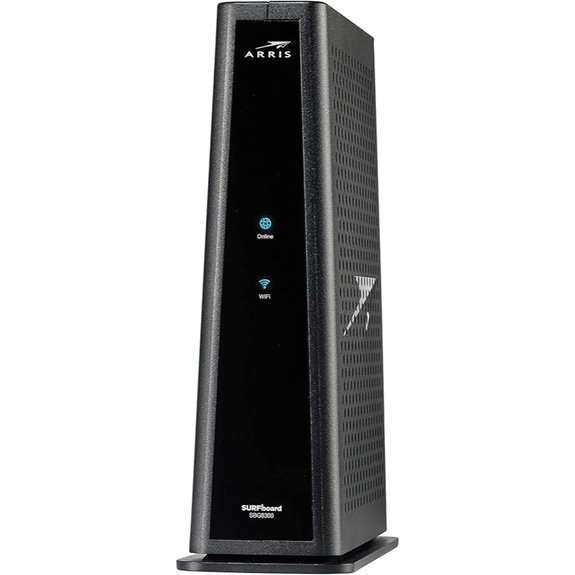 | Wide Coverage | DOCSIS Version: DOCSIS 3.1 | WiFi Technology: WiFi 5 (AC2300) | Max Speed: Up to 2.3Gbps | VIEW LATEST PRICE | Read Our Analysis |
| Motorola MG8702 DOCSIS 3.1 Cable Modem + Router | 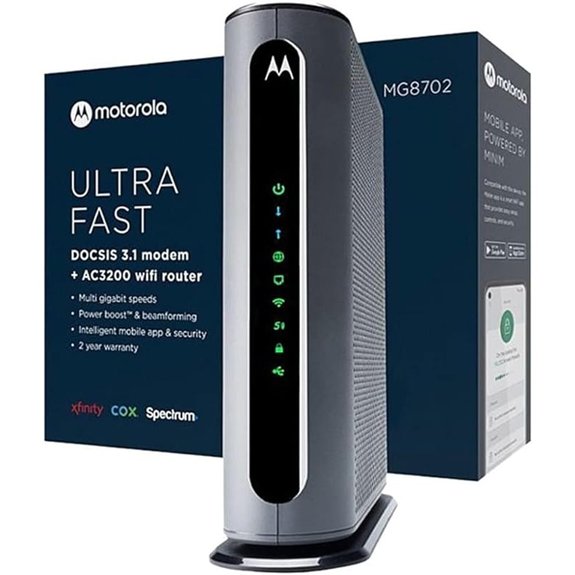 | Gaming Optimized | DOCSIS Version: DOCSIS 3.1 | WiFi Technology: WiFi 5 (AC3200) | Max Speed: Up to 3.2Gbps | VIEW LATEST PRICE | Read Our Analysis |
| Motorola MG8725 WiFi 6 Router Cable Modem | 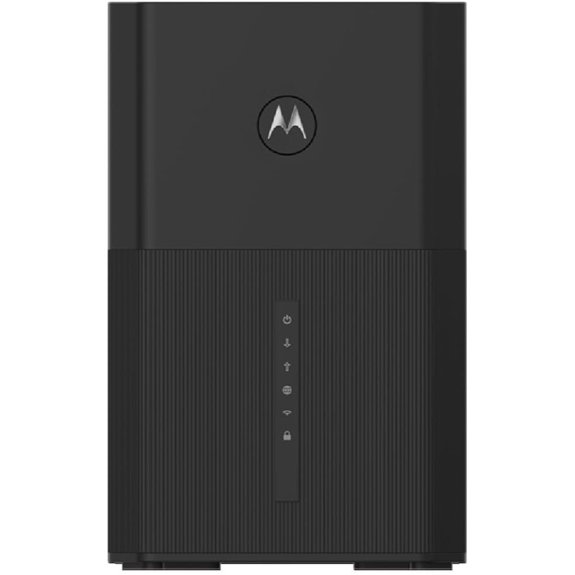 | Low Latency | DOCSIS Version: DOCSIS 3.1 | WiFi Technology: WiFi 6 (AX6000) | Max Speed: Up to 6Gbps | VIEW LATEST PRICE | Read Our Analysis |
| NETGEAR Nighthawk Modem Router Combo C7000 | 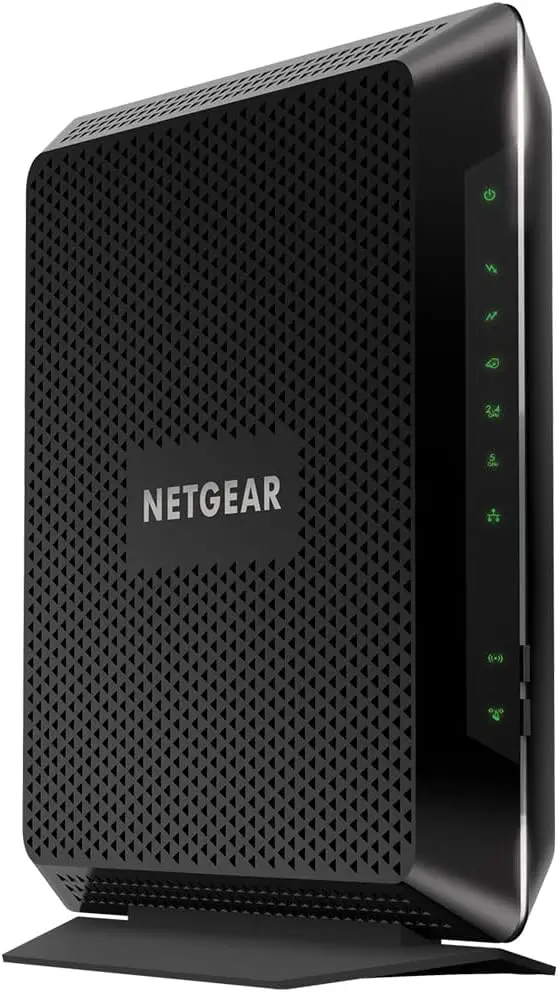 | Most Popular | DOCSIS Version: DOCSIS 3.0 | WiFi Technology: WiFi 5 (AC1900) | Max Speed: Up to 1.9Gbps | VIEW LATEST PRICE | Read Our Analysis |
| ARRIS SBG7400AC2 DOCSIS 3.0 Modem Router Combo | 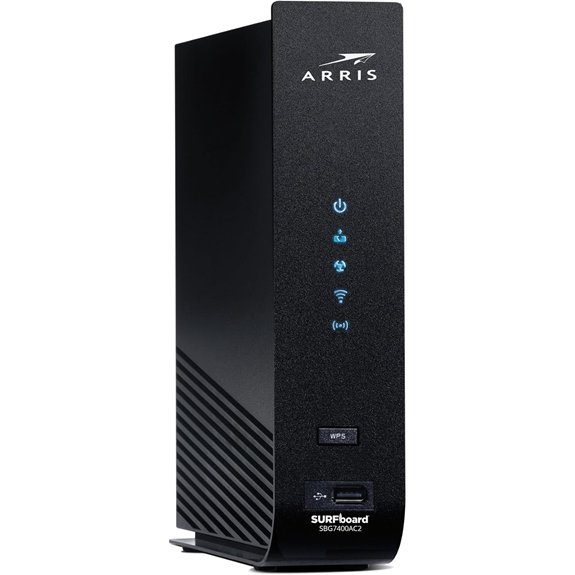 | Entry Level | DOCSIS Version: DOCSIS 3.0 | WiFi Technology: WiFi 5 (AC2350) | Max Speed: Up to 2.35Gbps | VIEW LATEST PRICE | Read Our Analysis |
| ARRIS SURFboard SBG7600AC2 Cable Modem & Wi-Fi Router | 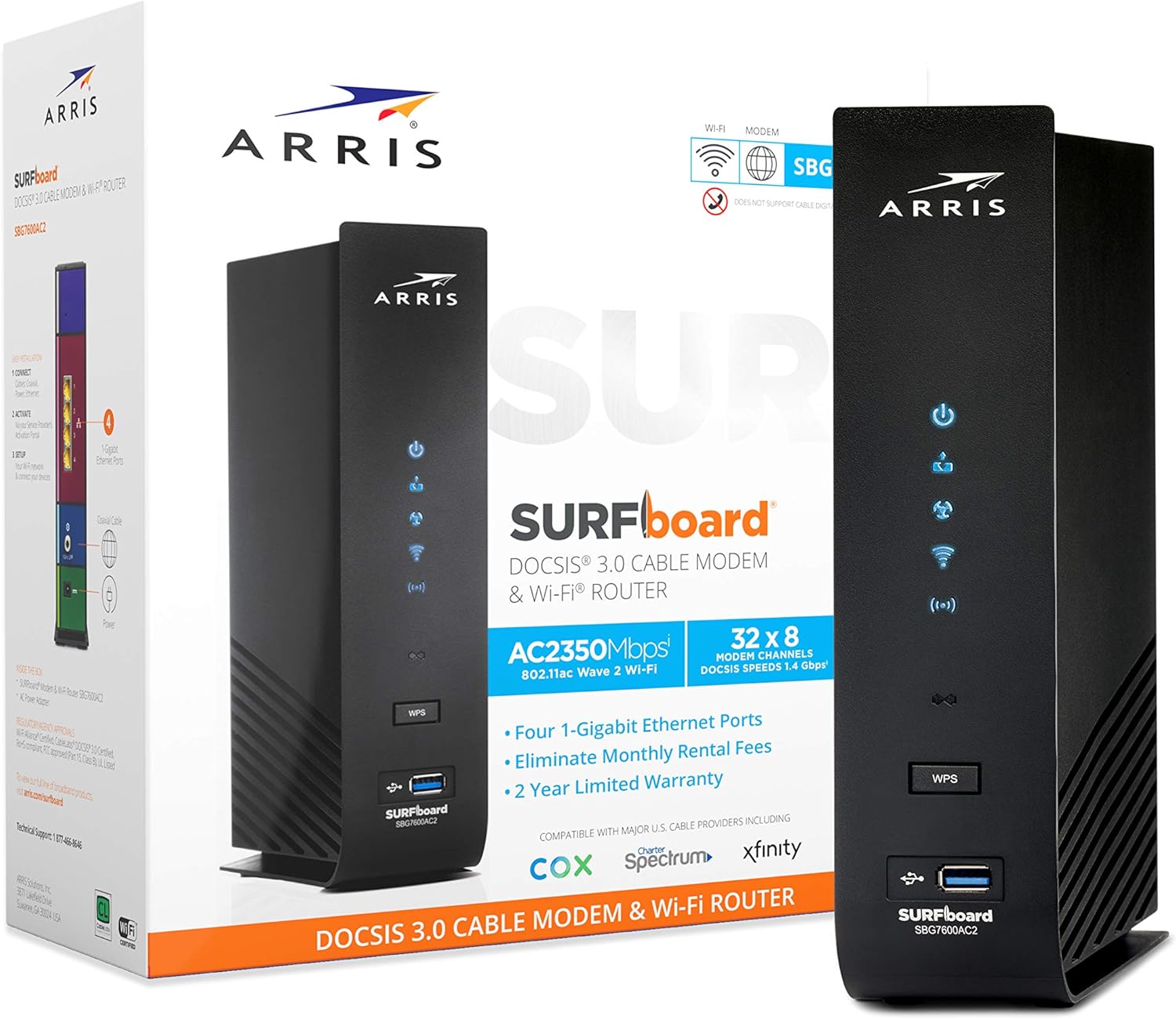 | Balanced Performance | DOCSIS Version: DOCSIS 3.0 | WiFi Technology: WiFi 5 (AC2350) | Max Speed: Up to 2.3Gbps | VIEW LATEST PRICE | Read Our Analysis |
| ARRIS Surfboard SBG6950AC2 DOCSIS 3.0 Cable Modem Router |  | Basic Connectivity | DOCSIS Version: DOCSIS 3.0 | WiFi Technology: WiFi 5 (AC1900) | Max Speed: Up to 1.9Gbps | VIEW LATEST PRICE | Read Our Analysis |
| ARRIS SURFboard SBG10 Cable Modem & Wi-Fi Router | 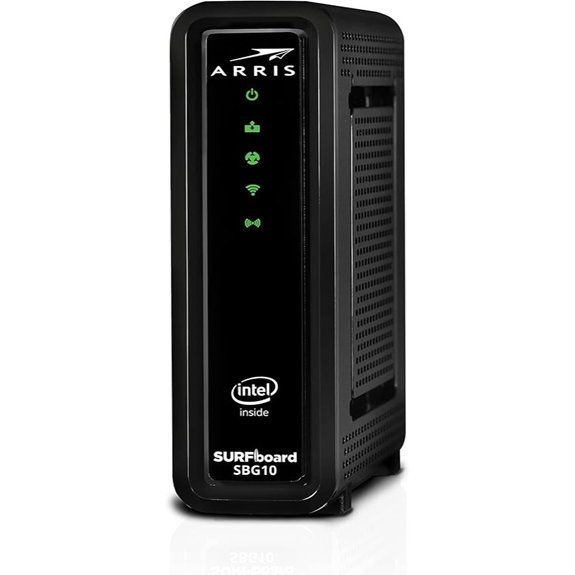 | Most Affordable | DOCSIS Version: DOCSIS 3.0 | WiFi Technology: WiFi 5 (AC1600) | Max Speed: Up to 1.6Gbps | VIEW LATEST PRICE | Read Our Analysis |
| Motorola MG7700 Modem WiFi Router Combo | 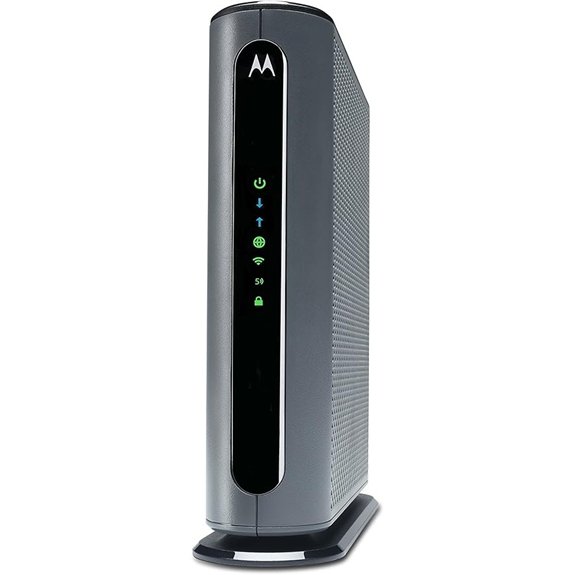 | Reliable Standard | DOCSIS Version: DOCSIS 3.0 | WiFi Technology: WiFi 5 (AC1900) | Max Speed: Up to 1.9Gbps | VIEW LATEST PRICE | Read Our Analysis |
More Details on Our Top Picks
NETGEAR Nighthawk Cable Modem with WiFi 6 (CAX80)
The NETGEAR Nighthawk CAX80 stands out as the best choice for bandwidth-hungry households that need to support 30 or more devices simultaneously across 2,500 square feet. You’ll get DOCSIS 3.1 with 32×8 channel bonding, which delivers the speeds you’re paying for from Xfinity. The device combines your modem and router into one unit, eliminating monthly rental fees that typically run $14-15. Setup takes minutes through the Nighthawk app, and you’ll find four 1-gigabit Ethernet ports plus one 2.5-gigabit port for wired connections. The included NETGEAR Armor software protects your network, though some users report occasional WiFi drops and challenging customer support experiences.
- DOCSIS Version:DOCSIS 3.1
- WiFi Technology:WiFi 6 (AX)
- Max Speed:Up to 6Gbps
- Ethernet Ports:4x 1Gig + 1x 2.5Gig
- Coverage Area:Up to 2,500 sq ft
- Device Capacity:Up to 30 devices
- Additional Feature:2.5 Multi-gig LAN port
- Additional Feature:NETGEAR Armor security software
- Additional Feature:Nighthawk app management
NETGEAR Nighthawk Cable Modem WiFi 6 Router (CAX30)
NETGEAR’s Nighthawk CAX30 delivers WiFi 6 speeds up to 2.7Gbps across 2,000 square feet, making it the best choice for households that need robust multi-device support without the complexity of separate modem and router units. You’ll handle up to 25 devices simultaneously through DOCSIS 3.1 technology with 32×8 channel bonding, ideal for cable plans reaching 2Gbps with Xfinity, Spectrum, or Cox. The unit includes four Gigabit Ethernet ports with aggregation capability and one USB 3.0 port for direct device connections. You’ll set everything up through the Nighthawk app and potentially save $168 yearly by eliminating modem rental fees. NETGEAR Armor provides security against malware and identity theft with a 30-day trial included.
- DOCSIS Version:DOCSIS 3.1
- WiFi Technology:WiFi 6 (AX2700)
- Max Speed:Up to 2.7Gbps
- Ethernet Ports:4x 1Gig
- Coverage Area:Up to 2,000 sq ft
- Device Capacity:Up to 25 devices
- Additional Feature:Port aggregation support
- Additional Feature:USB 3.0 port
- Additional Feature:30-day Armor trial
NETGEAR Nighthawk Cable Modem WiFi 6 Router Combo
WiFi 6 technology transforms this NETGEAR Nighthawk CAX80 into an ideal solution if you’re managing a busy household with multiple devices streaming, gaming, and working simultaneously. You’ll get coverage for up to 2,500 square feet and support for 25 devices at speeds reaching 2.7Gbps. The built-in DOCSIS 3.1 modem eliminates your monthly rental fees while delivering multi-gigabit performance.
Setup takes minutes through the Nighthawk app, which also handles speed testing and network monitoring. You’ll find four Gigabit Ethernet ports for wired connections and NETGEAR Armor security built-in. Customer reviews consistently highlight improved throughput and stability compared to older Arris and Motorola models, though some users report MoCA compatibility issues with Xfinity TV boxes.
- DOCSIS Version:DOCSIS 3.1
- WiFi Technology:WiFi 6 (AX2700)
- Max Speed:Up to 2.7Gbps
- Ethernet Ports:4x 1Gig
- Coverage Area:Up to 2,500 sq ft
- Device Capacity:Up to 25 devices
- Additional Feature:USB 3.0 port
- Additional Feature:Advanced cyber threat protection
- Additional Feature:Data usage monitoring
ARRIS Surfboard G34 DOCSIS 3.1 Modem Router
Built for households that stream 4K video across multiple devices simultaneously, the ARRIS Surfboard G34 combines DOCSIS 3.1 cable modem technology with Wi-Fi 6 capabilities to deliver speeds up to 3 Gbps. You’ll get four Gigabit Ethernet ports for wired connections and full compatibility with major U.S. cable providers including Xfinity. The SURFboard Central App simplifies setup and gives you real-time network monitoring plus parental controls. ARRIS backs this unit with a two-year warranty, and you’ll eliminate monthly modem rental fees by owning your equipment. Customer ratings average 4.0 stars from over 10,000 reviews, though some users report connectivity issues with 2.5GB devices and limited technical support availability.
- DOCSIS Version:DOCSIS 3.1
- WiFi Technology:WiFi 6 (AX3000)
- Max Speed:Up to 3Gbps
- Ethernet Ports:4x 1Gig
- Coverage Area:Not specified
- Device Capacity:Not specified
- Additional Feature:SURFboard Central App
- Additional Feature:Real-time device monitoring
- Additional Feature:Two-year warranty included
Arris G20 Cable Modem Router Combo DOCSIS 3.1
The Arris G20 stands out as the best choice if you’re seeking a future-proof modem router combo that won’t become outdated as internet speeds continue to climb. Its DOCSIS 3.1 technology delivers multi-gigabit capabilities, while WiFi 6 (AX3000) provides dual-band coverage that reaches every corner of your home. You’ll get reliable performance for streaming, gaming, and general browsing without experiencing slowdowns. The device works with Comcast Xfinity, Cox, and Spectrum, eliminating compatibility concerns. By purchasing this unit instead of renting equipment from your provider, you’ll save approximately $168 annually. The combination of current technology and upgrade capacity makes this modem router combo a smart investment.
- DOCSIS Version:DOCSIS 3.1
- WiFi Technology:WiFi 6 (AX3000)
- Max Speed:Up to 3Gbps
- Ethernet Ports:Multi-Gig capable
- Coverage Area:Not specified
- Device Capacity:Not specified
- Additional Feature:Dual-band WiFi 6
- Additional Feature:Optimized gaming experiences
- Additional Feature:Annual rental savings
Arris G20 Cable Modem Router Combo DOCSIS 3.1
If you’re looking for a future-proof modem that’ll handle multi-gigabit internet plans without monthly rental fees, the Arris G18 delivers DOCSIS 3.1 technology paired with Wi-Fi 6 in a single device. You’ll get upstream speeds reaching 100Mbps, which improves video calls and file uploads noticeably. The Wi-Fi 6 dual-band system extends reliable coverage throughout your home while supporting multiple devices simultaneously. At 9.49 x 7.44 x 4.41 inches and 2.4 pounds, it fits standard shelving without issue. You’ll save up to $168 annually by eliminating rental fees from Xfinity, Cox, or Spectrum. The device works with major ISPs and handles streaming, gaming, and browsing efficiently.
- DOCSIS Version:DOCSIS 3.1
- WiFi Technology:WiFi 6 (802.11ax)
- Max Speed:Multi-Gigabit
- Ethernet Ports:Multi-Gig capable
- Coverage Area:Not specified
- Device Capacity:Not specified
- Additional Feature:100Mbps upstream speeds
- Additional Feature:Enhanced video conferencing
- Additional Feature:Dual-band WiFi technology
ARRIS SURFboard SBG8300 DOCSIS 3.1 Cable Modem Router
ARRIS SURFboard SBG8300 stands out as the best choice for Xfinity customers who want to future-proof their home network while cutting down monthly rental fees. You’ll save up to $168 annually by owning this modem instead of renting from your provider. The DOCSIS 3.1 technology delivers speeds 10 times faster than DOCSIS 3.0, supporting plans up to 1 Gbps. You get Wi-Fi 5 coverage across 2,800 square feet and four Gigabit ethernet ports for wired connections. Setup takes minutes through the SURFboard Central App. The unit weighs 3.1 pounds and includes a 2-year warranty, though some users report connectivity issues at range limits.
- DOCSIS Version:DOCSIS 3.1
- WiFi Technology:WiFi 5 (AC2300)
- Max Speed:Up to 2.3Gbps
- Ethernet Ports:4x 1Gig
- Coverage Area:Up to 2,800 sq ft
- Device Capacity:Not specified
- Additional Feature:2,800 sq ft coverage
- Additional Feature:SURFboard Central App
- Additional Feature:Two-year warranty
Motorola MG8702 DOCSIS 3.1 Cable Modem + Router
Motorola’s MG8702 stands out as the best choice for Xfinity customers who want to access gigabit-tier internet plans without paying monthly rental fees. This DOCSIS 3.1 combo delivers AC3200 Wi-Fi speeds and includes Power Boost, Range Boost, and beamforming technology to maintain strong connections throughout your home. You’ll save roughly $168 per year by eliminating Xfinity’s equipment rental charges. The mobile app lets you set up guest networks, monitor bandwidth usage, run speed tests, configure parental controls, and receive security alerts. Motorola backs the device with two years of free expert support, giving you direct access to troubleshooting assistance when connection issues arise.
- DOCSIS Version:DOCSIS 3.1
- WiFi Technology:WiFi 5 (AC3200)
- Max Speed:Up to 3.2Gbps
- Ethernet Ports:Multi-Gig capable
- Coverage Area:Not specified
- Device Capacity:Not specified
- Additional Feature:AnyBeam WiFi Beamforming
- Additional Feature:Intelligent Power Boost
- Additional Feature:2 years expert support
Motorola MG8725 WiFi 6 Router Cable Modem
The Motorola MG8725 stands out as the best choice for Xfinity customers who demand ultra-low latency performance for competitive gaming and real-time applications. This WiFi 6 combo was the first device to earn Low Latency DOCSIS certification from CableLabs, which measurably reduces lag during gameplay and video calls. You’ll get AX6000 speeds up to 6000 Mbps through its 4×4 router configuration.
The hardware includes one 2.5 Gig Ethernet port for high-speed wired connections plus three standard gigabit ports. Setup takes minutes through the motosync app, where you can run speed tests, manage guest networks, and block malware. You’ll save approximately $168 yearly by eliminating Xfinity’s modem rental fees.
- DOCSIS Version:DOCSIS 3.1
- WiFi Technology:WiFi 6 (AX6000)
- Max Speed:Up to 6Gbps
- Ethernet Ports:1x 2.5Gig + 3x 1Gig
- Coverage Area:Whole-home coverage
- Device Capacity:Not specified
- Additional Feature:Low Latency DOCSIS certified
- Additional Feature:Motosync app management
- Additional Feature:Malware blocking capability
NETGEAR Nighthawk Modem Router Combo C7000
NETGEAR’s C7000 delivers solid performance for households managing moderate internet usage across multiple devices without breaking the bank. You’ll get WiFi 5 AC1900 speeds up to 1900Mbps covering 1,800 square feet and supporting 30 devices simultaneously. The unit includes four Gigabit Ethernet ports for wired connections and one USB 2.0 port for peripheral devices. You can eliminate your monthly modem rental fee since it replaces both your cable modem and router in one device. Setup takes minimal effort with straightforward instructions, though you should note this model supports download speeds up to 800Mbps—adequate for most households but potentially limiting if you’ve subscribed to gigabit-tier service from Xfinity.
- DOCSIS Version:DOCSIS 3.0
- WiFi Technology:WiFi 5 (AC1900)
- Max Speed:Up to 1.9Gbps
- Ethernet Ports:4x 1Gig
- Coverage Area:Up to 1,800 sq ft
- Device Capacity:Up to 30 devices
- Additional Feature:USB 2.0 port
- Additional Feature:WPA/WPA2 security protocols
- Additional Feature:800Mbps download support
ARRIS SBG7400AC2 DOCSIS 3.0 Modem Router Combo
ARRIS’s SURFboard SBG7400AC2 works best for Xfinity households that need speeds up to 800 Mbps without paying monthly rental fees. You’ll save up to $168 annually compared to renting equipment from your cable provider. The device combines DOCSIS 3.0 modem technology with AC2350 WiFi and four 1 Gbps Ethernet ports for wired connections. Setup takes minutes using the SURFboard Central App, which handles activation, network customization, and device management. ARRIS has sold over 260 million modems during its 70-year history, so you’re buying from a proven manufacturer. The combo measures 7.69 x 2.25 x 9.5 inches and weighs 2.64 pounds, fitting easily near your router location.
- DOCSIS Version:DOCSIS 3.0
- WiFi Technology:WiFi 5 (AC2350)
- Max Speed:Up to 2.35Gbps
- Ethernet Ports:4x 1Gig
- Coverage Area:Not specified
- Device Capacity:Not specified
- Additional Feature:SURFboard Central App
- Additional Feature:Network device management
- Additional Feature:Enhanced parental controls
ARRIS SURFboard SBG7600AC2 Cable Modem & Wi-Fi Router
For households seeking a budget-friendly gateway that won’t sacrifice performance on internet plans up to 800 Mbps, the ARRIS SURFboard SBG7600AC2 delivers DOCSIS 3.0 cable modem technology paired with AC2350 Wi-Fi 5 speeds reaching 2.3 Gbps. You’ll get four Gigabit ethernet ports for wired connections and 32 bonded download channels that maximize stability across your network. Setup takes minutes through the SURFboard Central app, which also provides parental controls and real-time device monitoring. You can eliminate rental fees and save up to $168 annually while maintaining compatibility with Xfinity, Spectrum, and Cox. Some users report occasional connectivity hiccups with wireless printers and smart devices, though overall reliability remains solid throughout most homes.
- DOCSIS Version:DOCSIS 3.0
- WiFi Technology:WiFi 5 (AC2350)
- Max Speed:Up to 2.3Gbps
- Ethernet Ports:4x 1Gig
- Coverage Area:Not specified
- Device Capacity:Not specified
- Additional Feature:32 bonded download channels
- Additional Feature:File sharing capabilities
- Additional Feature:Media server functionality
ARRIS Surfboard SBG6950AC2 DOCSIS 3.0 Cable Modem Router
The ARRIS Surfboard SBG6950AC2 delivers a balanced combination of modem and router capabilities for households with internet plans up to 400 Mbps. You’ll get DOCSIS 3.0 technology with 16 downstream and 4 upstream channels, paired with dual-band AC1900 Wi-Fi for solid wireless coverage. The device includes four Gigabit Ethernet ports when you need wired connections for gaming consoles or desktop computers. You can manage your network through the SURFboard Manager app, which simplifies setup and ongoing adjustments. This combo works with Xfinity, Cox, and Spectrum, eliminating monthly rental fees while supporting streaming and moderate gaming needs across multiple devices simultaneously.
- DOCSIS Version:DOCSIS 3.0
- WiFi Technology:WiFi 5 (AC1900)
- Max Speed:Up to 1.9Gbps
- Ethernet Ports:4x 1Gig
- Coverage Area:Not specified
- Device Capacity:Not specified
- Additional Feature:SURFboard Manager app
- Additional Feature:16 downstream channels
- Additional Feature:Dual-band AC1900 WiFi
ARRIS SURFboard SBG10 Cable Modem & Wi-Fi Router
Budget-conscious Xfinity customers who need speeds up to 400 Mbps will find excellent value in the ARRIS SURFboard SBG10. This DOCSIS 3.0 combo eliminates rental fees—saving you $168 annually—while delivering Wi-Fi 5 speeds up to 1.6 Gbps across your home. You’ll get two Gigabit ethernet ports for wired connections and straightforward setup through the SURFboard Central app.
However, research the Intel Puma 6 chipset issue before purchasing. Some users report connection drops and latency spikes linked to this hardware defect. If you primarily stream video and browse rather than game competitively, the SBG10 offers solid performance. The 2-year warranty provides coverage, and ARRIS’s 70-year industry track record adds reliability confidence.
- DOCSIS Version:DOCSIS 3.0
- WiFi Technology:WiFi 5 (AC1600)
- Max Speed:Up to 1.6Gbps
- Ethernet Ports:2x 1Gig
- Coverage Area:Not specified
- Device Capacity:Not specified
- Additional Feature:SURFboard Central App
- Additional Feature:Two 1-Gigabit ports
- Additional Feature:Two-year warranty
Motorola MG7700 Modem WiFi Router Combo
If you’re looking to cut down on monthly rental fees without sacrificing performance, the Motorola MG7700 stands out as a solid all-in-one solution for Xfinity subscribers. This combo packs a 24×8 DOCSIS 3.0 modem with an AC1900 dual-band router, supporting speeds up to 650 Mbps. You’ll get four Gigabit Ethernet ports, built-in firewall security, and power-boosted Wi-Fi amplifiers with Anybeam technology for better range. Setup takes minutes, and you’ll eliminate up to $156 annually in rental fees. It works well for smaller homes with moderate Wi-Fi demands, though users report that pairing a separate modem and router delivers faster, more reliable performance in larger spaces.
- DOCSIS Version:DOCSIS 3.0
- WiFi Technology:WiFi 5 (AC1900)
- Max Speed:Up to 1.9Gbps
- Ethernet Ports:4x 1Gig
- Coverage Area:Not specified
- Device Capacity:Multiple devices
- Additional Feature:Firewall security included
- Additional Feature:Anybeam technology
- Additional Feature:Power boost amplifiers

Factors to Consider When Choosing Xfinity-Compatible Modem Router Combos
Before you buy a modem router combo for Xfinity, I’ll walk you through five key factors that directly impact your network performance and monthly costs. Your internet speed plan determines the minimum DOCSIS version you need, while your home’s size dictates WiFi coverage requirements. I’ll also show you how to evaluate ethernet ports for wired connections and calculate the money you’ll save by avoiding Xfinity’s rental fees.
Internet Speed Plan Requirements
Your internet speed plan is the single most important factor in choosing a modem router combo because the device must handle the bandwidth Xfinity delivers to your home. I recommend matching the modem’s DOCSIS version and channel bonding to your tier. For gigabit and multi-Gbps plans, choose DOCSIS 3.1 with 32×8 channel bonding. DOCSIS 3.0 with fewer channels works for lower speeds but will bottleneck faster plans.
Verify the combo is certified for your exact speed tier—some units top out at 400 Mbps, 800 Mbps, or 1 Gbps. Check that the router’s Wi-Fi generation and total throughput won’t limit your wireless performance. If your plan exceeds 1 Gbps, look for a multi-gig Ethernet port. Choose equipment rated above your current plan to avoid replacing hardware when you upgrade.
See also:
- 11 Best Routers for Xfinity
- Modem Router Combo vs Separate Units: Differences & What To Get?
- Best Gigabit Cable Modems for High-Speed Internet
DOCSIS Technology Version Compatibility
DOCSIS version determines the ceiling for your modem’s performance, so understanding which generation you need will save you from buying hardware that can’t keep up with your plan. DOCSIS 3.1 uses OFDM channels to deliver higher throughput and lower latency, making it essential for multi-gigabit plans. If you subscribe to speeds above 1 Gbps or plan to upgrade soon, choose DOCSIS 3.1 for future-proofing. DOCSIS 3.0 remains viable for plans up to roughly 1 Gbps, especially models with 24–32 downstream and 8 upstream bonded channels. More channels mean better sustained speeds when your network is under load. DOCSIS 3.1 modems work on older DOCSIS 3.0 networks through backward compatibility, but the reverse isn’t true. For gaming or videoconferencing, prioritize models with higher upstream channel counts and Low Latency DOCSIS support to reduce jitter.
WiFi Coverage Area Needs
The square footage of your home sets the baseline for coverage requirements, so grab your floor plan or measure the total living area—including any finished basements or attics you want connected—before you shop. I recommend choosing a combo rated for at least your home’s square footage; better yet, add 20–30% headroom to eliminate dead zones. Count all concurrent devices—smartphones, tablets, TVs, consoles, smart home gear—then multiply that number by 1.2 to 1.5 for planning purposes. More devices need stronger capacity and broader coverage. Consider your building materials: thick concrete, brick, or metal studs reduce Wi‑Fi range markedly, so you’ll need higher-rated coverage or plan for mesh extenders. Multi-floor homes benefit most from combos that support mesh satellites for consistent whole-home performance.
Ethernet Port Count Options
Most Xfinity-compatible modem router combos ship with four Gigabit Ethernet ports, which handle typical home setups—a desktop PC, gaming console, smart TV, and maybe a network printer—without requiring an add-on switch. If you’ve got gigabit-plus internet or plan to upgrade soon, I’d look for a unit with at least one 2.5 Gigabit WAN/LAN port to enable speeds beyond the 1 Gbps ceiling. Port aggregation via LACP lets you bond two 1GbE ports for increased bandwidth to a compatible device like a NAS. For local storage, a USB 3.0 port simplifies backups and media sharing. Count your current wired devices and add one or two for future gear; buying enough ports now saves you from adding switches or replacing the combo next year.
Monthly Rental Fee Savings
Every month you rent Xfinity’s modem-router combo, you’re handing over $10 to $14 that adds up to $120–$168 per year—money you’ll never see again. I calculate the break-even point by dividing the device price by monthly rental. A $200 unit offsets a $12 rental in roughly 17 months. Since these devices typically last 3–5 years, you’ll avoid $360–$840 in total rental fees over that lifespan. Factor in any rebates or discounts that lower your upfront cost—they shorten your payback period. Also consider activation fees some providers charge. Beyond direct savings, you might see fewer service calls and avoid future rental increases. Over five years, owning your device delivers substantial returns compared to endless rental payments.
Wifi 6 Vs Wifi 5
When you’re choosing between Wi‑Fi 6 and Wi‑Fi 5 for your Xfinity modem router combo, start by counting the devices in your home and checking your internet plan speed. Wi‑Fi 6 delivers higher throughput and better spectral efficiency, which translates to faster real‑world speeds when multiple devices connect simultaneously. Technologies like OFDMA and improved MU‑MIMO reduce latency and handle device density far better than Wi‑Fi 5. If you have a multi‑gig Xfinity plan or ten-plus active devices, Wi‑Fi 6 makes a measurable difference. It also supports WPA3 security and Target Wake Time for extending battery life on laptops and phones. For households with just a few older devices and standard internet speeds, Wi‑Fi 5 performs similarly. Remember that both your router and clients need Wi‑Fi 6 to access the full benefits.
Frequently Asked Questions
Does Xfinity Charge a Monthly Rental Fee if I Use My Own Modem?
No, I won’t pay Xfinity’s monthly rental fee if I use my own modem. By purchasing my own compatible modem, I’ll eliminate that recurring charge and save money over time on my internet bill.
Will My Modem Router Combo Work if I Switch From Xfinity to Another ISP?
It depends on your new ISP’s compatibility requirements. I’d recommend checking their approved equipment list first, as different providers use varying technologies like cable, fiber, or DSL that require specific modem types.
How Often Should I Replace My Modem Router Combo for Optimal Performance?
I recommend replacing your modem router combo every 3-5 years for peak performance. Technology advances quickly, and newer models support faster speeds, better security protocols, and improved WiFi standards that’ll enhance your internet experience.
Can I Use a Modem Router Combo With Xfinity’s Gigabit Internet Plans?
Yes, you can use a modem router combo with Xfinity’s gigabit plans. I recommend choosing a DOCSIS 3.1 device that supports speeds up to 1 Gbps or higher to guarantee you’re getting the full performance you’re paying for.
Do I Need to Contact Xfinity Before Installing My Own Modem Router Combo?
You don’t need to contact Xfinity beforehand, but I recommend having your account information ready. Once you’ve connected your modem router combo, you’ll need to activate it through Xfinity’s automated system or website.
Conclusion
Choosing the right modem router combo for Xfinity comes down to your internet plan speed and coverage needs. I’ve shown you eight reliable options that’ll save you monthly rental fees while delivering solid performance. Match the DOCSIS version to your speed tier—3.1 for gigabit plans, 3.0 for lower speeds. Consider your home size when evaluating WiFi range. Check Xfinity’s compatibility list before buying, then follow the activation steps to get connected.

- Best Routers for AT&T Fiber Internet (Tested for IP Passthrough) - March 26, 2026
- Best PoE Switches for Home Lab and Small Business (2026) - March 25, 2026
- Best Routers for T-Mobile Home Internet in 2026 (Tested Behind the Gateway) - March 19, 2026