
Affiliate disclosure: As an Amazon Associate, I earn from qualifying purchases.
For a large home, buy a mesh system, not one bigger router. A mesh puts two or three units around the house, so every room is near one. Link the units with Ethernet if you can.
The TP-Link Deco XE75 Pro 3-pack is the best value. The Deco BE63 is the best Wi-Fi 7 mesh, with four 2.5 Gbps ports on every unit. The NETGEAR Orbi 770 3-pack covers the most: up to 8,000 sq ft. For the simplest app, choose eero. One big floor and a fast plan? Start with the ASUS RT-BE86U and add a unit later.
Top 3 picks at a glance
How I picked these: On 12 November 2026 I checked the ten routers this page listed before on Amazon US. Two were unavailable, four had only one to three left or came from third-party sellers, and one listing now sells a different product, so I replaced them. I checked the six picks against each maker’s own spec page the same day and confirmed each is in stock on Amazon US. I have not lab-tested them. Coverage figures are the makers’ own; walls, floors and placement decide the real result.
Best routers for large homes: quick comparison
| Router | Best for | Wi-Fi | Ports | Main limit |
|---|---|---|---|---|
 TP-Link Deco XE75 Pro (3-pack) | Best value for most large homes | Wi-Fi 6E, tri-band | 1 × 2.5 GbE + 2 Gigabit per unit | Not Wi-Fi 7 |
 TP-Link Deco BE63 | Wi-Fi 7 with fast wired links | Wi-Fi 7, tri-band | 4 × 2.5 GbE per unit | Pricier |
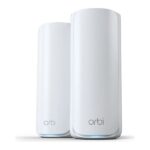 NETGEAR Orbi 770 (3-pack) | Largest homes, up to 8,000 sq ft | Wi-Fi 7, tri-band | 2 × 2.5 GbE LAN per unit | Armor security costs extra |
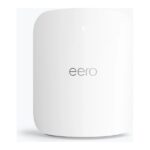 Amazon eero Max 7 | Premium, simplest app | Wi-Fi 7 | 2 × 10 GbE + 2 × 2.5 GbE | Single unit; buy two or three |
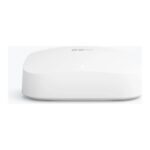 Amazon eero Pro 6E | Simple app, mid-range | Wi-Fi 6E, tri-band | 2.5 GbE + Gigabit | Single unit; filters need eero Plus |
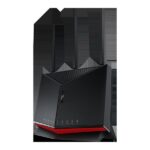 ASUS RT-BE86U | One big floor, fast plan | Wi-Fi 7, dual-band | 10 GbE + 2.5 GbE ports | One router; add AiMesh for coverage |
Mesh or one big router?
- Two floors, thick walls or long wings: buy mesh. Even the strongest single router struggles to reach through several walls and a floor.
- One large open floor: a single strong router placed in the middle may be enough. If one room stays weak, add a mesh unit from the same brand.
- Tri-band mesh (like the Deco XE75 Pro, BE63 and Orbi 770) has an extra band that helps carry traffic between units when you cannot run cable.
- Plan faster than 1 Gbps: look for 2.5 GbE or faster ports on every unit, and use Ethernet between units for the full speed.
1. TP-Link Deco XE75 Pro — best value mesh
The Deco XE75 Pro is the pick for most large homes. Each unit has AXE5400 tri-band Wi-Fi 6E, one 2.5 Gbps port and two Gigabit ports. The Amazon listing is a 3-pack, which is the right size for most large houses.
TP-Link lists router mode and access point mode, and you can link units with Ethernet for the steadiest connection. TP-Link’s free HomeShield Basic plan includes parental controls such as bedtime schedules and website filters.
Buy it if: you want strong whole-home coverage for a sensible price, and your plan is 1 Gbps or a little more. Skip it if: you want Wi-Fi 7, or several multi-gig wired devices in different rooms. See the official Deco XE75 Pro page.
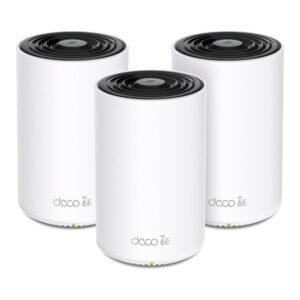
TP-Link Deco XE75 Pro (3-pack)
- Wi-Fi 6E · tri-band
- 3-pack
- 2.5 Gbps port per unit
2. TP-Link Deco BE63 — best Wi-Fi 7 mesh
The Deco BE63 is a BE10000 tri-band Wi-Fi 7 mesh system. Its standout feature for a big house is wiring: TP-Link lists four 2.5 Gbps ports on every unit, auto-sensing WAN or LAN. That means fast cabled links between units and fast ports for computers and consoles in every room.
TP-Link rates a 2-pack for up to 5,800 sq ft, and the Amazon listing photo shows two units. It supports Multi-Link Operation (MLO), runs in router or access point mode, and includes TP-Link HomeShield.
Buy it if: you want Wi-Fi 7 across the house, or you can run Ethernet between rooms. Skip it if: your plan is under 1 Gbps and Wi-Fi 6E is enough. The XE75 Pro costs less. See the official Deco BE63 page.
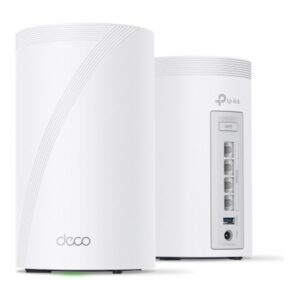
TP-Link Deco BE63
- Wi-Fi 7 · BE10000
- 4 × 2.5 Gbps per unit
- Up to 5,800 sq ft (2-pack)
3. NETGEAR Orbi 770 — most coverage
The Orbi 770 3-pack (one router and two satellites) is for the largest homes. NETGEAR lists coverage up to 8,000 sq ft, up to 100 devices at once and BE11000 tri-band Wi-Fi 7 with enhanced backhaul between units.
Each unit has two 2.5 Gbps Ethernet LAN ports. NETGEAR’s Armor security is an optional paid add-on after a free trial, so you do not need it for the Wi-Fi to work.
Buy it if: you have a very large or spread-out home and want one system to cover it. Skip it if: you do not need coverage on that scale. A smaller system costs less. See the official Orbi 770 (RBE773) page.
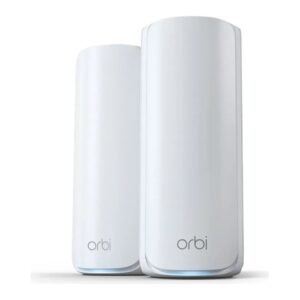
NETGEAR Orbi 770 (3-pack)
- Wi-Fi 7 · BE11000
- Up to 8,000 sq ft
- 1 router + 2 satellites
4. Amazon eero Max 7 — premium and simplest
The eero Max 7 is eero’s fastest system. eero lists Wi-Fi 7, coverage up to 2,500 sq ft per unit, two 10 GbE ports and two 2.5 GbE ports, plus a built-in Thread, Zigbee and Matter smart home hub. You set it up and run it in the eero app.
The Amazon listing is a single unit. For a large home, plan on two or three units. Some features, such as content filters, need the optional eero Plus subscription.
Buy it if: you want the simplest app and the fastest wired ports, and budget is not the main concern. Skip it if: you want the most coverage for your money. The Deco XE75 Pro or Orbi 770 cover more per pack. See the official eero Max 7 page.
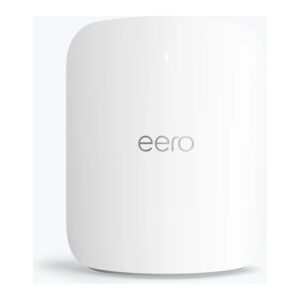
Amazon eero Max 7
- Wi-Fi 7
- 2 × 10 GbE + 2 × 2.5 GbE
- 2,500 sq ft per unit
5. Amazon eero Pro 6E — simple app, mid-range
The eero Pro 6E is a tri-band Wi-Fi 6E mesh router with one 2.5 GbE port and one Gigabit port per unit. eero says the system reaches up to 2.3 Gbps in total, when you add wired and Wi-Fi devices together.
Like the Max 7, the Amazon listing is one unit, so a large home needs two or three. It is a good middle choice if you like the eero app but do not need Wi-Fi 7.
Buy it if: you want eero’s app with tri-band Wi-Fi for less than the Max 7. Skip it if: you want multi-gig wired ports on every unit. See the official eero Pro 6E page.
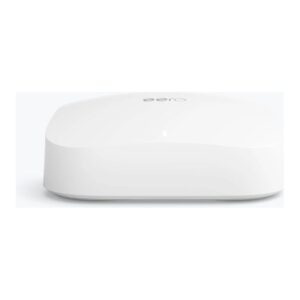
Amazon eero Pro 6E
- Wi-Fi 6E · tri-band
- 2.5 GbE + Gigabit
- Single unit listing
6. ASUS RT-BE86U — one strong router for a big single floor
Not every large home needs mesh on day one. The RT-BE86U is a dual-band Wi-Fi 7 router with one 10 Gbps WAN/LAN port, one 2.5 Gbps WAN/LAN port and three more 2.5 Gbps LAN ports. Placed in the middle of a large open single-floor home, one unit may be enough.
If a room stays weak, add another ASUS router as an AiMesh node instead of starting over. It has no 6 GHz band, and ASUS lists its security and parental controls as subscription-free.
Buy it if: you have one large floor, a plan above 1 Gbps, or fast wired devices. Skip it if: you have two or more floors or thick walls. Start with a mesh system instead. See the official RT-BE86U specifications.
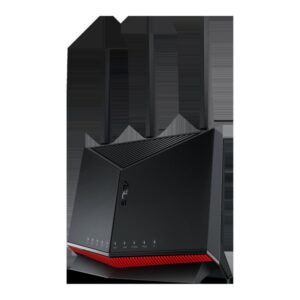
ASUS RT-BE86U
- Wi-Fi 7 · dual-band
- 10 GbE + four 2.5 GbE
- AiMesh to add units
Tips for strong Wi-Fi in a large home
- Put the main unit near the middle of the house if your internet line allows it, not in a corner of the basement.
- Use Ethernet between units wherever you can, including existing wall jacks. It is the single biggest upgrade for a mesh system.
- Do not mix brands. Mesh units only work as one network with the same brand (and, for TP-Link, EasyMesh-compatible models).
- Put the satellite where the signal is still decent, not in the dead zone itself. It needs a good link back to the main unit.
- Turn off the Wi-Fi on your provider’s gateway, or put it in bridge mode, so it does not compete with your mesh.
On fiber? See the best routers for fiber internet. Want controls for the kids? See the best parental control routers. Comparing Wi-Fi generations? Read Wi-Fi 5 vs Wi-Fi 6 vs Wi-Fi 6E vs Wi-Fi 7.
Frequently asked questions
What is the best router for a large home?
For most large homes, a mesh system beats a single router. The TP-Link Deco XE75 Pro 3-pack is the best value. For Wi-Fi 7, choose the Deco BE63; for the very largest homes, the NETGEAR Orbi 770 3-pack, which NETGEAR rates for up to 8,000 sq ft.
How many mesh units do I need?
Start with what the maker suggests for your floor area, usually two or three units for a large home. Then add one only where the signal is still weak. More units than you need can slow things down if they link to each other wirelessly.
Is one powerful router enough for a big house?
Sometimes, for a large single floor with few walls. For two floors, thick walls or long wings, a mesh system works better because every room is closer to a unit.
Do I need Wi-Fi 7 for a large home?
No. Coverage matters more than the Wi-Fi generation. Wi-Fi 6E tri-band mesh, like the Deco XE75 Pro, covers large homes well. Wi-Fi 7 helps if you own Wi-Fi 7 devices or have a plan faster than 1 Gbps.
Should mesh units be wired together?
If you can, yes. An Ethernet link between units (wired backhaul) is faster and steadier than a wireless link, and it leaves the Wi-Fi bands free for your devices.
Final verdict
For most large homes, buy the TP-Link Deco XE75 Pro 3-pack. For Wi-Fi 7 and fast wired links in every room, choose the Deco BE63. For the very largest homes, the NETGEAR Orbi 770 3-pack covers the most. Pick eero (the Max 7 or the Pro 6E) for the simplest app, and the ASUS RT-BE86U if one strong router can cover your single floor.
Terms used on this page
- Mesh system
- two or more Wi-Fi units that work as one network, with one name and password, to cover a large home.
- Satellite
- a mesh unit that is not connected to the modem; it links back to the main unit.
- Backhaul
- the link between mesh units. Wired backhaul uses an Ethernet cable; wireless backhaul uses a Wi-Fi band.
- Tri-band
- a router or mesh unit with three Wi-Fi bands, such as 2.4 GHz, 5 GHz and 6 GHz.
- Multi-Link Operation (MLO)
- a Wi-Fi 7 feature that lets a device use more than one band at once.
- 2.5 GbE, 10 GbE
- wired port speeds of 2.5 and 10 gigabits per second, faster than standard Gigabit (1 GbE).
- Access point mode
- a setting that makes a router provide Wi-Fi only, while another box runs the network.
Sources
- TP-Link, Deco XE75 Pro and Deco BE63 product pages — Wi-Fi class, ports per unit, coverage, modes.
- NETGEAR, Orbi 770 Series (RBE773) — coverage, device count, ports per unit, tri-band backhaul, Armor add-on.
- eero, eero Max 7 and eero Pro 6E — coverage, ports, smart home hub, total speed.
- ASUS, RT-BE86U tech specs — ports, bands, AiMesh.
- Amazon US product listings for all six, read through a US location on 12 November 2026 — stock, pack sizes and listing changes.
Afroz Ahmad, “Best Routers for Large Homes”, afrozahmad.com, reviewed 12 November 2026.
https://afrozahmad.com/blog/best-routers-for-large-homes/
Note: Buying through the links on this page does not change the price you pay. Specs and stock can change, so check the maker’s page and the pack size before you order. Written by Afroz Ahmad, CCIE.

- Omada Fusion Pro 2.5G PoE Review: Hands-On First Look (Testing in Progress) - November 13, 2026
- NAT Type Strict? How to Fix It on Xbox, PS5 and PC - November 11, 2026
- Rogers Modem Lights: Flashing Orange, Green, White Explained - October 24, 2026