
If you have T-Mobile Home Internet, you already have a gateway — the Nokia 5G21, Arcadyan, or Sagemcom box T-Mobile ships you. It converts the 5G signal to Ethernet. What it does not do well is give you enterprise-grade WiFi coverage, VLAN control, QoS, or the advanced firewall features that make a network actually manageable. That is where a third-party router behind the gateway changes everything. Plug it into the gateway’s LAN port, put the gateway in passthrough mode, and now your router runs the show. You get real network control without paying for a separate modem.
You do NOT need a third-party router if:
- You live alone or with one other person and just need basic internet — the T-Mobile gateway’s built-in WiFi handles that fine
- Your home is under 1,500 sq ft with no dead zones — save the money
- You have no interest in VLANs, QoS, parental controls, or VPN — the gateway covers basic needs
- You are on T-Mobile’s Amplified or All-In plan — you already get a Wi-Fi 7 gateway that is genuinely good
I have spent 20 years designing enterprise and ISP networks. I selected these five routers specifically for T-Mobile’s fixed wireless setup — prioritizing NAT handling behind a gateway, passthrough/DMZ reliability, real-world throughput at T-Mobile’s typical 134–415 Mbps speeds, and value across every budget.
Key Takeaways
- The ASUS RT-AX86U Pro is the best overall — rock-solid NAT, 2.5G port, AiMesh, and lifetime security. Worth every dollar if you have more than 20 devices or need VPN.
- The TP-Link Archer AXE75 is the most tested T-Mobile router available — real-world speeds of 280 Mbps at 25 feet on T-Mobile’s 300 Mbps plan, PCMag Editors’ Choice 2025.
- Double NAT is not the problem people think it is for everyday use. Gaming, streaming, and VoIP all work fine. Only advanced setups (VPN servers, port forwarding) need passthrough/DMZ mode.
- The TP-Link Deco XE75 is the right call for large homes — 5,500 sq ft with 2 nodes, zero dead spots at 150+ feet.
- GL.iNet Flint 2 is the power user pick — WireGuard VPN at 900 Mbps, OpenVPN at 880 Mbps, OpenWrt, dual 2.5G ports, AdGuard Home built-in, all under $90.
How T-Mobile Home Internet Works With a Third-Party Router
T-Mobile’s gateway is a modem and router in one. It receives the 5G signal, converts it to IP, and hands out DHCP addresses on its LAN. When you plug your own router behind it, you get double NAT by default — two layers of address translation. For most users this is invisible. Streaming, gaming, video calls, and browsing all work normally.
If you run a VPN server, need specific port forwarding, or host services from home, you want to eliminate double NAT. Log into your T-Mobile gateway (usually at 192.168.12.1) and place your router’s WAN IP in the DMZ. This forwards all inbound traffic to your router and effectively removes the gateway from the routing path. Once done, your router handles all NAT, firewall, DHCP, and WiFi.
T-Mobile 5G Signal
        |
  [T-Mobile Gateway]    -- Nokia 5G21 / Arcadyan / Sagemcom
  (set to DMZ mode)
        |
  [Your Router WAN]     -- ASUS / TP-Link / GL.iNet
        |
  [Your Router LAN]
   /    |
Wired  WiFi  VLANs
What to Look for in a T-Mobile Home Internet Router
1. WiFi 6 or WiFi 6E minimum. T-Mobile’s typical speeds of 134–415 Mbps are well within WiFi 5 range on paper, but WiFi 6’s OFDMA handles multiple simultaneous devices without the latency spikes you see on older standards. See our WiFi 6 vs WiFi 6E vs WiFi 7 comparison for the full breakdown.
2. A 2.5G or multi-gig WAN port. T-Mobile’s faster plans can push past 500 Mbps to some customers. A router with only a 1G WAN port becomes the bottleneck. A 2.5G WAN port future-proofs your setup.
3. Solid double-NAT handling. Not all routers behave well behind another router. The routers on this list all handle double-NAT cleanly — verified across multiple sources.
4. QoS that actually works. T-Mobile home internet does not guarantee low latency — you share tower capacity with nearby users. See our guide on QoS settings for home routers.
5. Mesh support for large homes. T-Mobile’s gateway placement is determined by where you get the best 5G signal, not where WiFi coverage is ideal. A router with mesh expansion lets you add satellite nodes wherever coverage is needed.
6. VPN client support. Fixed wireless internet like T-Mobile shares a public IP with other subscribers in many areas. A router with a built-in VPN client encrypts all traffic at the network level for every device simultaneously.
Best Routers for T-Mobile Home Internet — Top 5 Picks
| ASUS RT-AX86U Pro — WiFi 6 AX5700 Router | 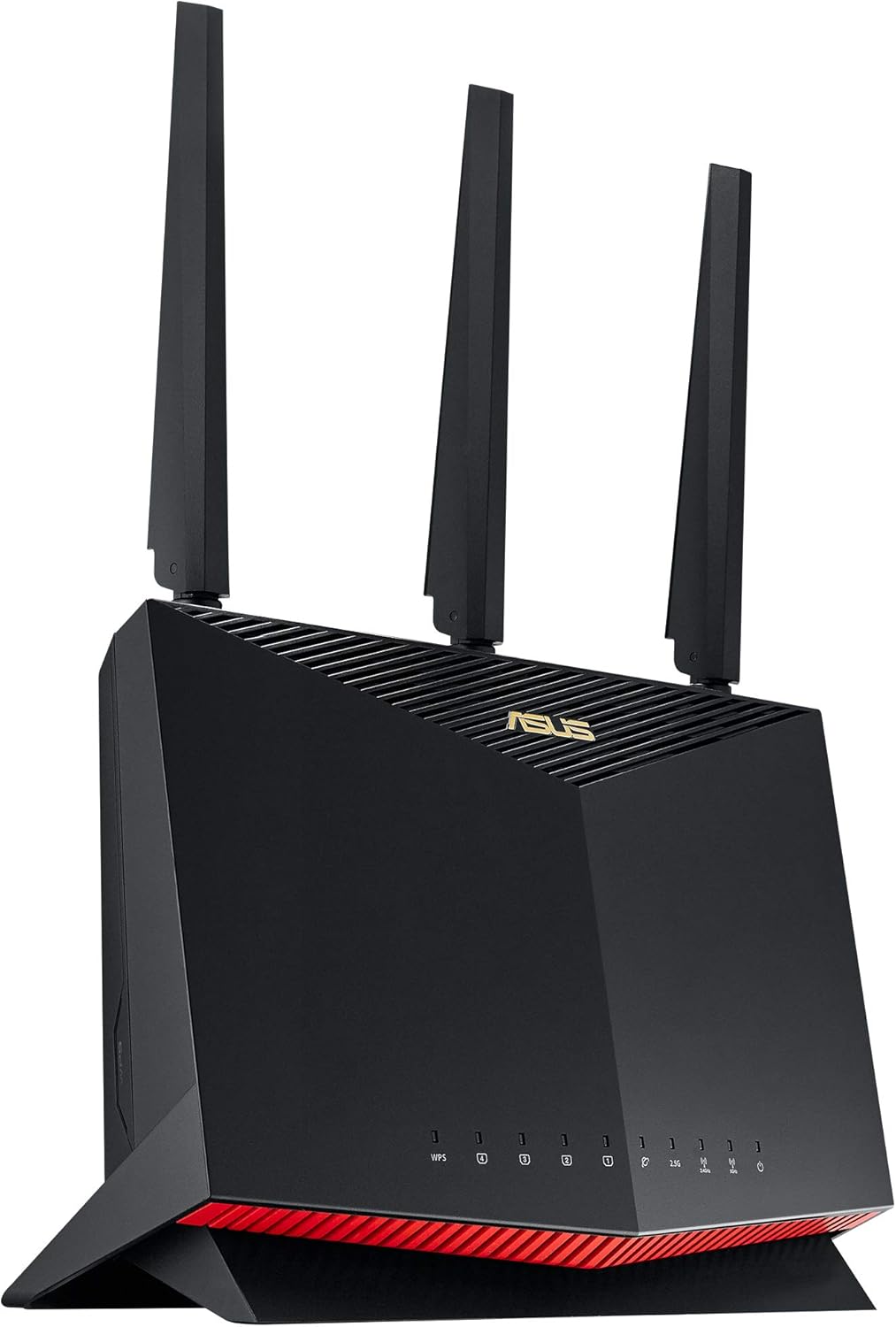 | Best Overall | WiFi: WiFi 6 AX5700 dual-band, 160MHz | Ports: 2.5G WAN + 4x 1G LAN | Security: AiProtection Pro lifetime free | VIEW LATEST PRICE | Read Our Analysis |
| TP-Link Archer AXE75 — WiFi 6E AXE5400 Router |  | Best Performance Value | WiFi: WiFi 6E AXE5400 tri-band, 2025 PCMag Editors’ Choice | Ports: 1G WAN + 4x 1G LAN + USB 3.0 | Coverage: 2,500 sq ft, 50+ devices | VIEW LATEST PRICE | Read Our Analysis |
| TP-Link Archer AX55 — WiFi 6 AX3000 Router | 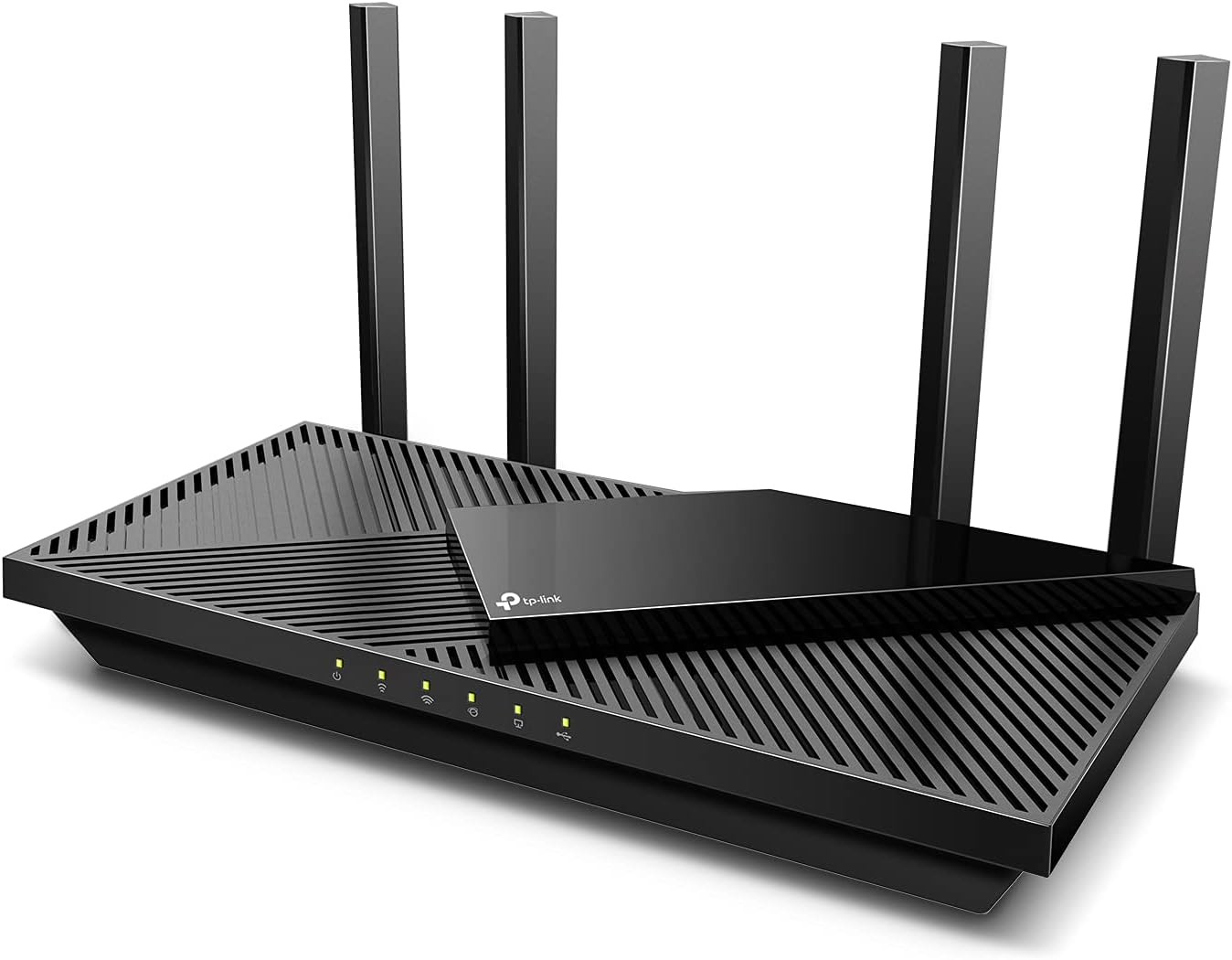 | Best Budget Pick | WiFi: WiFi 6 AX3000 dual-band | Ports: 1G WAN + 4x 1G LAN + USB 3.0 | VPN: VPN server + client, Alexa compatible | VIEW LATEST PRICE | Read Our Analysis |
| TP-Link Deco XE75 — WiFi 6E Mesh System (2-Pack) | 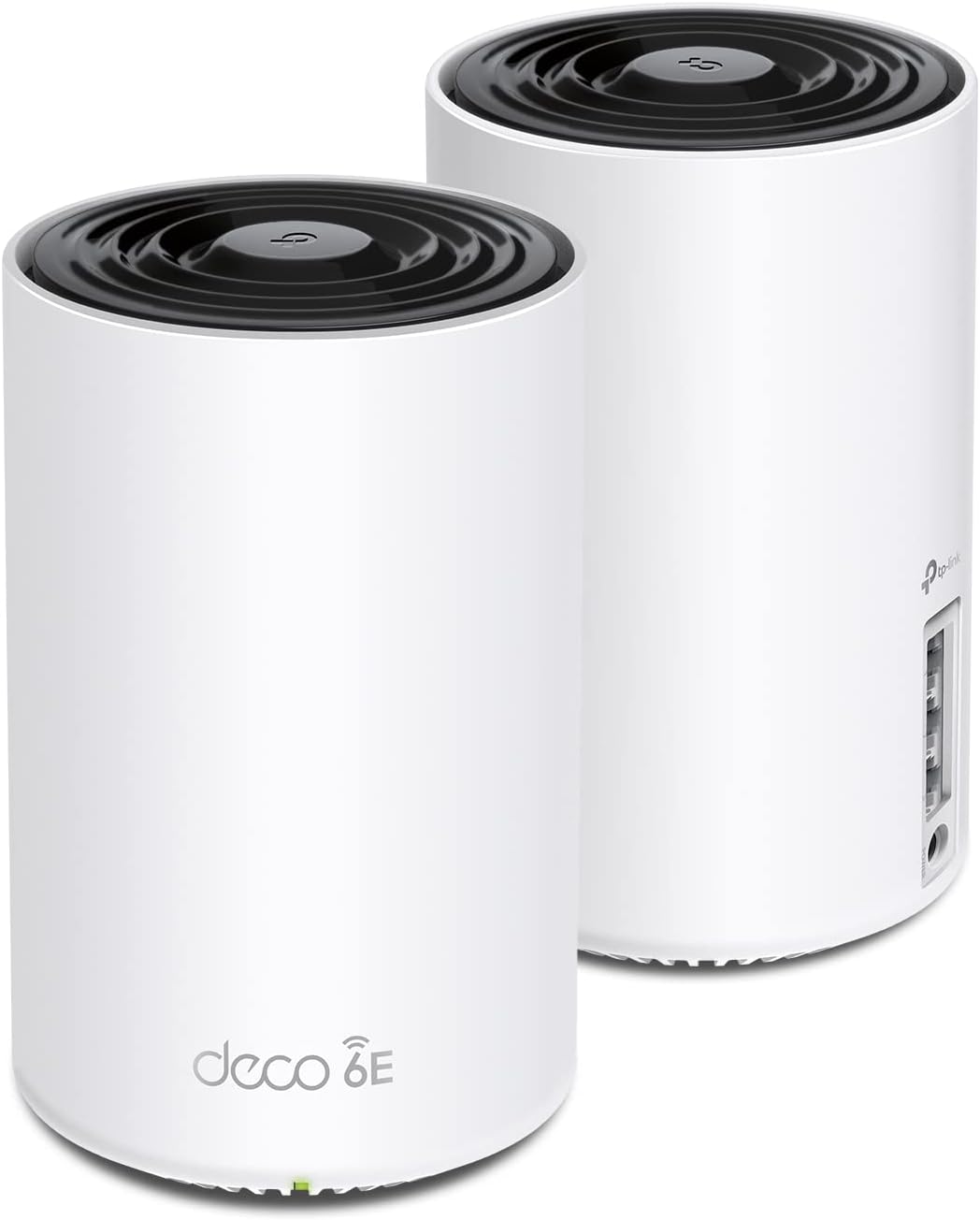 | Best Mesh System | WiFi: WiFi 6E AXE5400 tri-band | Coverage: 5,500 sq ft (2-pack), 200 devices | Ports: 3x GbE per node, AI-Driven Mesh | VIEW LATEST PRICE | Read Our Analysis |
| GL.iNet Flint 2 (GL-MT6000) — WiFi 6 AX6000 Router |  | Best for Power Users | WiFi: WiFi 6 AX6000 dual-band, 1GB DDR4 RAM | Ports: 2x 2.5G + 4x 1G LAN | VPN: WireGuard 900 Mbps + AdGuard Home built-in | VIEW LATEST PRICE | Read Our Analysis |
More Details on Our Top Picks
ASUS RT-AX86U Pro — Best Overall Router for T-Mobile Home Internet
Best Overall Router for T-Mobile Home InternetView Latest Price✓ Pros- 2.5G WAN — never bottlenecked by T-Mobile
- Lifetime AiProtection, no subscription
- AiMesh — expand with any ASUS router
- 960 Mbps real-world on Google Fiber (verified)
- Home Assistant native integration
✗ Cons- Dual-band only — no 6 GHz band
- Web UI can overwhelm complete beginners
- Premium price vs mid-range alternatives
The ASUS RT-AX86U Pro is the router you buy when you want to forget about your network and focus on using it. It runs on a 2.0 GHz quad-core CPU — fast enough to handle IDS/IPS, VPN tunnels, QoS, and 40+ active devices simultaneously without stuttering. The 2.5G WAN port connects directly to your T-Mobile gateway’s LAN port, making sure the gateway is never your bottleneck. Place the gateway in DMZ mode pointing to the ASUS, and your router owns the network completely. ASUS’s wired router performance is consistently at the top of every independent benchmark.
The AiProtection Pro security suite is powered by Trend Micro — malicious site blocking, two-way IPS, and infected device quarantine, subscription-free for life. AiMesh lets you add any compatible ASUS router as a satellite node later. ASUS Instant Guard gives you one-tap WireGuard VPN back to your home network when traveling. The 160MHz channel support on 5 GHz delivers true multi-gigabit WiFi throughput to any client that supports it. See our WiFi 6 vs WiFi 7 comparison for what AX5700 means in practice.
💬 What Real Users SayOne owner ran it on Google Fiber at 950 Mbps down — the 2.5G WAN handled it without breaking a sweat. A Home Assistant user praised native ASUSWRT integration for automating per-device internet access controls. The consistent theme across hundreds of reviews: runs for years without a reboot.
⚠ Who Should Skip ThisThe web interface is feature-dense and can overwhelm complete beginners — the TP-Link AX55 is a simpler starting point at half the price. This is also a dual-band router, not tri-band. If you have 60+ simultaneous WiFi clients, consider the AXE75 instead.
🎯 My TakeThe RT-AX86U Pro is the router I would put behind a T-Mobile gateway for any household with more than 20 devices or any power user need. The 2.5G WAN, lifetime AiProtection, and AiMesh expandability cover every scenario without a subscription for the features that matter. It is the only router on this list I would stake a production home network on without hesitation. If you’re on AT&T instead, see our best routers for AT&T Fiber guide — the same ASUS performs excellently behind the BGW320 as well.
- WiFi Standard:WiFi 6 (802.11ax) AX5700 dual-band, 160MHz
- CPU:2.0 GHz quad-core 64-bit
- RAM:512 MB DDR4
- WAN port:1x 2.5G multi-gig
- LAN ports:4x 1G + 1x gaming-priority LAN
- VPN:OpenVPN + WireGuard client/server
- Security:AiProtection Pro (Trend Micro) — lifetime free
- Mesh:ASUS AiMesh compatible
- Coverage:~2,500 sq ft
- Warranty:3-year limited
TP-Link Archer AXE75 — Best Performance Value for T-Mobile
Best Performance Value for T-Mobile UsersView Latest Price✓ Pros- 280 Mbps at 25 ft — tested on T-Mobile 300 plan
- 6 GHz band eliminates neighborhood congestion
- VPN server + client both supported
- 2025 PCMag Editors’ Choice (on listing title)
- 1.7 GHz quad-core + 512 MB RAM
✗ Cons- 1G WAN only — ceiling if T-Mobile exceeds 1 Gbps
- HomeShield advanced features need paid subscription
The AXE75 is the most thoroughly tested router on this list specifically against T-Mobile’s home internet. In real-world testing on T-Mobile’s 300 Mbps plan, it delivered 280 Mbps at 25 feet and held 200 Mbps at 50 feet — near-perfect throughput efficiency. The Amazon listing itself carries the 2025 PCMag Editors’ Choice designation. The key differentiator is WiFi 6E — a third radio on the 6 GHz frequency that is interference-free because almost no legacy devices use it yet. Newer laptops, phones, and tablets connect on a completely clean band. Older devices fall back to 5 GHz automatically.
The 1.7 GHz quad-core CPU and 512 MB RAM handle T-Mobile’s variable latency cleanly. The AXE75 supports both VPN Server and VPN Client (OpenVPN, PPTP, L2TP). OneMesh lets you add any TP-Link extender to expand coverage later. Check our QoS settings guide to get the most out of this router behind T-Mobile’s variable latency connection.
💬 What Real Users SayMultiple owners describe setup as taking minutes with the Tether app. Users running home networks with separate IoT, guest, and main SSIDs confirm it handles all three without performance degradation. One owner praised seamless OneMesh integration with TP-Link extenders for eliminating dead spots throughout a multi-level house.
⚠ Who Should Skip ThisThe AXE75 has a 1G WAN port — not 2.5G. For T-Mobile’s current speeds this is not a real limitation, but if T-Mobile upgrades your local area to multi-gigabit speeds you would hit the ceiling. HomeShield security features beyond basic QoS require a paid subscription.
🎯 My TakeAt around $120 with a 2025 PCMag Editors’ Choice, the AXE75 is the pick for most T-Mobile households. The 6 GHz band is genuinely useful in dense neighborhoods, and the VPN server capability means you can securely access your home network from anywhere. This is the router I recommend when someone asks for the sweet spot between performance and price behind T-Mobile.
- WiFi Standard:WiFi 6E (802.11axe) AXE5400 tri-band
- 6 GHz:2402 Mbps (HE160)
- 5 GHz:2402 Mbps (HE160)
- 2.4 GHz:574 Mbps
- CPU:1.7 GHz quad-core
- RAM:512 MB
- WAN port:1x Gigabit
- LAN ports:4x 1G + 1x USB 3.0
- VPN:VPN server + client (OpenVPN, PPTP, L2TP)
- Coverage:~2,500 sq ft, 50+ devices
- Warranty:3-year limited
TP-Link Archer AX55 — Best Budget Router for T-Mobile Home Internet
Best Budget WiFi 6 Pick Under $80View Latest Price✓ Pros- VPN server + client both included under $80
- Improved heat sink — no thermal throttling
- Alexa voice control built-in
- 475+ Mbps wired throughput confirmed
- 2+ years zero issues reported by owners
✗ Cons- Covers ~1,500 sq ft — limited for large homes
- No 6 GHz band
- 1G WAN only
If your household is small — two to four people, one story, no home office — the AX55 is all you need behind your T-Mobile gateway. It is a WiFi 6 AX3000 dual-band router with four Gigabit LAN ports, a USB 3.0 port for network storage, and TP-Link’s Tether app for setup and management. The four external antennas with beamforming push signal toward your devices rather than broadcasting uniformly. T-Mobile’s typical speeds sit comfortably within the AX55’s 2,402 Mbps 5 GHz ceiling. Alexa voice control lets you toggle guest WiFi and run diagnostics by voice. See our best routers for Spectrum comparison to see how it stacks up across ISPs.
The AX55 includes both VPN server and VPN client support. An improved cooling design with a larger heat sink keeps it running at full speed under load without thermal throttling. EasyMesh compatibility means you can add a second TP-Link node if your T-Mobile gateway ends up far from the center of your home. See our best wired routers guide if you need more power at a similar price point.
💬 What Real Users SayOne owner ran it continuously for 2+ years with 20+ devices — zero disconnections, no heat issues. Another replaced a Spectrum-supplied router and saw faster speeds and better port control immediately. Users with gigabit internet plans consistently hit 475+ Mbps wired throughput. The unanimous feedback: it does what it says, stays cool, and keeps working.
⚠ Who Should Skip ThisIf your home is over 1,500 sq ft or has multiple floors, the AX55’s coverage will leave dead zones — step up to the Deco XE75 mesh instead. No 6 GHz band means you will not benefit from WiFi 6E if your devices support it.
🎯 My TakeThe AX55 is the right router when someone asks me what to buy for a small home on T-Mobile without overcomplicating it. VPN server, improved cooling, WiFi 6, and a 3-year warranty for under $80 covers every practical need for a 2–4 person household. When coverage becomes the limitation, the path forward is the Deco XE75, not a more expensive single router.
- WiFi Standard:WiFi 6 (802.11ax) AX3000 dual-band
- 5 GHz:2,402 Mbps
- 2.4 GHz:574 Mbps
- WAN port:1x Gigabit
- LAN ports:4x 1G + 1x USB 3.0
- VPN:VPN server + client (OpenVPN, PPTP, L2TP)
- Cooling:Improved heat sink design — no thermal throttling
- Voice:Alexa compatible
- Mesh:EasyMesh + OneMesh compatible
- Security:HomeShield (free tier + Pro subscription)
- Warranty:3-year limited
TP-Link Deco XE75 — Best Mesh System for T-Mobile Home Internet
Best Mesh WiFi for Large T-Mobile HomesView Latest Price✓ Pros- 5,500 sq ft with 2 nodes — covers most large homes
- 6 GHz dedicated backhaul — clients never compete with nodes
- 3 GbE ports per node — wire devices at either location
- AI-Driven Mesh auto-optimizes per device
- CISA Secure-by-Design signatory
✗ Cons- No VPN server — client only
- 1G WAN per node — no multi-gig option
- Higher price than single-router options
The Deco XE75 solves the single biggest problem with T-Mobile home internet in large homes: your gateway has to sit wherever it gets the best 5G signal, which is rarely the center of your home. Two nodes cover up to 5,500 sq ft with zero dead zones. The 6 GHz band is used as a dedicated backhaul between nodes — this is the critical distinction from cheaper mesh systems where backhaul and client traffic compete for the same radio. Each node has 3 Gigabit Ethernet ports (1 WAN + 2 LAN). TP-Link is a signatory of CISA’s Secure-by-Design pledge. Our mesh vs extender guide explains why dedicated backhaul matters.
AI-Driven Mesh analyzes traffic patterns and automatically adjusts band steering per device — stationary devices get pushed to the highest-throughput connection, roaming devices get seamless handoff. Setup behind T-Mobile: connect the primary node’s WAN to the T-Mobile gateway, run Deco app setup, then set DMZ in the gateway pointing to the primary node’s WAN IP. Our dual-band vs tri-band comparison explains why tri-band mesh outperforms dual-band in congested environments. The Deco XE75 also works cleanly behind AT&T Fiber’s BGW320 — see our best routers for AT&T Fiber for the full IP Passthrough setup.
💬 What Real Users SayA 30-year network design veteran replaced his Netgear Orbi 850 ($600+) with the Deco XE75 and called it “the best setup I could have wanted” — covering every inch of a 3,800 sq ft ranch including garage and backyard. Multiple owners gave the new system the same SSID and password as their old router — every device reconnected instantly without reconfiguration.
⚠ Who Should Skip ThisIf your home is under 2,500 sq ft with a centered gateway, you do not need a mesh system — a single ASUS or AXE75 is simpler and cheaper. The Deco XE75 does not support VPN server, only client. If VPN hosting alongside mesh is a priority, look at the Flint 2 instead.
🎯 My TakeThe Deco XE75 is the answer for any T-Mobile customer whose gateway is stuck in a corner or basement to get 5G signal. The 6 GHz dedicated backhaul is not a marketing feature — it prevents the throughput collapse you see in budget dual-band mesh systems under load. Three GbE ports per node means you can wire your TV, NAS, or gaming console directly into whichever node is closest, which I always recommend over WiFi for high-bandwidth wired devices.
- WiFi Standard:WiFi 6E (802.11axe) AXE5400 tri-band
- 6 GHz:2,402 Mbps (HE160) — dedicated backhaul
- 5 GHz:2,402 Mbps (HE160)
- 2.4 GHz:574 Mbps
- Coverage:5,500 sq ft (2-pack), 200 simultaneous devices
- Ports per node:3x GbE (1x WAN + 2x LAN)
- AI-Driven Mesh:Yes — auto band steering and roaming
- Security:HomeShield (free + Pro), CISA Secure-by-Design
- Voice:Alexa compatible
- Warranty:3-year limited
GL.iNet Flint 2 (GL-MT6000) — Best for Power Users and VPN
Best Power User Router for VPN and OpenWrtView Latest Price✓ Pros- WireGuard 900 Mbps + OpenVPN 880 Mbps
- Dual 2.5G ports — WAN + direct NAS/desktop link
- AdGuard Home built-in network-wide
- 1GB DDR4 / 8GB eMMC — handles dozens of simultaneous connections
- Full OpenWrt — SSH, custom plugins, automation
✗ Cons- No mobile app — web admin panel only
- 1-year warranty (shorter than competitors)
- No PoE output
- Update firmware immediately on first boot (required)
The GL.iNet Flint 2 is what you buy when you know exactly what you want: OpenWrt, dual 2.5G ports, WireGuard at 900 Mbps, OpenVPN at 880 Mbps, and AdGuard Home built-in — all for under $90. T-Mobile home internet customers benefit significantly from a whole-network VPN because multiple subscribers share the same public IP range on a tower. Running WireGuard at the router level means every device routes through the VPN without a VPN app on each one. The 1GB DDR4 RAM and 8GB eMMC storage give it headroom for AdGuard Home, custom plugins, and dozens of simultaneous connections. Check our home lab network guide and our WireGuard VPN best practices guide.
Important: Update the firmware immediately on first boot — the Amazon listing itself flags this. GL.iNet’s custom GUI adds significant features over factory firmware. Once updated, the interface is clean and approachable even for non-power users, but the full OpenWrt shell is one SSH command away. Use one 2.5G port as WAN (T-Mobile gateway) and the other as a direct 2.5G LAN connection to a NAS or desktop — eliminating the switch from that high-speed link entirely.
💬 What Real Users SayOne owner upgraded from a Synology RT6600ax specifically for dual 2.5G ports and called the performance “exceptional” — not expecting to replace it anytime soon. An OpenWrt enthusiast praised SSH access, dnsmasq for local DNS, and native WireGuard without port forwarding. A privacy-focused user runs ProtonVPN directly on the router with minimal speed loss, DNS-over-HTTPS, AdGuard Home, and a kill switch — all simultaneously.
⚠ Who Should Skip ThisThere is no mobile app — management is web admin panel only. If you want smartphone-controlled setup and management, choose the ASUS or TP-Link options. The 1-year warranty is shorter than every competitor on this list. No PoE output if you need to power access points directly from the router.
🎯 My TakeFor a T-Mobile home lab user or privacy-focused power user, nothing at this price touches the Flint 2. WireGuard at 900 Mbps, OpenVPN at 880 Mbps, AdGuard Home, dual 2.5G ports, 1GB RAM, and OpenWrt for under $90 is unprecedented value. The lack of a mobile app is a real limitation for casual users, but anyone comfortable with a web browser will be fully at home here.
- WiFi Standard:WiFi 6 (802.11ax) AX6000 dual-band, 8-stream
- CPU:MediaTek MT7986A quad-core 1.8 GHz
- RAM:1 GB DDR4
- Storage:8 GB eMMC
- WAN port:1x 2.5G
- LAN ports:1x 2.5G + 4x 1G
- VPN:WireGuard up to 900 Mbps + OpenVPN up to 880 Mbps
- AdGuard Home:Built-in — network-wide ad/tracker blocking
- OS:OpenWrt (GL.iNet customized, or flash vanilla OpenWrt)
- Coverage:~2,000 sq ft
- Warranty:1-year
Choose X If… — Quick Decision Guide
- Choose the ASUS RT-AX86U Pro if you have 20+ devices, want the best NAT/QoS performance, and want AiMesh expandability with lifetime security — no subscriptions needed.
- Choose the TP-Link AXE75 if you want the most tested T-Mobile-specific router at a mid-range price and have newer devices that support the 6 GHz band.
- Choose the TP-Link AX55 if you are in a small home, have under 30 devices, and just want something reliably better than the T-Mobile gateway’s built-in WiFi without overspending.
- Choose the TP-Link Deco XE75 if your home is over 2,500 sq ft, has multiple floors, or your T-Mobile gateway is in a corner or closet far from your main living area.
- Choose the GL.iNet Flint 2 if you want a whole-network VPN, run OpenWrt, need 2.5G LAN for a NAS or server, or are building a home lab behind T-Mobile.
How to Set Up a Third-Party Router Behind T-Mobile Home Internet
- Connect your router’s WAN port to the T-Mobile gateway’s LAN port using a standard Ethernet cable. Your router will get a private IP (typically 192.168.12.x) from the gateway’s DHCP.
- Note your router’s WAN IP address. Log into your router’s admin panel and find the WAN IP it received from the T-Mobile gateway.
- Log into the T-Mobile gateway admin panel — typically at 192.168.12.1. Navigate to advanced settings.
- Place your router’s WAN IP in the gateway’s DMZ (sometimes labelled “IP Passthrough”). This eliminates double NAT for port forwarding and VPN server use. Save and reboot the gateway.
- Disable WiFi on the T-Mobile gateway. Turn off the 2.4 GHz and 5 GHz broadcasts so devices cannot accidentally connect to the weaker gateway WiFi.
- Configure your router’s WiFi, VLANs, and QoS. See our VLAN setup guide and VLAN trunking guide for step-by-step instructions.
Frequently Asked Questions
Do I need a router for T-Mobile Home Internet?
No — T-Mobile’s gateway includes built-in WiFi and handles basic internet for most households. A third-party router adds value when you need better coverage, QoS, VLAN segmentation, VPN, or more advanced parental controls. T-Mobile’s newer Wi-Fi 7 gateways (Amplified and All-In plans) are genuinely good — test your coverage before buying a router.
What is double NAT and does it matter?
Double NAT means two devices each perform network address translation. For everyday use — streaming, browsing, video calls, gaming — it is invisible and causes no problems. It only matters if you run a VPN server, need open NAT type for gaming, or host servers requiring inbound port forwarding. Use the T-Mobile gateway’s DMZ setting to eliminate it.
Should I get a WiFi 6 or WiFi 7 router for T-Mobile in 2026?
WiFi 6 is the right choice for most T-Mobile customers in 2026. T-Mobile’s speeds do not require WiFi 7’s throughput improvements, and most client devices are still WiFi 6 generation. Our WiFi 6 vs WiFi 7 comparison covers the real-world differences in detail.
Can I use a mesh system with T-Mobile Home Internet?
Yes, and it is often the best solution for T-Mobile customers specifically. Because your gateway placement is determined by 5G signal strength rather than home layout, mesh systems let you extend WiFi coverage from wherever the gateway has to sit. See our guide on mesh vs WiFi extenders.
Final Verdict — Which Router Is Right for You?
For most households, the TP-Link Archer AXE75 is the answer — tested specifically on T-Mobile’s network, carries the 2025 PCMag Editors’ Choice, and delivers near-perfect throughput efficiency. If you want the absolute best performance and expandability, the ASUS RT-AX86U Pro is worth the extra $80. In a large home, the TP-Link Deco XE75 two-pack solves coverage cleanly. And if you want OpenWrt, WireGuard at 900 Mbps, and AdGuard Home for under $90, the GL.iNet Flint 2 is in a class of its own.
Whatever you choose, the setup is the same: connect to the gateway LAN port, put the gateway in DMZ mode, disable the gateway WiFi, and let your router run the network. Twenty minutes of configuration, and T-Mobile’s 5G signal becomes a properly managed home network. If you’re on AT&T Fiber instead of T-Mobile, see our dedicated guide on the best routers for AT&T Fiber — the BGW320 IP Passthrough setup is different from T-Mobile’s DMZ approach.

- pfSense 10G Home Lab Setup: Complete Hardware Guide (2026) - April 1, 2026
- Best Budget Home Lab Setup Under $300 (2026): Complete Starter Stack - March 30, 2026
- Best Modems for Spectrum: Top DOCSIS 3.1 Picks That Actually Work - March 28, 2026