Xfinity xFi Gateway Offline [Causes & Fixes]
Gateway offline or blinking orange? Use the Xfinity app to restart, rule out outages, fix activation issues, and safely access 10.0.0.1 when needed.

Gateway offline or blinking orange? Use the Xfinity app to restart, rule out outages, fix activation issues, and safely access 10.0.0.1 when needed.
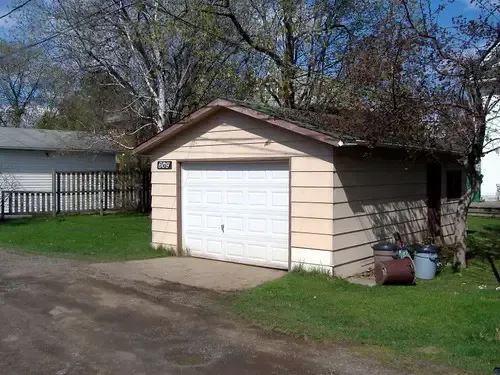
Explore solutions to extend WiFi to your detached garage, including extenders and cables, for uninterrupted connectivity.
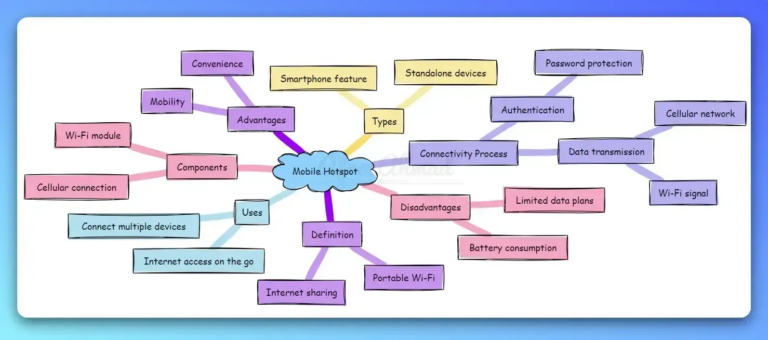
Explore mobile hotspot advantages: portability, convenience, and secure internet on the move.
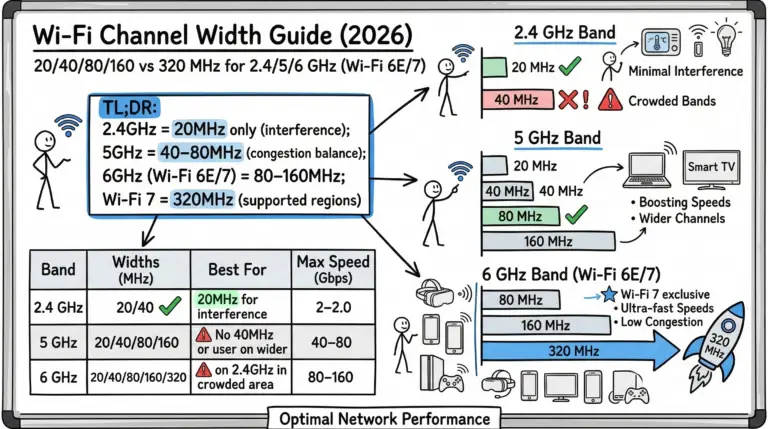
A concise, 2026‑ready guide to picking the right Wi‑Fi channel width across 2.4/5/6 GHz—now including Wi‑Fi 7 (320 MHz), PSC discovery, and AFC standard‑power notes.
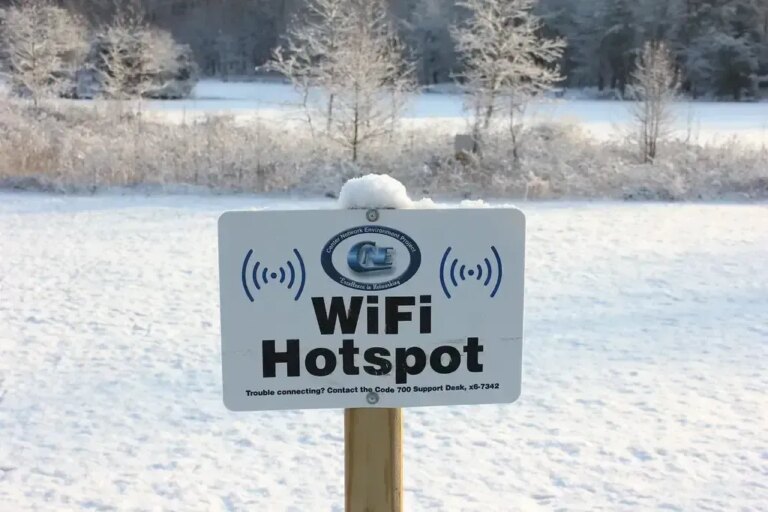
Get Spectrum Mobile WiFi: automatic, secure connections to out-of-home WiFi. Enjoy speed and save on mobile data.
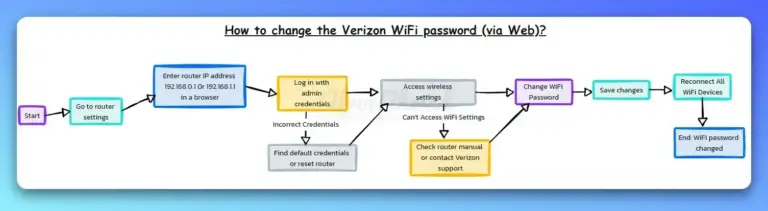
Step-by-step guide to change your Verizon WiFi password using My Verizon app and web interface for enhanced security.
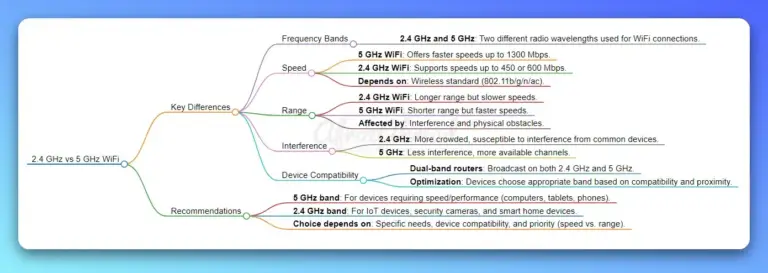
Discover the key differences between 2.4 GHz and 5 GHz WiFi frequencies. Learn how choosing the right one can boost your internet speed, reduce interference, and enhance connectivity for all your online activities.
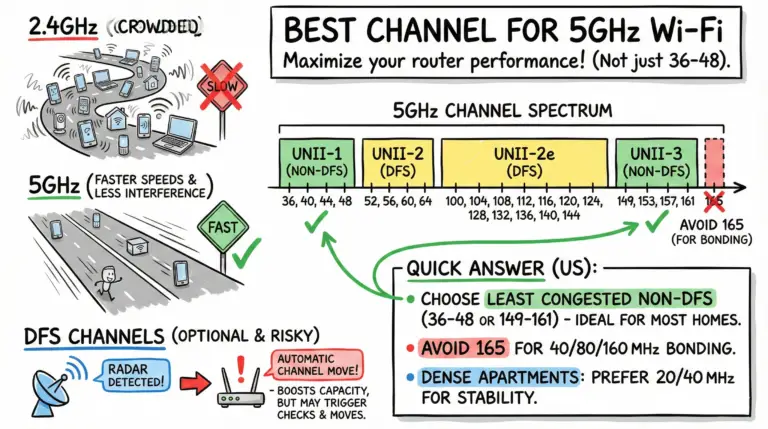
Quick US answer: choose 36/40/44/48 or 149/153/157/161 based on least congestion; avoid 165 for wide channels. DFS adds options but may cause brief checks and radar-driven channel changes.

Learn the crucial differences between Wi-Fi and the internet, enhancing your connectivity and technical literacy.
Discover how to cancel Spectrum Internet with our guide. Includes cancellation steps, contact info, and equipment tips.