The Ultimate Guide to Computer Monitor Connection Types

Master your display setup: A concise guide to HDMI, DisplayPort, VGA, DVI, and USB-C connections for all users.

Master your display setup: A concise guide to HDMI, DisplayPort, VGA, DVI, and USB-C connections for all users.
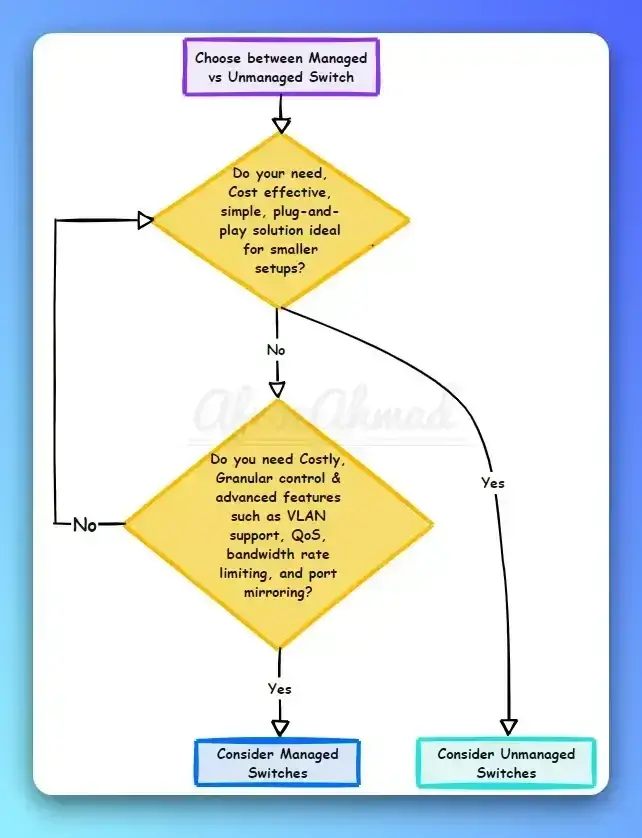
Discover which Ethernet switch suits your network: Dive into managed vs unmanaged switches for optimal performance and security.

Overcome DNS Probe errors by updating drivers, restarting routers, and tweaking DNS settings.
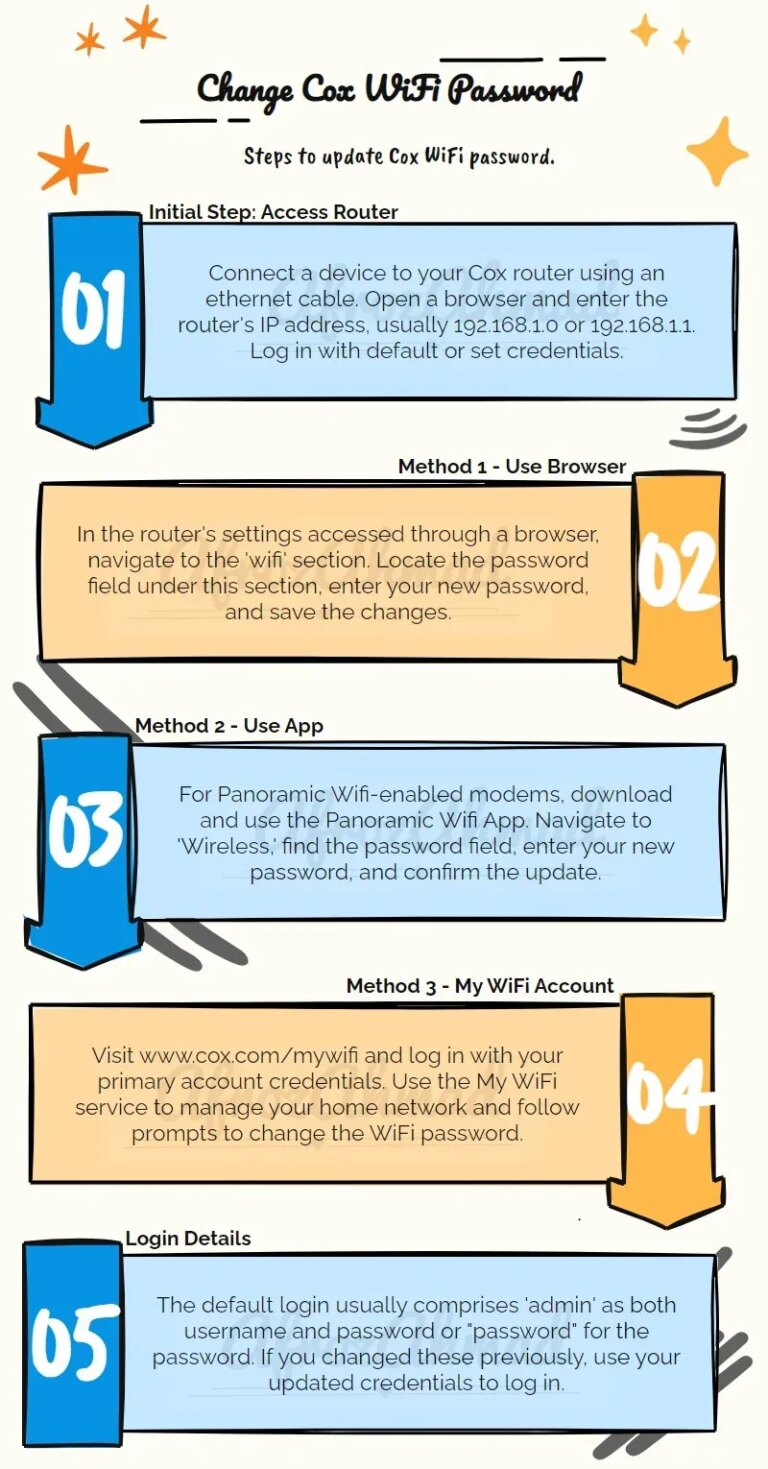
Learn how to easily update your Cox Wifi password for better network security using our comprehensive guide.
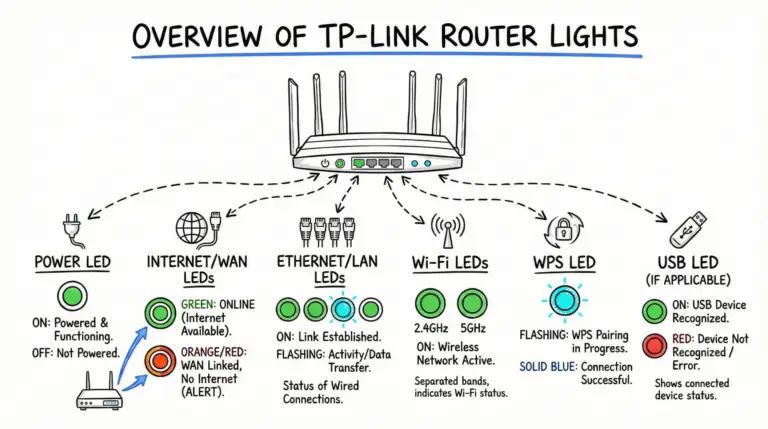
A clear, model‑aware guide to TP‑Link router LEDs—what green, orange/red, and flashing lights mean on Archer and Deco models, plus quick troubleshooting steps.
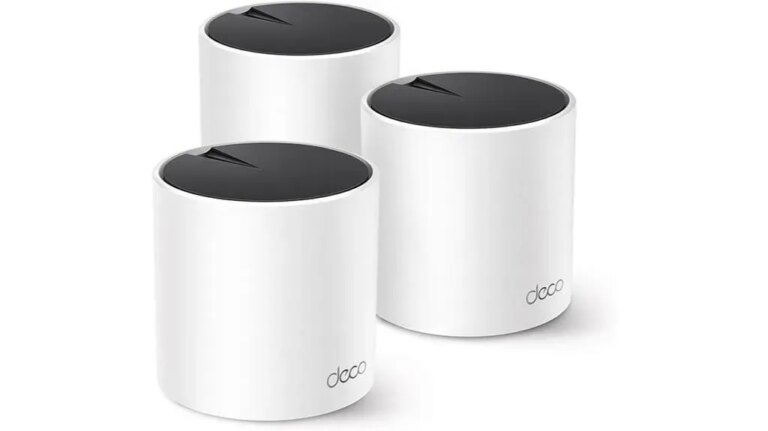
Tired of unreliable Wi-Fi? Discover if the Deco X55 Pro truly delivers on its promise of top-notch performance in this review.
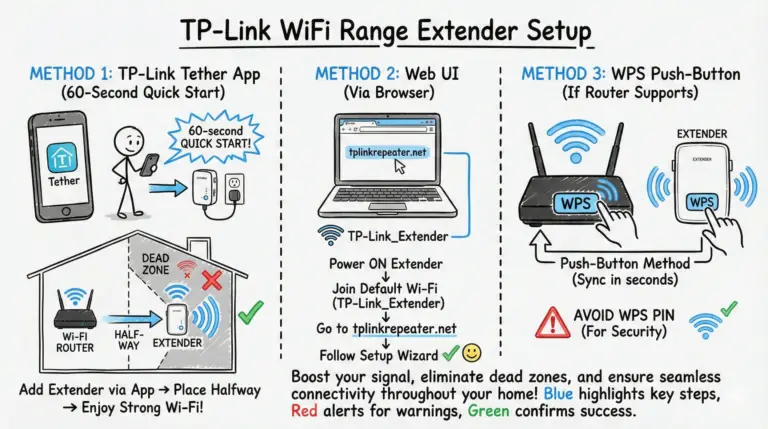
Set up a TP-Link Wi-Fi extender with the WPS button, the Tether app or tplinkrepeater.net, then place it where the Signal light turns solid blue.
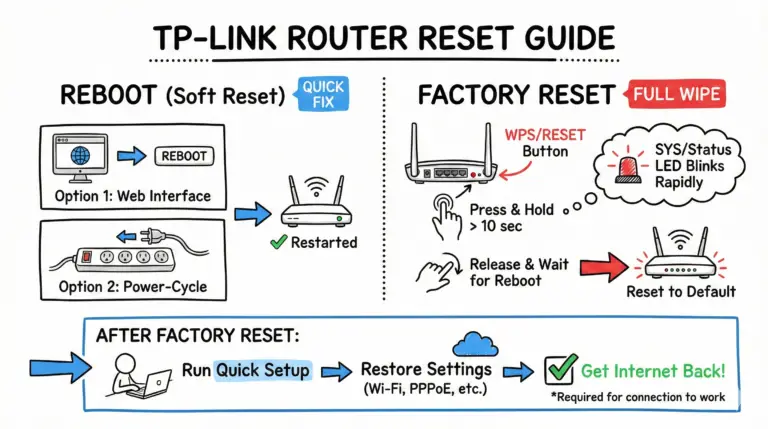
A streamlined, accurate guide to reboot or factory reset your TP‑Link router, including exact hold time, LED cue, tplinkwifi.net access, and what to reconfigure after the reset.
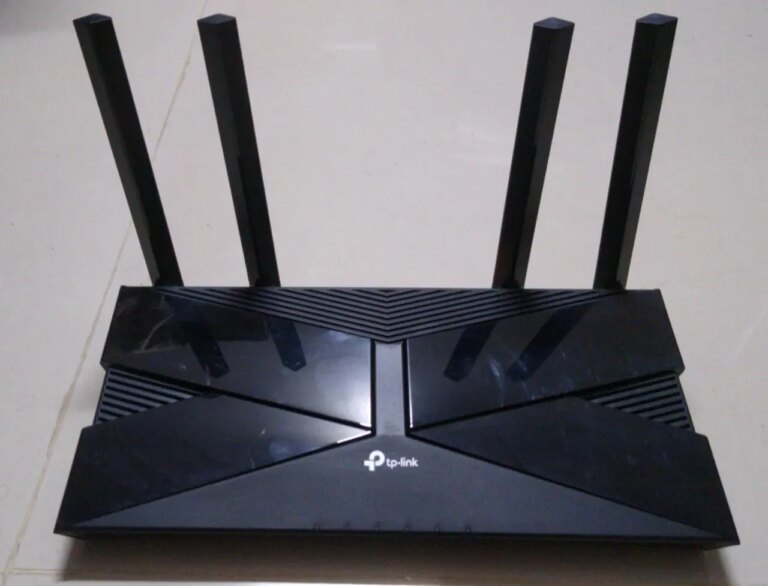
Fix the tp link router orange light: Learn about common causes and apply simple troubleshooting steps.
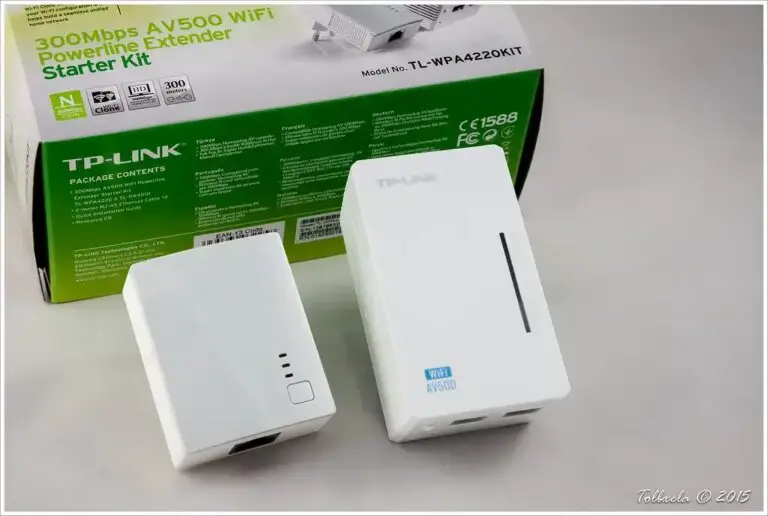
Leverage the ethernet port on your WiFi extender for enhanced coverage, faster speeds, and more reliable internet connections.