How Long Do Modems Last? Average Lifespan and When to Replace?

Learn how long modems last on average and when to replace them. Get tips to extend your modem's lifespan through proper care, maintenance, and choosing the right model.

Learn how long modems last on average and when to replace them. Get tips to extend your modem's lifespan through proper care, maintenance, and choosing the right model.
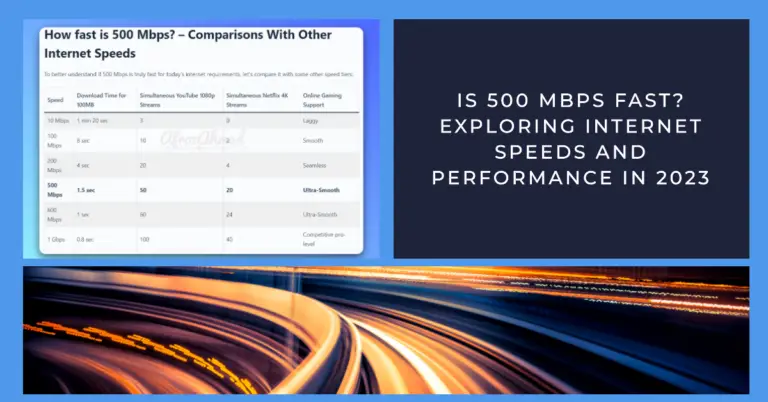
Yes—500 Mbps is fast. It comfortably supports multiple 4K streams, HD video calls, and large downloads with room to spare. See real‑world assumptions, updated provider notes, and tips to get the full speed at home.

Want to know is 600 Mbps fast for streaming, gaming, downloads & 4K video? This detailed analysis compares 600 Mbps vs slower and faster internet speeds.
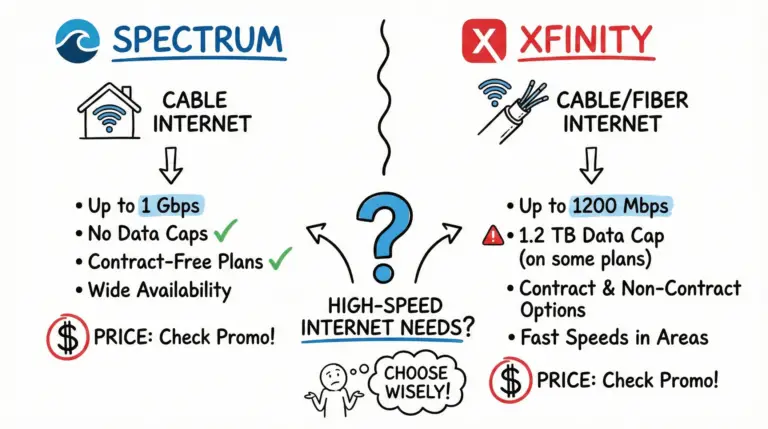
We have Compared Spectrum vs Xfinity on price, speed, data caps, bundles, availability, and more to see which cable internet provider delivers better service and value for your home.
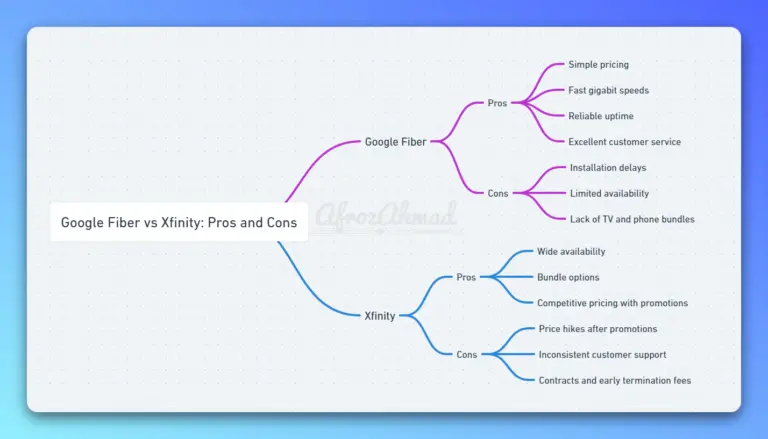
This comparison dives deep into the nuances of each provider, evaluating everything from pricing and plans to performance and customer support. Make an informed decision on which service best matches your speed requirements and lifestyle needs without wading through fluff. Get ready for a clear-eyed look at these top-tier internet services.
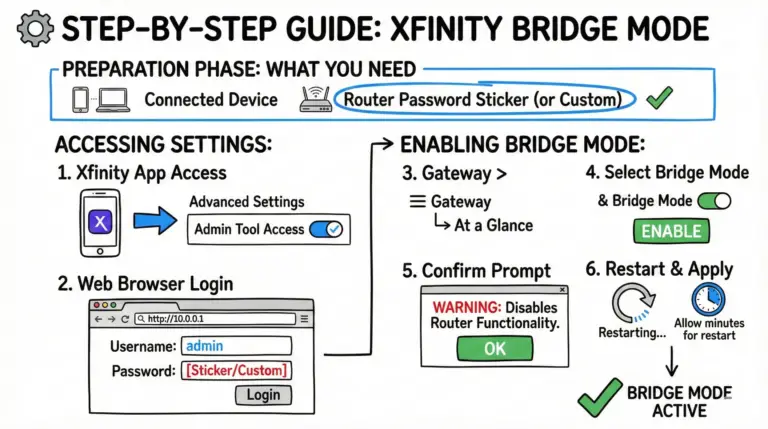
A practical, up-to-date walkthrough for turning Xfinity Bridge Mode on or off, connecting your own router the right way, and avoiding double NAT and feature conflicts.

Set up and activate Xfinity Internet in about 10–20 minutes. This guide shows how to connect by coax or fiber/ONT, use the Xfinity app to activate, customize Wi‑Fi, verify speeds, and fix common issues.
Slow Xfinity internet? It may be your router. Compare the 11 best routers for Xfinity in 2025, including budget, gaming, mesh, and multi‑gig options.
A clear, step-by-step guide to return Xfinity equipment—what to bring, where to go, deadlines, fees, and how to fix label or device‑not‑listed issues.
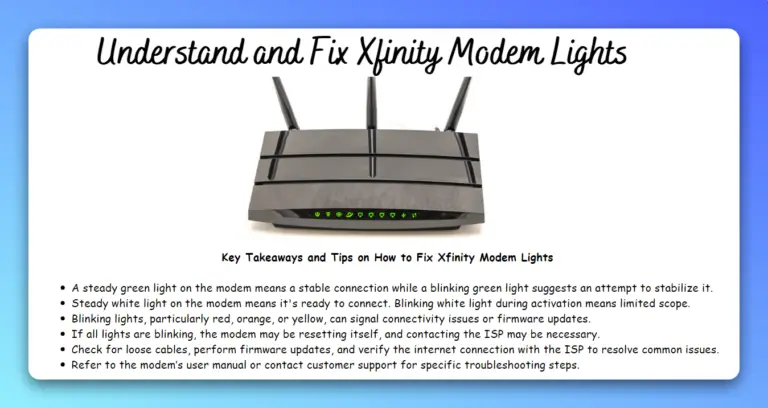
Learn what the lights on Xfinity xFi Gateways (XB8/XB7) and telephony gateways (TG1682) really mean. See solid white vs. green, amber/green patterns, blue WPS, and red—plus quick, model‑specific fixes.